


mrtnt989
Members
-
Joined
-
Last visited
Everything posted by mrtnt989
-
The textures won't load fast enough
-
I have els installed and all that stuff and the lights move on the light bar. But for some reason, the lights are flat textures and they don't actually have any light coming from them.
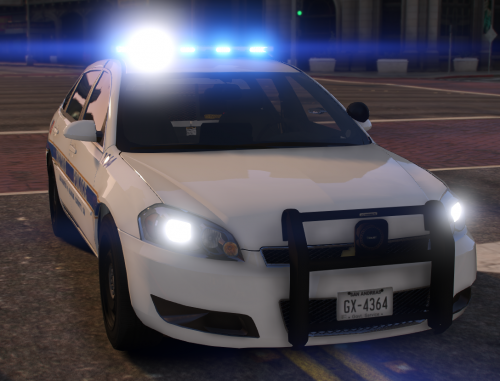 I like the looks but the lights are just flat textures. Jeff Favignano used this mod and the lights were bright and blue. How do I make the lights bright?
- 28 comments
- 10 reviews
Okay thanks for letting me know.But I just got LSPDFR 3 days ago and I did back it up. So do I need to wait for it to be compatible?No. It is like this with every ELS car. I also tried to uninstall the asi loader in openiv. And yes, I do have script hookI have read the read me and I have the ELS mod but the lights are still stuck on a solid color


