


mellowyellowbudy
Members
-
Joined
-
Last visited
Everything posted by mellowyellowbudy
-
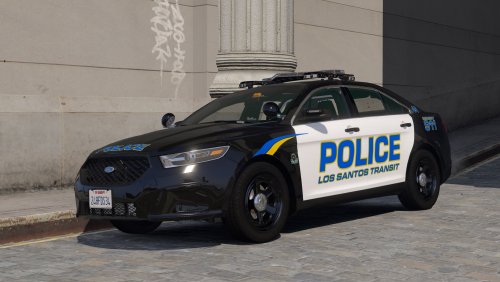 I plan to update this car with better parts and lighting over the next month or two!
- 30 comments
- 2 reviews
-
-
-
Because DLS is better than ELS in every way and works in singleplayer just as well 😄
- 30 comments
- 2 reviews
-
-
https://discord.gg/MaNvUAMR4T
-
From the album: mellowyellowbudy's Work-In-Progress
-

From the album: mellowyellowbudy's Work-In-Progress
-

From the album: mellowyellowbudy's Work-In-Progress
-
-
-
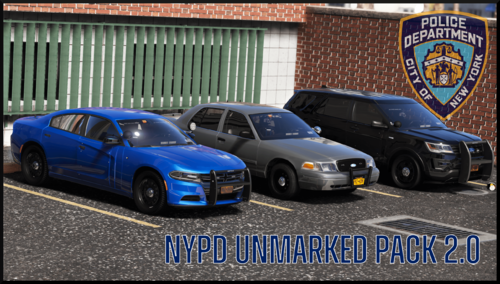 Please use Cj24's spot lamp. It is the highest quality spot lamp to date, and it can be downloaded for free from Modding Forum.
- 78 comments
- 10 reviews
-
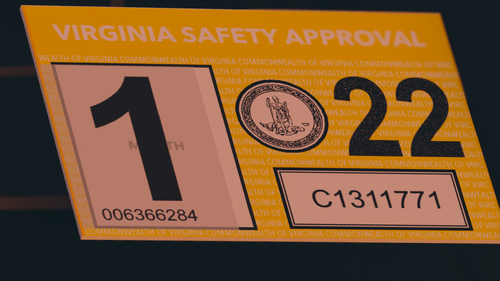 Virginia Safety Approval sticker Q: Can I sell with this? A: No. Don't reupload and don't claim as your own.
 -
Unfortunately, I am out of sirens, and therefore I cannot add any more lights.
- 30 comments
- 2 reviews
-
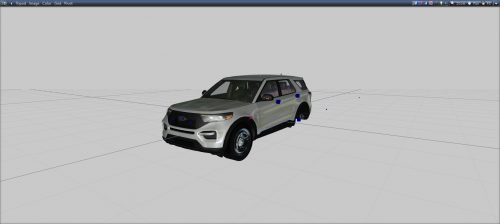 Either you're missing a texture or the UV mapping is not what you're intending it to be
 -
-
She's embedded properly! If I used the standard picture upload, it would be low res and harder to read
- 30 comments
- 2 reviews
-
-
-
-
-
-
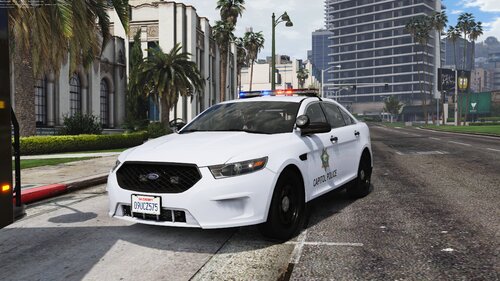
Ford Police Interceptor Sedan for the Los Santos Transit Police featuring the Federal Signal Valor lightbar ------------------------ don't rip, don't reupload, don't claim as your own
- 30 comments
- 2 reviews
-
-

-

- 12
-
-
 Hello, do you have Discord?
 -
.thumb.png.04b75a5b2aabf67b17fac9c9f7aafe30.png) Hi shepardson, On your Charger, I noticed that the flashing Daytime Running Lights flash in an inaccurate way. In real life, the DRL fully turns on, and then off; however, on your car, they get brighter. This can be fixed by giving the DRL the vehglass material (not lightemissive) and making the texture black
Hi shepardson, On your Charger, I noticed that the flashing Daytime Running Lights flash in an inaccurate way. In real life, the DRL fully turns on, and then off; however, on your car, they get brighter. This can be fixed by giving the DRL the vehglass material (not lightemissive) and making the texture black- 16 comments
- 2 reviews



.thumb.png.04b75a5b2aabf67b17fac9c9f7aafe30.png)