Skip to content
View in the app

A better way to browse. Learn more.

LCPDFR.com

A full-screen app on your home screen with push notifications, badges and more.

To install this app on iOS and iPadOS
  1. Tap the Share icon in Safari
  2. Scroll the menu and tap Add to Home Screen.
  3. Tap Add in the top-right corner.
To install this app on Android
  1. Tap the 3-dot menu (⋮) in the top-right corner of the browser.
  2. Tap Add to Home screen or Install app.
  3. Confirm by tapping Install.

officerhanley1023

Members
  • Joined

  • Last visited

Everything posted by officerhanley1023

  1. Since yesterday my lspdfr keeps crashing everytime I go on duty. I tried to forceduty but it says i need to go to a department and select a agency. when I do that it crashes and i get stuck inside the police department. If anyone could know what this is please help I've tried everything. RagePluginHook.log
  2. @Nicolas2321 I got it figured out just needed time to process I guess. thanks anyway tho!
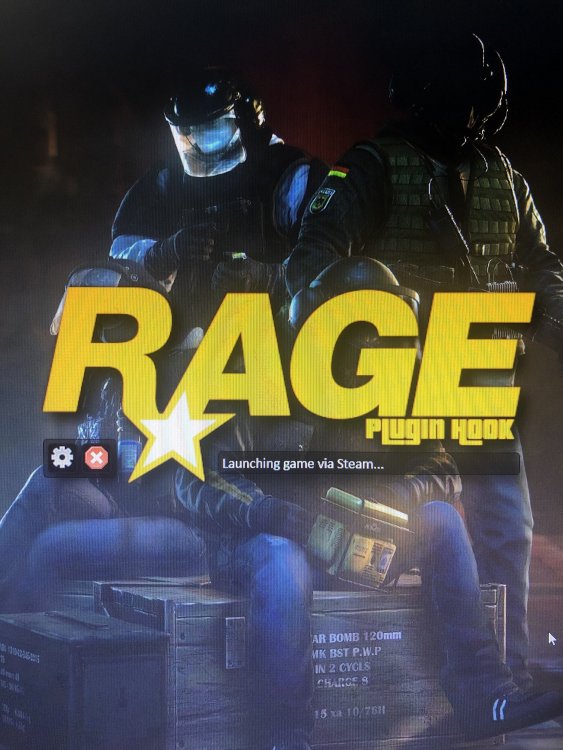
  3. I downloaded some cars and started the game and it worked fine I realized I needed the EUP menu to spawn them so I exited the game and downloaded that. whenever I started up the game it auto disabled LSPDFR and the game froze so I restarted my pc and tried again and now it’s stuck on this screen.
Account

Navigation

Search

Search

Configure browser push notifications

Chrome (Android)
  1. Tap the lock icon next to the address bar.
  2. Tap Permissions → Notifications.
  3. Adjust your preference.
Chrome (Desktop)
  1. Click the padlock icon in the address bar.
  2. Select Site settings.
  3. Find Notifications and adjust your preference.
