



Epiic Ninja Cat
Members
-
Joined
-
Last visited
Everything posted by Epiic Ninja Cat
-
I figured out it was the ELS. The XMLs in particular. So if anyone has this problem, thats what it was...2 weeks and so many headaches for 1 fricken XML file......
-
LSPDFR and GTA were working perfect 2 weeks ago. Last week I got home from 2 days at work and tried playing and it would crash at the end of the load up screen. Posted crash report and got no answer. Tried running just gta through steam, same crash. Updated graphics card, still crashing. Removed plugins, still crashing. Deleted all GTA files, redownloaded and installed, still crashing. It gets to the end of the load screen everytime, and then crashes. Please help if you can, its driving me absolutely insane.
-
Yeah I tried that too, it's really weird. I'm currently reinstalling gta
-
First off, thank you for replying! and when I saw it was you I like woah thats cool I watch your videos on Youtube haha. But...no luck, same crash..tried without brake light too, still crashing. I really dont want to redownload GTA5 again, and I totally messed up last time I rebooted the game and didnt make a backup...
-
Can anyone help me figure out why I am now crashing on load up after not playing for a few days. Did not change anything within game.
-
Well said, sir. Do you think you can take a look at my log and see why im crashing? It was working perfect a few days ago with no crashes at all. Went to work for two days, came back and it crashes on load up, cant even load just gta through steam. updated game driver, verified the integrity of game files. Just cant seem to figure out why it wont load..
-
My game started crashes on loadup screen, cant even load just gta5 via steam. Havent touched the game in 4 days, when it was doing just fine. Reinstalled 0.4.1 and it is also crashing on loadup now. Any ideas?
-
Same here
-
I cant even load GTA on just steam without rage. But everything is up to date, and the GTA file integrity has been verified
-
Can anyone help me figure out why I am now crashing on load up after not playing for a few days. Did not change anything within game.
-
I didn't figure out what was wrong so I just deleted everything. Switched to my back up and re-uploaded my mods
-
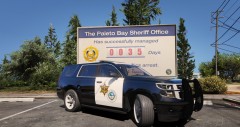 Just realized that the badge and seal need to be flipped in direction, will be fixed
 -
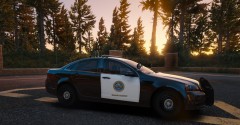 Finished up some city seals and posted an update in gallery if interested
 -
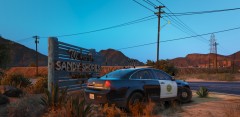
From the album: WIP Orange County, California
-
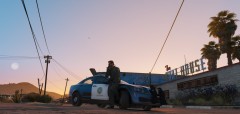
From the album: WIP Orange County, California
-

From the album: WIP Orange County, California
-
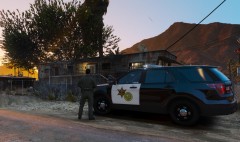
From the album: WIP Orange County, California
-
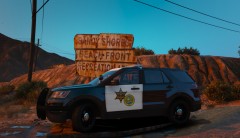
From the album: WIP Orange County, California
-
From the album: WIP Orange County, California
-
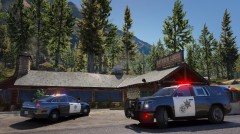
From the album: WIP Orange County, California
-
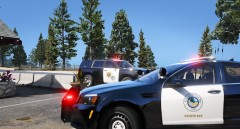
From the album: WIP Orange County, California
-
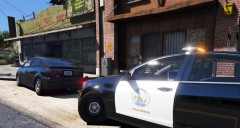
From the album: WIP Orange County, California
-
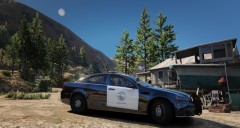
From the album: WIP Orange County, California
-

From the album: WIP Orange County, California
-

From the album: WIP Orange County, California


