
slitsume
Members
-
Joined
-
Last visited
Everything posted by slitsume
-
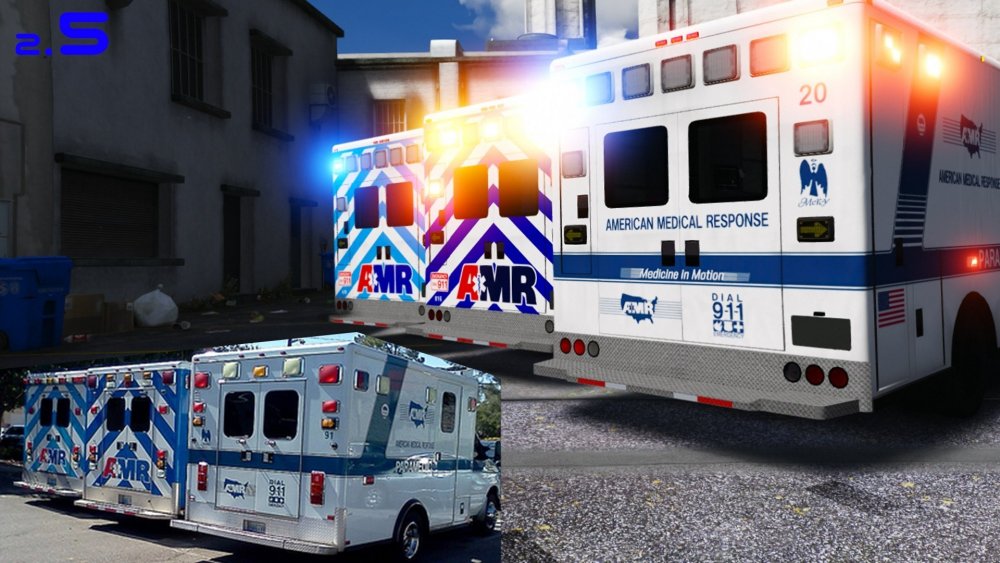
My gta v keeps crashing due to car models. I’ve used these car models in 0.3 and I am not understanding why I’m experiencing crashes before I even get to the loading lspdfr screen. I’ve tested out if the cars were renamed wrong but they weren’t. I’ve tested to spawn the cars in steam without ragehook and they’ve spawned fully with els included as well. These are some plugins, scripts and mods I use. Ambient FX Stoptheped Alpr LITE StickyWheels Tacco HW Callouts United Callouts AC Callouts Computer+ Spotlight NVR + VISUAL V + MVGA EUP - Sr and Lo PLD + TRAINER V + FOV The issue here is not the plugins or enbs since I’ve tested everything out without vehicles I’ve uninstalled the game 3 times and whenever I add a car it doesn’t even bother to load, it just crashes straight out when it is on loading screen.
-
 VisualV and NVR
 -
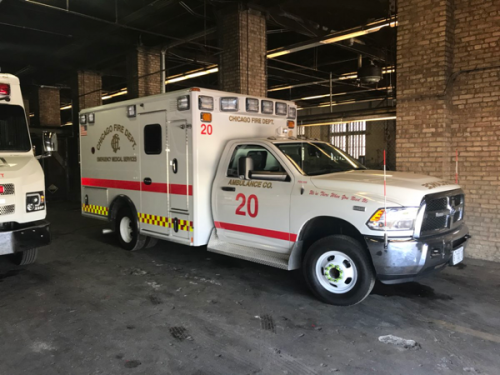
If uploaded give me some credit! If any mistakes or changes let me know! Also the texture is in the main folder named as "amb_signt_1.lnk" not sure why it ends it "ink" but once opened the vehicle texture will come up as a normal png. If you guys want to see CPD content or new texture releases, I'll be up on youtube. https://www.youtube.com/channel/UCtrlubq-IQqkpRnFjM6VmLQ Link to the RamBulance:
-
Is their by any chance a way to edit the back mirrors and add a big emergency logo? For both mirrors? ( not my picture)