
Skip to content
View in the app

A better way to browse. Learn more.

LCPDFR.com

A full-screen app on your home screen with push notifications, badges and more.

To install this app on iOS and iPadOS
  1. Tap the Share icon in Safari
  2. Scroll the menu and tap Add to Home Screen.
  3. Tap Add in the top-right corner.
To install this app on Android
  1. Tap the 3-dot menu (⋮) in the top-right corner of the browser.
  2. Tap Add to Home screen or Install app.
  3. Confirm by tapping Install.

christoutouf

Members
  • Joined

  • Last visited

Everything posted by christoutouf

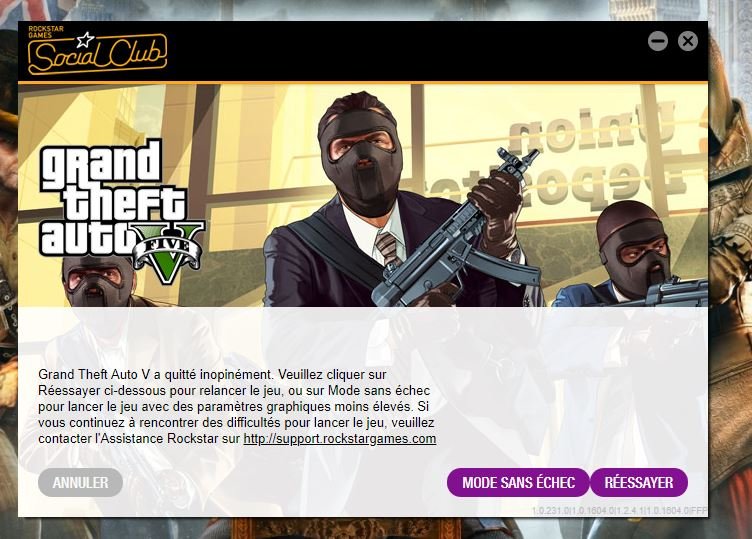
  1. Bonsoir a tous le monde j'ai un nouveau pc, j'ai déjà installer LSPDFR avec des plugin etc ... mais la je ne comprend pas le problème j'ai installer rage plugin hook à sa dernier version avec LSPDFR 0.3.1 + ScriptHook V , Community ScriptHook.NET , Simple Trainer , Scripts LSPDFR tous compatible . mais mon joue crash j'ai regarder la video de bugmanfr pour m'aider mais rien je ne prendre pas merci d'avance pour votre aide 🙂

Account

Navigation

Search

Search

Configure browser push notifications

Chrome (Android)
  1. Tap the lock icon next to the address bar.
  2. Tap Permissions → Notifications.
  3. Adjust your preference.
Chrome (Desktop)
  1. Click the padlock icon in the address bar.
  2. Select Site settings.
  3. Find Notifications and adjust your preference.