


CRGamingDevelopment
Members
-
Joined
-
Last visited
Everything posted by CRGamingDevelopment
-
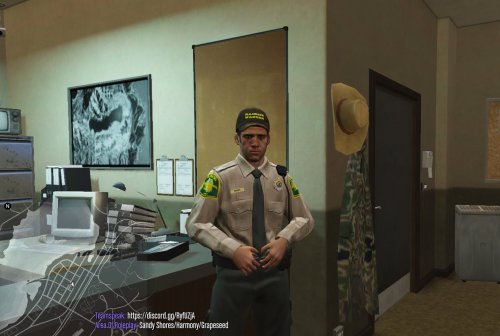 Hello everyone! CRGamingDevelopment brings you the first Illinois Conservation Police Officer Ped. This ped replaces the default s_m_y_ranger and also is lore friendly with San Andreas Game Warden also included in the ranger ped. The ped has the Illinois Conservation uniform and the San Andreas Game warden uniform that can accessed in the trainer menu. Hope you like this first ped i made and please follow me on my discord @CRGamingDevelopment ~Discord~ https://discord.gg./vV62NCP
 -
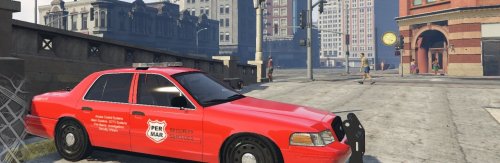 CRGaming&Development Welcome to my profile! I'm starting to get into making vehicle skins and thought i would share this latest skin i made with the lspdfr community. This skin is based from a security company that is in my local area and thought it would be kinda cool to make a vehicle skin for it on this cvpi. Vehicle livery is made the 2011 Crown Victoria/CVPI Please check out my discord-CRGaming&Development https://discord.gg/vV62NCP
