



TakeYaBackToStation4BumVio
Members
-
Joined
-
Last visited
Everything posted by TakeYaBackToStation4BumVio
-
TakeYaBackToStation4BumVio replied to TakeYaBackToStation4BumVio's topic in GTA V Discussion & MediaJust to confirm to those who are not LSPDFR devs, the "broken node" error is in other words temporary and just needs to be silenced until a final release in which all YNDs have the same date/time hash. Currently LSPDFR is excluded from my Alpha project because of this. Please come try out the mod over at GTA5-Mods.com in the misc section!
-
 Ah shit, really?! It's quiet? I tested this thoroughly - can you please ensure all the possible volumes are turned up like in game, Windows, headset. And could you also tell me if you manually installed via OAC or used the OIV? I will look into this now sorry about that Thanks
- 56 comments
- 10 reviews
-
-

- 1
-
-
 Well, I had time to make one for my Scan Superior mod, but maybe the community can help me out this holiday season...?
- 7 comments
- 2 reviews
-
When you press the brake in GTA V, you'll almost always hear a sound as if your tyres lost traction for a second. No more - That same sound effect that played rather loudly every time you tried smooth braking/ driving, has now been replaced with brake-pedal SFX! Listen closely and you'll hear the brake pedal being slammed on when at high speeds, and gently applied at regular speeds. If you want to retain your vehicles.awc and decide to perform a manual installation for this mod, ensure you set the Headroom variable of 0x057E09B6 to 420, as described in Instructions
- 7 comments
- 2 reviews
-
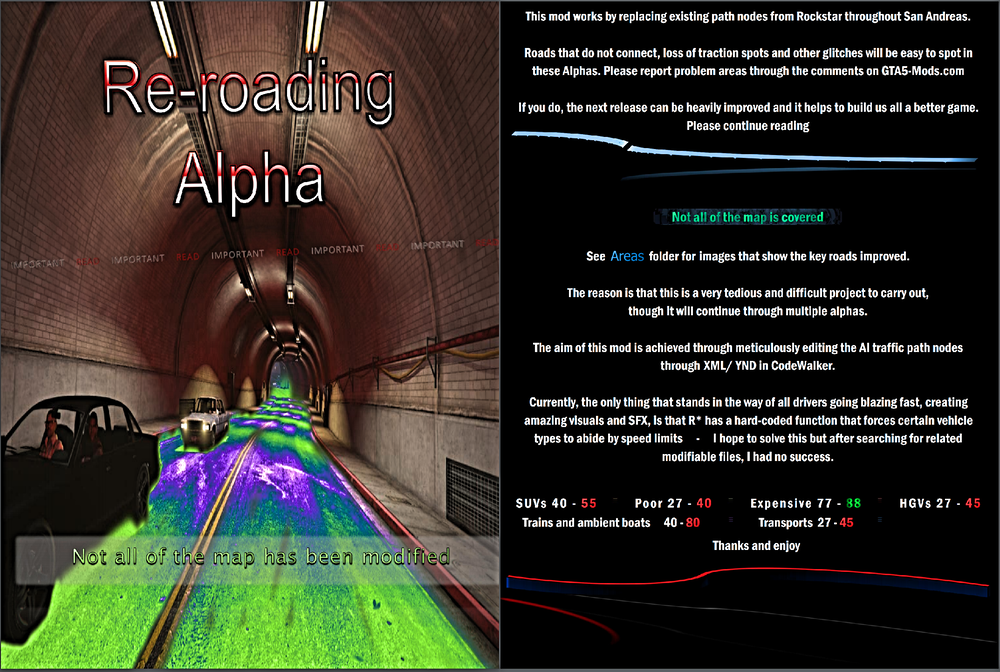
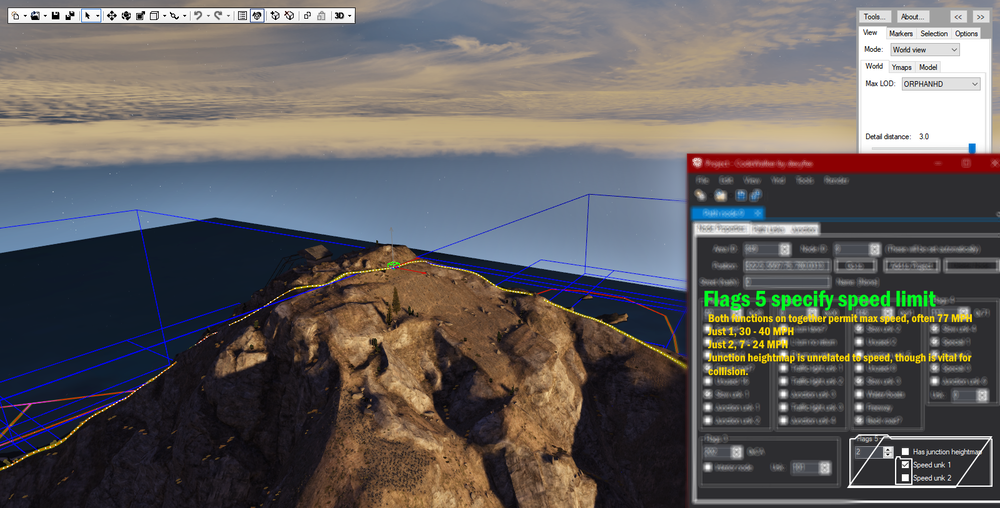
Hey @Sam - for the last 2 weeks I've been producing a very desired mod which involves me repathing San Andreas, as to achieve a visually brilliant speed enhancement. I've already got 500 downloads and over 400 replies through both our lovely brother site, and the forums themselves - and that's in less than 2 weeks. The task I'm undertaking is a massive one, but I'll do it, for all of us. The roads in V need next-genin' now! The reason I am writing this post is to inform the developers of LSPDFR that your script currently has an error in which nodes which have "broken" links cause a fatal crash. I've received about 5 comments informing me of this and today have confirmed for myself the following interesting console information: That's quite cool to see that you guys had to cover some ground in terms of AI path nodes, though it seems to me - as someone with not a lot of knowledge in programming, that the issue described here, and here, is causing effectively a false flag. For example, there is no need to crash simply because an area ID or series of nodes, or even a node alone has invalid properties of any sort. It's a backend non-issue of which player's don't experience. The entire log. So, as a modder who has actively shown through 1 year on this site that I can produce high quality mods, and now designing the extremely in-depth project of Re-Roading, can we please start talks to resolve this issue so that my mod is not only game changing for regular V players, but also the LSPDFR community. I fully accept that my alphas may give off the effect of having broken nodes, and you guys may not be able to remove the checks that cause this error - of course, but please can we begin a troubleshoot regarding how the problem described - about nodes refering inside themselves until mass-saving at the end of the project, could be put on hold until the full stable release in which all links see each other. To read only half the documentation - which did make my wrists hurt, yes, without downloading - please see these images. Thank you.
-
TakeYaBackToStation4BumVio commented on TakeYaBackToStation4BumVio's file in GTA5 Mods Visual & Data File
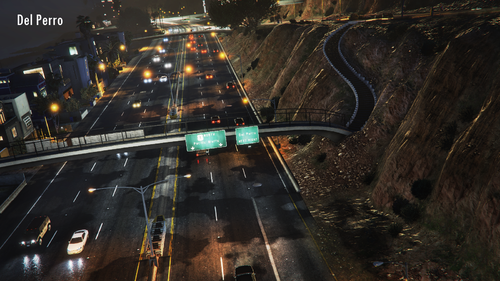 Oh no... thank you so much for informing me. On it right now.
- 124 comments
- 7 reviews
-
-
- 1
-
-
TakeYaBackToStation4BumVio commented on TakeYaBackToStation4BumVio's file in GTA5 Mods Visual & Data File
Well, I'm not sure about that. The principle behind this is in the reflagging of existing nodes and being careful of that edit for junctions and other areas where vehicles need to start receiving different information. I do hope that once 100% of the map is complete, all previous mods that use the base game's awful unit of measurement will transition into what is visually much nicer. And gameplay wise, much better as a63nt-5m1th says here. I mean, I am building this so we can all enjoy 200 feet per second, aka "88 R* math MPH*
- 124 comments
- 7 reviews
-
-
- 2
-
-
TakeYaBackToStation4BumVio commented on TakeYaBackToStation4BumVio's file in GTA5 Mods Visual & Data File
@Jordan Wolffe Grey Thanks man, it's gonna be a long process. Hoping to get some help from programmers for this serious issue preventing the most perfect, final GTA V next-gen roads you'll ever see
- 124 comments
- 7 reviews
-
Designed and programmed nearly 10 years ago, the roads of San Andreas were in need of serious regeneration... Featuring extreme speed increases, intelligent junctions, varied braking, and smooth curve transitions More about the Re-Roading project... By reflagging path nodes from Rockstar throughout the map, and by modifying every vehicle, acceleration has been made much faster and speed limits amplified - something that was long overdue. No other mods required Very minor glitches to be fixed ..
- 124 comments
- 7 reviews
-
-
-

- 6
-
-
@yuar23 I used a sound library to mix and basically create sirens. If you listen close to a few of them, and if you're familiar with other games and films, you'll recognize chunks 😄
- 56 comments
- 10 reviews
-
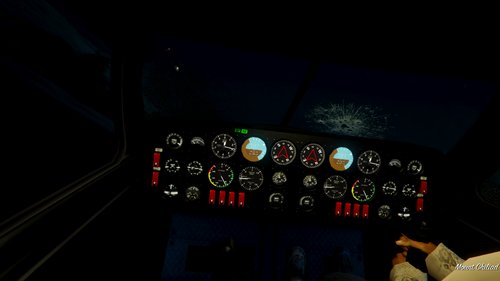 I, urgh, I... Look, just get BetterVehicleFirstPerson it's all God Intended
 -
Wow dude this was nearly 1 year ago I haven't touched sounds in V since. I am pretty sure I can advise you a different way (even though I read my posts from Jan I still don't remember ahaha) If I was you I'd just make another sound smaller, like the undercarage of a train (the largest file in vehicles.awc), but if you really really can't do that, use the command assembly I did (Is still gonna break the chunk reference and make all vehicles silent unless you adjust the headroom. Use the files supplied in my mod here. I know for a fact they work because 2500 people said so 😄
-
That's an I
-
Any sound design or vehicle handling areas I'm your guy!
-
TakeYaBackToStation4BumVio replied to TakeYaBackToStation4BumVio's topic in GTA V Discussion & Media@JdestDoug Hey. It's super simple. Instead of putting sound files into an awc, you'll just place files into a folder on your desktop and then OpenIV will create an awc from that folder, let's begin. So, download my mod and drag the folder named OAC Install onto your dekstop. Inside of that folder now on your dekstop there will be vehicles - another folder, and vehicles.oac - a data file. Pick n mix the sound files you want into the vehicles folder. For example if you want to keep my hold-down horn, then do not delete AIRHORN_EQD, but if you want to use someone else's Priority, replace SIREN_2 or whatever file it is you want to use. Once you have your concoction vehicles folder, open OpenIV and head to the vehicles.awc file location. Drag the data file from the OAC Install folder on your desktop (vehicles.OAC) into white space with edit mode turned on in OpenIV. You should see a blink where the awc archive is created. To be sure it worked, delete vehicles.awc from inside OpenIV and then drag in vehicles.oac - that way you'll see the .AWC being created. Good luck!
-
-
 GTA5 2019-07-30 01-39-18-60.png
-
 GTA5 2019-07-30 01-43-28-18.png
-
 GTA5 2019-07-30 01-47-48-05.png
-
 GTA5 2019-07-30 01-49-47-46.png
-
 GTA5 2019-07-30 01-49-52-47.png
-
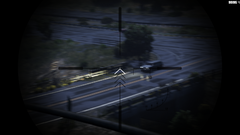 GTA5 2019-07-30 01-50-00-59.png
-
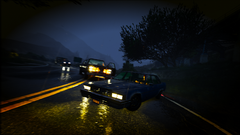 GTA5 2019-07-30 01-50-58-42.png
-
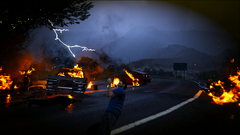 GTA5 2019-07-30 01-51-22-65.png
-
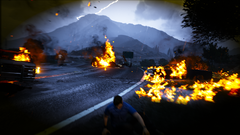 GTA5 2019-07-30 01-51-31-02.png
-
 GTA5 2019-07-30 01-51-47-41.png
-
 GTA5 2019-07-30 01-51-44-38.png
-
 GTA5 2019-07-30 01-53-12-60.png
-
 GTA5 2019-07-30 01-55-33-18.png
-
 GTA5 2019-07-30 01-56-06-04.png
-
 GTA5 2019-07-30 01-56-33-48.png
-
 GTA5 2019-07-30 01-55-02-98.png
-
 GTA5 2019-08-05 12-08-36-71.png
-
 GTA5 2019-08-05 13-10-16-55.png
-
 GTA5 2019-08-05 13-18-47-00.png
-
 GTA5 2019-08-05 13-22-12-77.png
-
-
From the album: Gallery
-
From the album: Gallery
-
From the album: Gallery
-
From the album: Gallery
-
From the album: Gallery
-
From the album: Gallery
-
From the album: Gallery
-
From the album: Gallery
-
From the album: Gallery


