
TakeYaBackToStation4BumVio
Members
-
Joined
-
Last visited
Everything posted by TakeYaBackToStation4BumVio
-
TakeYaBackToStation4BumVio commented on TakeYaBackToStation4BumVio's file in GTA5 Mods Visual & Data File
 Hey Dodge thanks man can't wait to release the next version. Christmas is weeks away right? Right?! Cheers bro, not long now - just a few more alphas and we'll be all set for the future. I imagine the moment I'm finished Re-Roading san andreas, R* will see and announce the release date for GTA VI! Well, there's really no need. This is quite a large mod, and with any other project (especially in alpha condition) you should really copy paste your mods folder before installing. Though, could you please supply me with more info on why you need to uninstall? I'd love to fix any and all errors/ glitches! Thanks guys 1122 aka TakeYaBackToSation4BumVio but that's a bit long, so let's just use 1122 instead Blessed be
- 124 comments
- 7 reviews
-
TakeYaBackToStation4BumVio commented on TakeYaBackToStation4BumVio's file in GTA5 Mods Visual & Data File
You must not be using the correct setup for best play. Try using this on a new mods folder with your same game, that way we'll really see if Re-Roading is the problem or not
- 124 comments
- 7 reviews
-
So you're certain it's not police radio?
-
TakeYaBackToStation4BumVio commented on TakeYaBackToStation4BumVio's file in GTA5 Mods Visual & Data File
@SGT Rick Wishaw You've asked same question here, on GTAInside.com and on Gta5-Mods.com. Please
- 124 comments
- 7 reviews
-
TakeYaBackToStation4BumVio commented on TakeYaBackToStation4BumVio's file in GTA5 Mods Visual & Data File
@Cpl.Griffiths Nope, in the wrong place bud. So many ways to add trafic, from memory pools to the AMAZING PopulationControl mod. This mod took a month of my life to create as an alpha project. Check it out https://www.gta5-mods.com/misc/finally-ai-vehicle-speed-made-lethal
- 124 comments
- 7 reviews
-
TakeYaBackToStation4BumVio commented on TakeYaBackToStation4BumVio's file in GTA5 Mods Visual & Data File
@Cpl.Griffiths Sorry bro I don't really get what you're asking. Does this mod work? Well, I should hope so! And does this mod add traffic? No, not at all. Please, please read the PDF ahahaha
- 124 comments
- 7 reviews
-
TakeYaBackToStation4BumVio commented on TakeYaBackToStation4BumVio's file in GTA5 Mods Visual & Data File
Hey @RCrw notik, you don't have to do anything complex. Simply copy your mods folder and paste it again - rename it to Ignore Then, install the OpenIV package to the mods folder and if anyting goes wrong, simply delete the folder called mods, and rename Ignore back to mods. Good luck and thanks for the interest!
- 124 comments
- 7 reviews
-
TakeYaBackToStation4BumVio commented on TakeYaBackToStation4BumVio's file in GTA5 Mods Visual & Data File
@RCrw notik Okay mate that's fair enough. Just to let you know, though A list of modified files can be seen in the left hand side preview image, or here
- 124 comments
- 7 reviews
-
TakeYaBackToStation4BumVio commented on TakeYaBackToStation4BumVio's file in GTA5 Mods Visual & Data File
@RCrw notik Thank you very much. I must ask, is this not working for you? Does it crash for you on the startup of LSPDFR? Thanks
- 124 comments
- 7 reviews
-
TakeYaBackToStation4BumVio commented on TakeYaBackToStation4BumVio's file in GTA5 Mods Visual & Data File
@RCrw notik Hey, so are you saying you're all up and running with this mod?
- 124 comments
- 7 reviews
-
-

- 1
-
-
TakeYaBackToStation4BumVio commented on TakeYaBackToStation4BumVio's file in GTA5 Mods Visual & Data File
@skyred50 Thanks for the interest! @Siracusa Yes that's right, every vehicles meta has the addition of the sports car flag, which translates to increased maximum speed. I am speaking with the developer of World of Variety, so that's... on path to be something that gets covered. badum-ts
- 124 comments
- 7 reviews
-
-
- 1
-
-
TakeYaBackToStation4BumVio commented on TakeYaBackToStation4BumVio's file in GTA5 Mods Visual & Data File
Are you serious?
- 124 comments
- 7 reviews
-
TakeYaBackToStation4BumVio commented on TakeYaBackToStation4BumVio's file in GTA5 Mods Visual & Data File
@Siracusa Thanks for your input. I want to advise you a way to enjoy mods with no consequences. Please, copy and paste your mods folder inside of Grand Theft Auto V. Then rename it anything, such as Ignore Then, delete the mods folder. Ta-da, you have a fresh V to mess around with and if anything bad happens, simply delete the new mods folder that will be created by installing Re-Roading, and rename Ignore back to mods. Time travek. Boom. Good luck 🤓
- 124 comments
- 7 reviews
-
-
- 1
-
-
TakeYaBackToStation4BumVio commented on TakeYaBackToStation4BumVio's file in GTA5 Mods Visual & Data File
Please see the above right side image it says that VehicleAIHandlingInfo is a modified file @Thisridiculous And every vehicles meta, too
- 124 comments
- 7 reviews
-
-
- 1
-
-
TakeYaBackToStation4BumVio commented on TakeYaBackToStation4BumVio's file in GTA5 Mods Visual & Data File
😄 you don't really think it'd be here if it wasn't for LSPDFR, right?
- 124 comments
- 7 reviews
-
Hey everyone. I want to really suggest that Re-Roading gets featured. It's been 5 years we've been driving with grannies on the road. Every mod is built around R* speeds. Horrible speeds. Spready the word.. Re-Roading
-
From the album: Private das da name
-
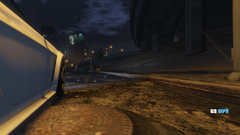
From the album: Private das da name
-
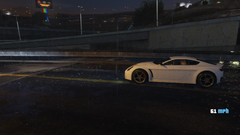
From the album: Private das da name
-
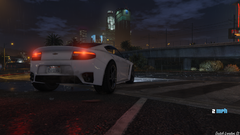
From the album: Private das da name
-
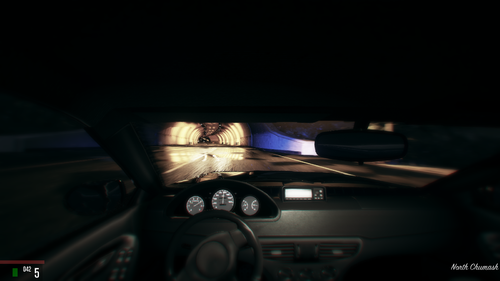 Those aren't exported for use in V. They are just sound files of various bit rate and size laying around at the end of me first making this. 3 things you will need to adjust to use them: Non * to PCM and mono 16bit and truncate all of it/ equalizer/ dc offset either one works Filename Then, as normal adjust the headroom for proper sound. FruityLoops is best, truncate with Audacity and ensure filsize with Wavepad. 20 minutes max, good luck
- 56 comments
- 10 reviews
-
-
-
Did you adjust the headroom for all 74 custom sounds to -4777 and 420 as instructed? loool
- 56 comments
- 10 reviews
-
TakeYaBackToStation4BumVio replied to TakeYaBackToStation4BumVio's topic in GTA V Discussion & Media@LMS That's absolutely fantastic. Not only would LSPDFR players eventually get to enjoy this project at the end of the Alpha stage, but I could then actually build this project on LSPDFR to ensure complete compatibility! I'd certainly like to take you up on this offer of the bug-ignoring build - I just want to re itterate a slight possible drawback. If the result comes back that the nodes are infact impacted negatively, then it would be up to you guys to sort of, digress. Though, that's a big if, I promise. I am very experienced in level design and nodes, I'm certain this will work out once out of Alpha stages 👍 Excited to get the ball rolling