


chatterbox2016
Members
-
Joined
Everything posted by chatterbox2016
-
 Hey mate, im having a the problem where it wont spawn the vehicles because it "cant load invalid model with hash xxxx". Similar problem to Dumemesogut. I have noticed in open IV when i try to open the dlc rpf in the blueghost pack it is corrupt? I was wondering what you might suggest I do if you had any ideas? Cheers
- 485 comments
- 78 reviews
-
Still crashing I’m afraid, thanks for the advice I guess but yeah not the problem. also that wouldn’t affect when I have added cars that’d just cause crashes the whole time cause it’s a plugin. these crashes never happen if I have made any car replacements etc
-
What do u mean by 0.3 and 0.4? I am still on the old version of LSPDFR but crashes were occurring before that so that’s not the issue if that’s what u mean, will remove it anyway and get back to u
-
Hi Everyone, For some really strange, annoying and unknown reason, my GTA V crashes randomly while im playing LSPDFR. It only ever happens if I have a mods folder and have edited stuff. The only things i do is replace police cars and I know for a fact its not the cars as i have tried different types of police cars and they all still cause crashes, however, when I do not have the cars installed (with a mod folder at least, haven't dared try without one) it doesn't crash at all! The crashes are quite inconsistent, however, they frequently occur when i try going to the police station to go on duty, and while im leaving the station to find a car while on duty it will crash. This is not what happens every time though, sometimes I can get away with 30 minutes of play time or something but then suddenly it will just crash. I am unsure what the reason behind these crashes are and I have tried resolving it in many ways. Someone had a similar problem that i found and they were not putting their cars in the latest patch, same as me, however, I have tried to change that by placing all car replacements (FBi, FBI2, Police, 2,3,4, Sheriff, Sheriff2, ambulance) but that hasnt changed anything. Here is my latest crash report: Any help people can offer would be very much appreciated as this is extremely frustrating and I have absolutely no idea whats going on Cheers
-
-
They vary like a lot, sometime when I answer calls, when im driving to calls, when I finish a call, when Im just normally driving around etc... It happens at a bunch of different times, there isnt a patter (that I know of) that they share.
-
sure, I think this is it? RagePluginHook.log
-
I would but unfortunately what happens a lot of the time is LSPDFR crashes and then my GTA V freezes and doesnt respond and I am forced to open task manager and cancel task. I often have to play in windowed mode now because if it freezes and im in fullscreen I have to restart my computer
-
Hi All, I have now prevented any GTA V crashes from occurring, im assuming thanks to the game config so really thanks a tonne, unfotunately I am experiencing an increasingly large amount of lspdfr crashes? These only started since the config and such had been added, any thoughts? Cheers
-
Hi All, Thank you so much for your comments and help recently as its much appreciated. I thought I would let you know that since installing a game config I haven't had a crash so i guess that was the issue! Thanks so much again, I would appreciate if you did keep an eye on this thread though as If the problem returns I will be back here again 🙂 Cheers
-
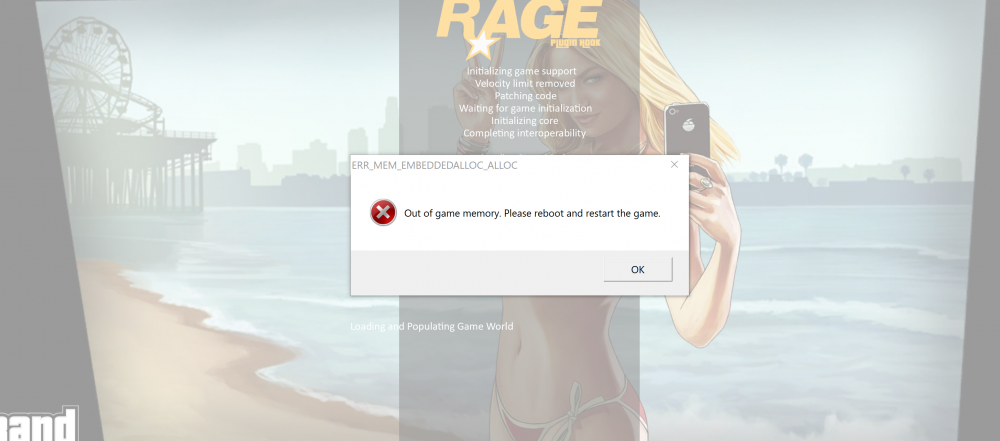
I tried adding a game config but the game wouldn't load and came up with the following message while trying to load
-
I am just a little confused about adding the gaming config, how is this done? I have tried once before but then it cam back saying that my game had run out of allocated space which was followed by some very indirect instructions to restart and retry but didnt tell me what to restart then retry, smh. Anyway I will try that gaming config again and get back to you
-
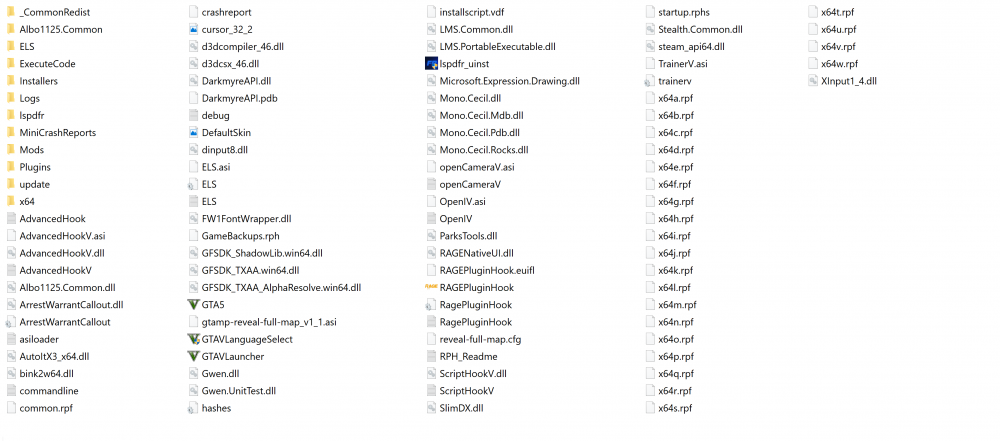
Thanks mate, Ill give this a try. Do I need to put the whole x64 folder in or just the x64e.rpf file? Happy New Year! I didnt have a modded game config before so hopefully adding one will prevent crashing. Only had 2 or 3 cars though 😕
-
I also just tried with different skins and can confirm that it was not a problem with the skins because the new cars I haven installed are also causing crashes. BTW these crashes DO NOT happen when i dont have new cars installed/added so Its a problem with the loading or installing of the cars I reckon
-
Yes
-
Yes it was still able to run but the cars I had installed (Australian police cars and ambulance) were not there.
-
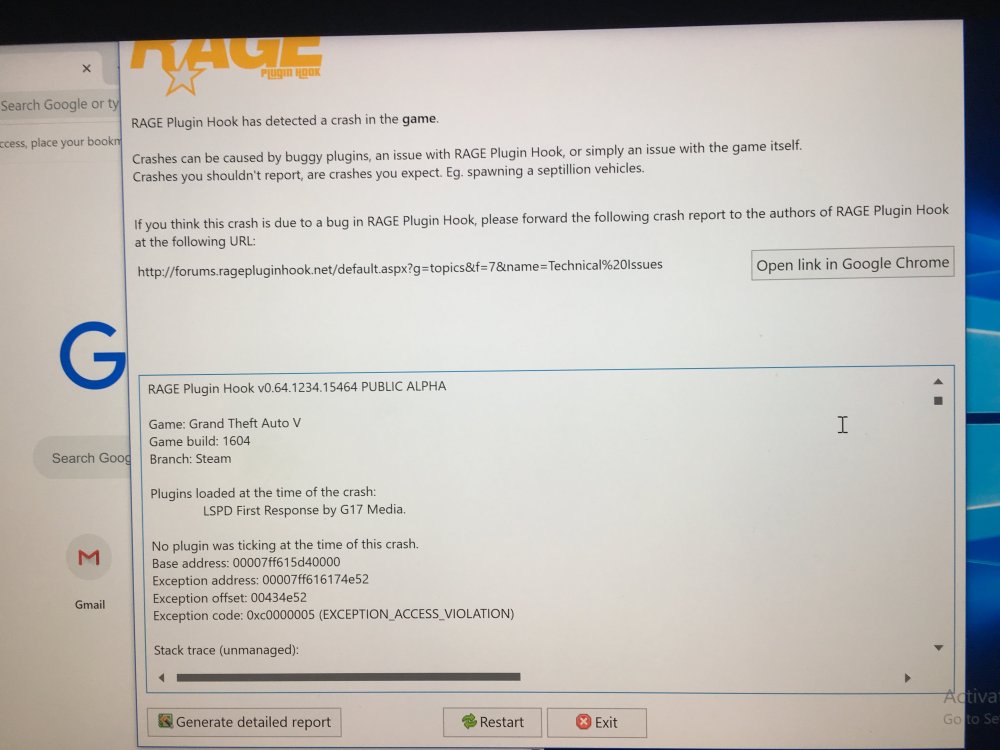
here are the message I get before I generate crash report Here is a photo of what happens when i click "generate crash report": And this is the crash report as follows;
.thumb.jpg.a1f59f2b2e54df12f2192f52be867f63.jpg)
.thumb.jpg.023c0ab6437017cfb2d2ba0258aa5ae5.jpg)
-
I could have a look for something like that but do you meant the message when GTA V crashes or the crash report because I am terrible at understanding and reading crash reports. I will have a look at what the crash message says though.
-
sorry for such a late reply! Been a bit busy over christmas with family etc. I will give this ago and get back to you, cheers. Update for you, after trying this, the car skins arent actually in the game... The game ran alright I guess but I didnt really wait and see because none of the cars skins I had added were there either
-
. Sure, sorry i didn't include one in the first place. Its a bit of a strange photo but this was the only way i could get it to fit, here it is
-
Hi all, I recently downloaded a bunch of new plugins and vehicle replacements. Since these installations, whenever I try to play GTA V with LSPDFR and other plugins and these cars, it crashes after about 5 minutes. LSPDFR doesn't crash but GTA V actually crashes. I am extremely confused as to what is causing this problem and I was hoping the community could chime in and help me out. I have taken all the recently installed plugins out but my game is still crashing. I removed and then reinstalled the cars i recently installed however this also had no effect on preventing the game crashes which makes me think it has something to do with the cars that are causing the crash but i really have no idea so I am incredibly confused as to the issue. I installed the vehicles using open IV and I can list them if required. I know (or at least think..) it isn't and LSPDFR issue because I have had GTA V crash without running LSPDFR but still having the car modifications and so I feel is the main issue but again I can't even moderately come to a conclusion. Once again any assistance or advice would be greatly appreciated as I am not very strong in the field of resolving crash issues etc. Cheers
.thumb.png.06df58c0bc7bc3ab11c834aa54cb848c.png)

.jpg.10a91382992a11e129cb0f1b964f3382.jpg)
.jpg.8fc575f0792f28d985b9beb85d2d8b8a.jpg)

