
XLR
Members
-
Joined
-
Last visited
Files posted by XLR
-
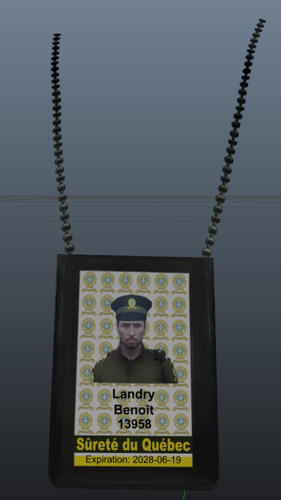
Petite modification pour le badge FIB, version SQ. Nom et matricule fictif, mais ça va faire l'affaire, dites que vous êtes Benoît Landry rendu là!
Creation: XLR
ID badge of the SQ
-- Do not claim as your own
Do not resell
Do not reupload
Dont be stupid
No support provided.
- 99 Downloads
Updated -
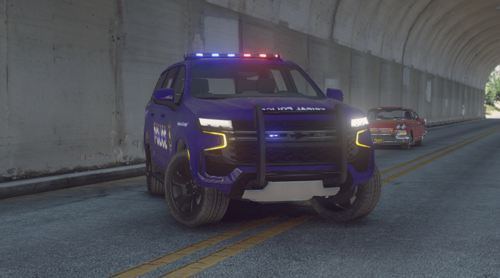
Vehicle made by XLR Development [https://discord.gg/2wvuy6J7qF]
Join my discord for future updates and/or some nice future cars. Commissions are also open for patches, logos, textures. Commissions for vehicles are currently closed.
This vehicle is made to reproduce the Kanesatake Mohawk Police [Future police dept. in the province of Quebec, Canada] tribal police. Please take note that this is a budget build, therefore there aren't that many lights on it, no it's not a Christmas tree.
Please take note this is my first car, so no it's not perfect and don't complain.
- 1,917 Downloads
- 8 Comments
Submitted