
Matt 4L 23
Members
-
Joined
-
Last visited
Everything posted by Matt 4L 23
-
That’s how I’ve always done it.
-
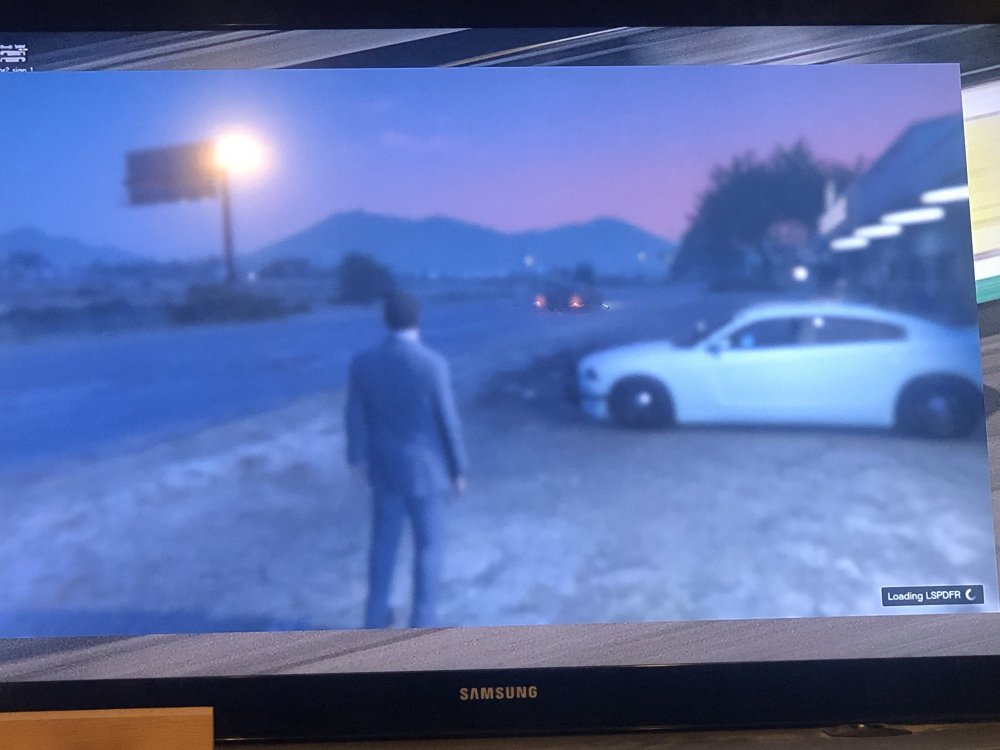
Ever since the update when I play LSPDFR it gets stuck on this screen. All the plugins and everything loads successfully and the game runs in the background just the screen stays foggy like this. Any idea how to fix?
-
 I’ve been looking for the perfect siren and I no longer have to look. Everything is great especially the Hi-Low which is my favorite siren tone https://youtu.be/YLQ_LHSieDY I used this car for the video
 -
-
 I love the ghost slicktop but after driving around for say 10-15 minutes my windows turn completely black, but after I clean the car they are fine. Anyway to fix that?
- 76 comments
- 55 reviews
-
my anti-virus was blocking RPH once i uninstalled it everything worked
-
Same issue RPH says “enjoy” then boom GTAV crashes