



Cranky Hills
Members
-
Joined
-
Last visited
Everything posted by Cranky Hills
-
Should i load rph with lspdfr plugin on?.
-
ScriptHookV.log
-
It was saying something about no scripts folder.
-
No i exited because it took me off duty i had to run rage with no plugins and load lspdfr but then it came up with errors and showing i was on duty but then when i went to pull someone over i couldn't i am so confused.
-
Idk what to do i have done everything. RagePluginHook.log
-
Didn't work
-
Sigh lspdfr crashed as you could probably see by the log. RagePluginHook.log
-
Nope i have a feeling it is the EUP Menu cause when game did load the EUP Menu always crashed. RagePluginHook.log
-
Alright i will try that and will let you know how it goes.
-
What key should i change it to?.
-
RagePluginHook.log
-
Hello i have installed LSPDFR and it crashes ethier on start up or when i go on duty i have just reinstalled rage and it worked but i went on duty then it crashed but it crashed the whole game i don't know what to do or why it is doing it, I would really love to get it solved.
-
 Send a picture of your main game files, AKA your main directory.
 -
 Are you stupid? Goto your gta 5 root folder go into your plugins folder and drag and drop, Then start ragepluginhook hold down shift and click start plugins, And click on sticky wheels
- 51 comments
- 21 reviews
-
-

- 1
-
-
Same for me i uninstalled GTA 5 completely and i still have the stupid sirens from the modern siren pack. Ugh!
-
-
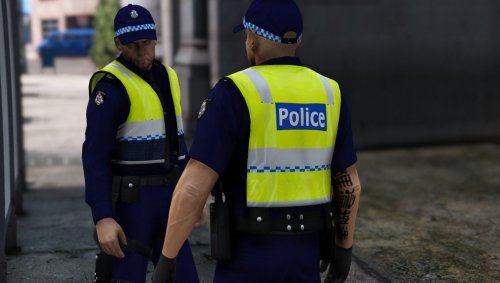 Amazing Mate i haven't even got em in my game yet lol but they look awesome asf
- 21 comments
- 3 reviews


