

Zenish
Members
-
Joined
-
Last visited
Everything posted by Zenish
-
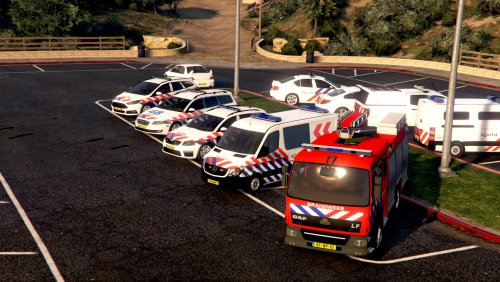 Dutch Emergency Pack - English In 2016, mohaalsmeer launched the "Dutch Emergency Pack 1.1". Now, after 2 years the English version is there. Within this pack everything has been translated to English, making it possible for everyone to install it without needing a translation. All the credits for the pack go to it's original creator, mohaalsmeer. Any other credits from the original pack can be found in the file 'Installation & Credits'.