NukeTheGopniks
Members
-
Joined
-
Last visited
Everything posted by NukeTheGopniks
-
That seemingly did the trick, thank you for your quick response Interesting, because I initially enabled -nodx because of exactly that callout error mentioned above. Now I turned it off again and everything works fine. GTA 5 really does behave like an unruly kid sometimes...
-
Greetings people I noticed that I cannot accept callouts when choosing LSPD as my starting agency. LSSD however works fine and normal without any problems. It is not a problem with any addon car because I can still pull over vehicles, it is just the callouts. Can anyone help me with this? Thanks in advance RagePluginHook.log
-
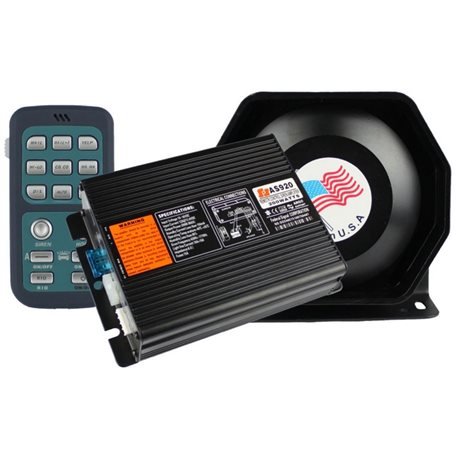 ,,I am too lazy to make a preview in-game“ doesn’t really persuade the community to download a file don’t you think?
 -
-
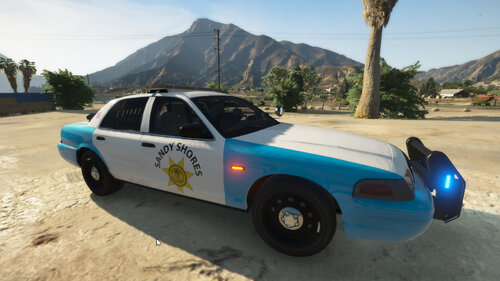 Gold 😄
 -
-
I don‘t have the slightest clue why this is happening, sorry 🙂
-
I checked once again: You can keep TrainerV installed just don‘t give yourself any guns. The Game wonr crash if you give yourself a weapon via the RPH Console for example.
-
Try removing TrainerV, that helped me
-
I really liked the ,,Make Peds Calm Again´´ Plugin in LSPDFR 0.3 and now, 0.4 has it´s own feature that calms peds. But that rarely works, I still get run over, peds still run away when I fire a gun and random peds get out of their cars and start shooting me. MPCA is built in with Stop the Ped but it can´t be used. So I´m asking the ommunity: Is there a way to disable the default calm feature of LSPDFR 0.4 and enable the one that comes with STP?
-
I know i´m pretty late to this but I found the culprit: TrainerV Remove it and everything will work
-
-
-
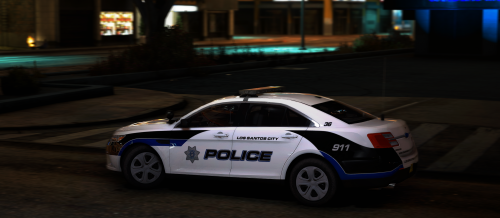 Looks awesome, the reflective thing is rare and I really enjoy seeing it. 5/5 Stars for this great work 😄
- 14 comments
- 1 review
-
-

- 1
-
.thumb.png.7077fe28b2e70f02de2f08f22d609d5f.png)