Skip to content
View in the app

A better way to browse. Learn more.

LCPDFR.com

A full-screen app on your home screen with push notifications, badges and more.

To install this app on iOS and iPadOS
  1. Tap the Share icon in Safari
  2. Scroll the menu and tap Add to Home Screen.
  3. Tap Add in the top-right corner.
To install this app on Android
  1. Tap the 3-dot menu (⋮) in the top-right corner of the browser.
  2. Tap Add to Home screen or Install app.
  3. Confirm by tapping Install.

dpreston

Members
  • Joined

  • Last visited

Everything posted by dpreston

  1. Now the game is crashing cRagePluginHook.logontinuously. But attached is the RPH log. particular to EUP. it's still throwing the same.
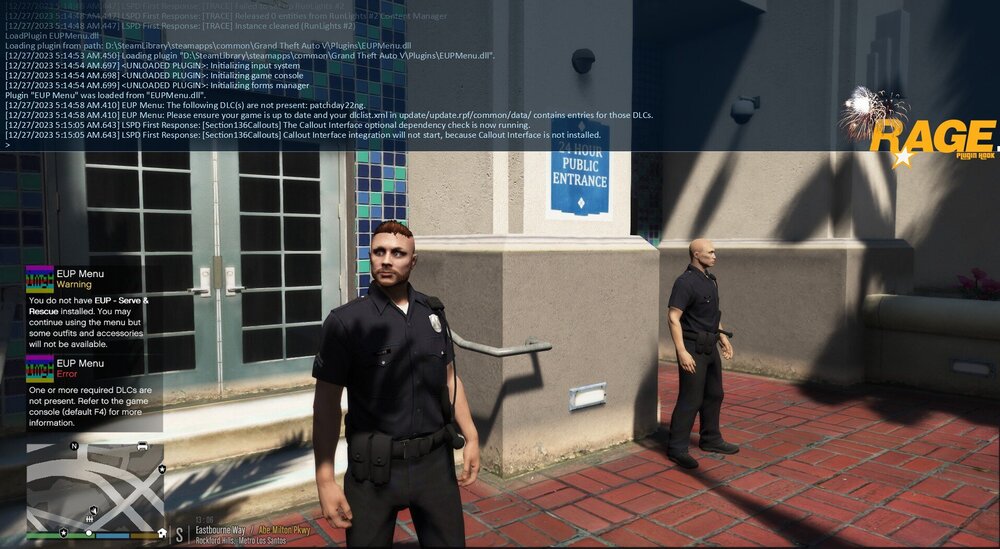
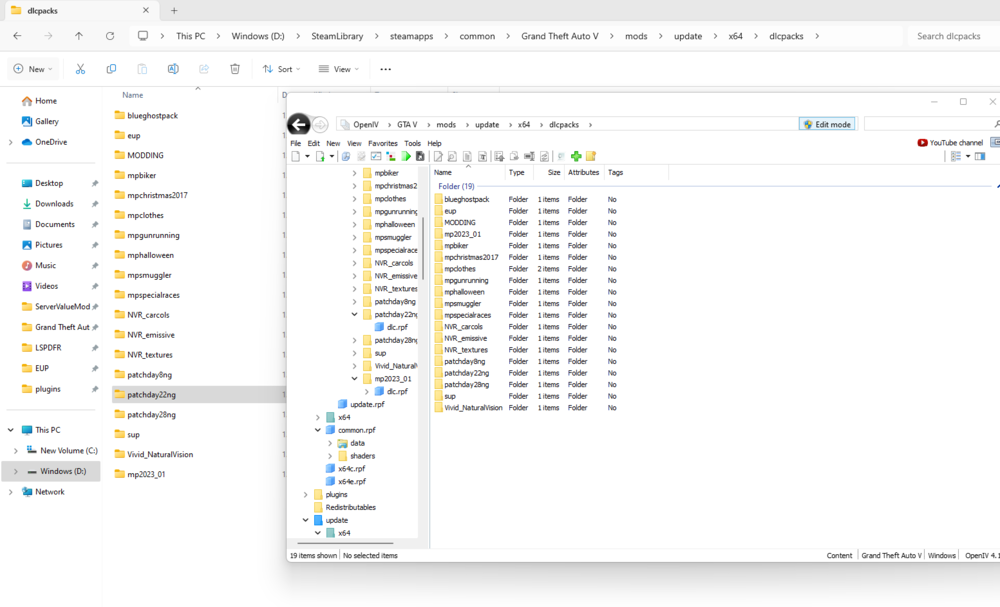
  2. I recently installed EUP Menu, Law & Order, and Serve and Protect. I followed the instructions. When I try to launch EUP menu through the F4, it says "the following DLC(s) are not present: Patchday22ng." When I look at the dlclist.xml it shows patchday22ng. I see it on both OpenIV and in the game directory. Unsure if I'm doing something wrong or not. I am attaching everything I've got. RagePluginHook.log dlclisteupissue.html.txt
  3. So now it's crashing when trying to go on duty: RagePluginHook.log
  4. RagePluginHook.log I have the RageNativeUI.dll installed. As far as I know I'm not missing anything, but I'm also tech-illiterate.

Account

Navigation

Search

Search

Configure browser push notifications

Chrome (Android)
  1. Tap the lock icon next to the address bar.
  2. Tap Permissions → Notifications.
  3. Adjust your preference.
Chrome (Desktop)
  1. Click the padlock icon in the address bar.
  2. Select Site settings.
  3. Find Notifications and adjust your preference.