
TTLGhosty
Members
-
Joined
-
Last visited
Everything posted by TTLGhosty
-
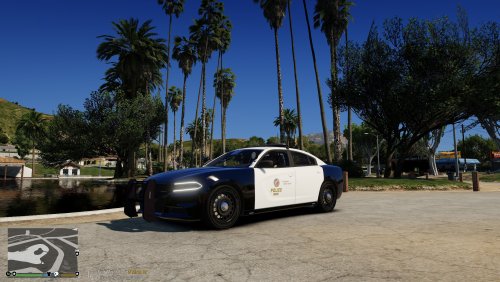 An LAPD reskin for BlueGhost's 2019 Dodge Charger Pursuit. This reskin is designed for use with the 2019 Dodge Charger Pursuit in the following packs;
 -
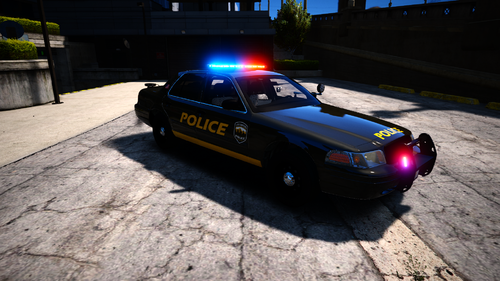 Hey dude, make sure you have updated ScriptHookV. This is normally the most common fault/fix 🙂
 -
I don't normally leave reviews but this pack is absolutely awesome! Currently running it as standalone rather than replace and there's some amazing work gone into this pack!
-
 Recently downloaded and loving the pack! Unfortunately, it seems the white headlights and rear tail lights flash like they're on steroids. Anyone know how I can fix this/disable them? Thanks
- 283 comments
- 95 reviews
-
Absolutely love this script! Up until the recent reinstall (since the new Computer+ was released) it worked perfectly. However whenever I attempt to access vehicle database during a call or traffic stop, it crashes GTA. I can manually search a plate when not on call and it's okay. Before I disable vehicle preview in the .ini file (vehicle preview works fine when not on call too), is there a way of fixing the crash? Thanks
-
So I have reinstalled it and followed a few steps and it seems stable now. Thanks for your help!
-
I can do. I am just clean installing GTA again so once I have reinstalled LSPDFR, I will post the file when it crashes.
-
I completely reinstalled GTA V, and did a clean install of LSPDFR 0.4 (both Manual and later Auto), Unfortunately, the game crashes after I go on duty... Depending on how fast I get to a PD, sometimes I get into the character creation menu, sometimes it crashes while loading into the PD. I have no idea what could be causing the crash. GTA V was a clean, vanilla install, with no existing mods or plugins. Anyone any ideas on how to fix this? Thanks
-
I'll have a look and see what I can do.
-
I am indeed. It was a clean, unmodded install.
-
Sadly, after about 3 minutes into the game, no matter where I am, the game just crashes. I can't actually play this mod because of the crash. I have tried uninstalling GTA, and reinstalling it. I have tried both automatic and manual installation of the mod, and still, it crashes 3 or so minutes in. Any advice? P.S. It is a vanilla/clean install of GTA V
-
 Love this pack! They all work for me except the Domestic Violence call. I arrive on scene, but as soon as I actually get there, a message pops up saying that I force ended the call. Any ideas? Thanks
- 136 comments
- 42 reviews
-
 I changed it in the meta and it worked. In terms of the lights not functioning, turns out that ELS isn't working for me. I've installed it all as guided but I just cannot get it to function in game. Vehicle model is absolutely amazing though!
- 62 comments
- 44 reviews
-
-
-
Howdy. This is my first time downloading a vehicle that has ELS. I have managed to install the vehicle, however the light-bar does not work for me and the interior does not show :/ (See attatched photos. Could somebody assist in how to get both of these to function correctly? For me, my installation path was ... D:\Program Files (x86)\Steam\steamapps\common\Grand Theft Auto V\Mods\x64e.rpf\levels\gta5\vehicles.rpf and then replaced Police 3 as the files were named. I have copied Police3.xml to D:\Program Files (x86)\Steam\steamapps\common\Grand Theft Auto V\ELS\pack_default Anyone any ideas?? Many thanks in advance!
- 62 comments
- 44 reviews