


groovybluedog
Members
-
Joined
-
Last visited
Everything posted by groovybluedog
-
 Hey, I selected a weapon on the menu and said yes to equipping it. Saved. Not equipped. Tried pressing 1 and it just said I don't have the selected weapon?
 -
 Thanks for the edit, I was also having crashing issues and fixed it by taking that file direct from the GitHub developers page!
- 127 comments
- 13 reviews
-
-

- 2
-
-
 Can't wait to try this, but THANK YOU for the ini and allowing me to turn off the automatic backup option, which I'd prefer to handle myself. Options are always amazing ❤️
- 633 comments
- 58 reviews
-
-
- 1
-
-
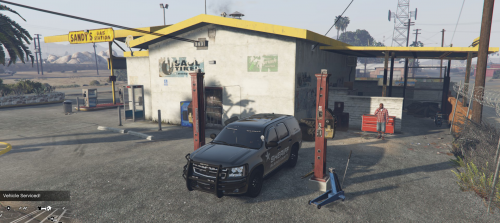 Installed, made the plugin load via RAGE, and although the icons show, when I go to them, no shutters open so I cannot get any repairs. Happened at three locations. Broken mod with the recent uodates?
- 37 comments
- 10 reviews
-
Yesterday this site appeared to go entirely offline for quite some time, also reported by many other Twitter users by searching "LCPDFR", with a "Server Not Found" error. There has been no Twitter posts about it nor any posts here. Just wondering what happened?
