
Bigams
Members
-
Joined
-
Last visited
Everything posted by Bigams
-
 Roses are red Violets are blue You finally uploaded on FR Im proud of you! On a more serious note, after reading through your credits and file description, I now understand what's helped you gain traction as, what I think, one of the best developers going right now. The first car I ever released here, was using your old outer edges (probably outdated by now). But I remember, when you did that it meant the world to me. You've never failed to let me down despite all my stupid questions. Thank you for passing on your knowledge, from who you say you got from Georgie, Turtles community etc. You're making the modding community a better place and I thank you for it.
- 33 comments
- 18 reviews
-
-

- 1
-
-
-
-
-
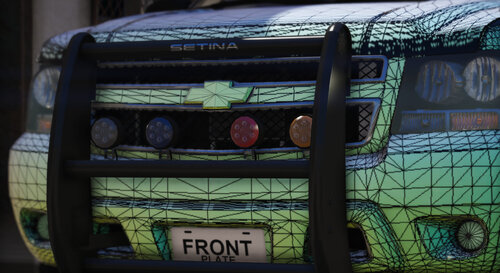 Its a dev release what do you mean skins?
 -
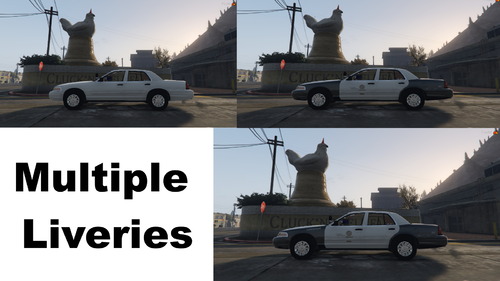 If you need help w/ anything lmk, discord: Bigams #5144
 -
1. Laptop stand holder is clipping, but I get that, mounting laptops is the bane of my existence. 2. Use vertex to properly mount the lightbar ties onto the vehicle. 3. Scale the lightbar down a bit, looks rather large. 4. Use underwoods hub caps for HIS CVPI on 0takus base, the larger hub caps that he has on his CVPI base are accurate/more accurate to size and spec.
-
 You sure that's a 2700? Looks more like a 21tr to me. I like the clean style you went for though.
 -
-
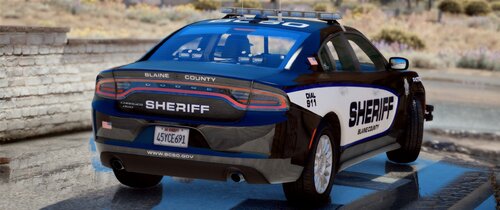 I’m keeping them there just so people get an understanding for what the cars look like. I’ll update the description though. Alright, thanks a lot. I’ll do it most likely this weekend as my trainings’ll get rained out anyway due to dorian
- 54 comments
- 5 reviews
-
-
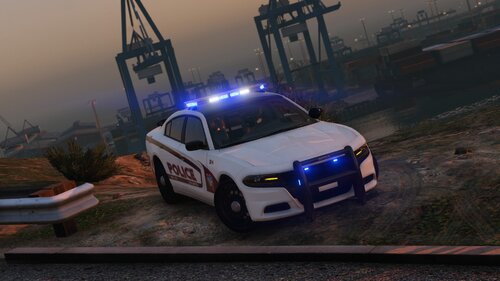 Who's lib 2?
 -
Those first screenshots are from before I outfitted it with a liberty 2 and before I put a radar and shotgun rack in it. Don't assume things from screenshots.
- 54 comments
- 5 reviews
-
What? The radar is in the interior lol. If you're talking about ALPR's, no, they're not on there and I won't be putting them on.
- 54 comments
- 5 reviews
-
-
- 1
-
-
-
-
You can make them a replacement, just place them somewhere in OIV, then extract the YTD’s and YFT’s and rename them to whatever replacement vehicle you’d like.
- 54 comments
- 5 reviews
-
I do not plan on adding more lighting, rather fixing the marked Tahoe and adding a couple more vehicles. When thats done a federal signal pack shall begin production.
- 54 comments
- 5 reviews
-
-
- 1
-
-
Don’t do Christmas trees, sorry. I find them rather distasteful. I’ll be doing a federal signal pack though!
- 54 comments
- 5 reviews
-
-
- 1
-
-
-
-
In the vehicles.rpf within the latest patch day. Please acknowledge if ANY vehicles crash please try resizing the livery from 4096 to 2048! If that doesn’t work let me know and I’ll look into it myself! Apparently this tahoe is the bane of my existence so when I get home later today I will be conducting a round of testing and fixing so all variations work. Thank you.
- 54 comments
- 5 reviews
-
-
-
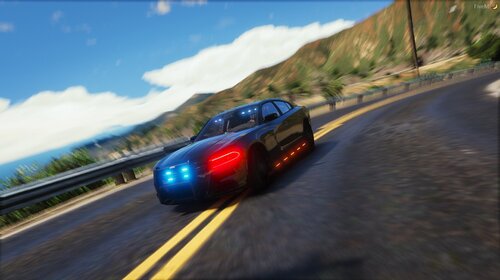
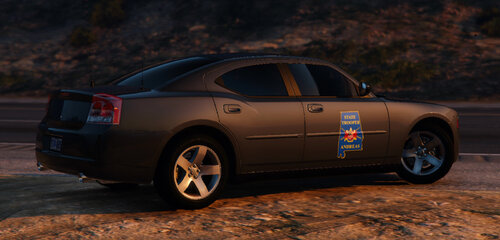
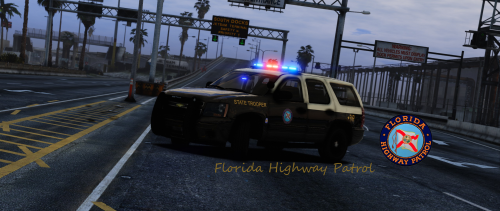
Okay so it's here. Some of you may have seen me on another modding website posting these vehicles 1 by 1 before I decided to update them for a full pack release (I wont mention the website for respect of LSPDFR) SOME SCREENSHOTS DO NOT DEPICT FINAL VERSION OF VEHICLE(S) Yes they have radar. Yes they have antennas. In some screenshots the charger and tahoe have a liberty 1, which has since been switched out for a liberty 2. Join my discord to be a cool kid and for (possibly) beta/early/private vehicles. https://discord.gg/4HnP4Mh Vehicles subject to change and fixing should there be issues. Note (again): I will be adding vehicles as time goes by (unless i forget lol), but just enjoy these ones while i work on some possible new updates. Amazing support from Samuel Olson in the form of some youtube videos showing them off. (NOTE: Vehicles in videos have all been changed in some sort of way. most likely in a minor way but note that regardless.) LIVERIES BY @BiscuitHead Modifications Okay, I have like 1 hour to post this and the credits are longer than FHP's response times, so here. Credits: VEHICLE BASES: 2018 Chevy Tahoe: Original 2016 Suburban by carface, revamped, remodeled, and turned into a 2018 Tahoe PPV by GeorgieMoon. Purchased by [Danseh/Bigams (Same person lol)] (YES I BOUGHT IT, screw all you that got the ripped/stolen version, shame on you.) 2018 Dodge Charger: Credits - Original vehicle model is 2015 Dodge Charger from Forza, edited into the 2018 Dodge Charger Pursuit by Matt with parts from FH3 and Gamemodels - Seats, center mirror, shifter and dash edits modeled and done by Kane104 - commissioned by Ranger Rick - Major help from EVI for digital dial information and help to get the dials working and his patience to help me - Rear bumper diffuser modeled by Patrol 31 Normal edits by Steinberg - AWD/Charger badge modeled by iansonwheels Converted to V by Matt - AWD Steelies/Hubcap modeled by iansonwheels Converted to V by Matt - Big thanks to Cj24 for beta testing the model and help with spec maps and normal maps and his overall knowledge of gta materials - Interior dial textures made by NeonLazer - Interior button textures made by Slendis - Rims from Gamemodels.ru Centercap edited by Matt - Dome Light modeled by Matt - A big thanks to Cj24, Kane104, EVI, Patrol 31, Steinberg , Desmond , NeOnLaZeR, Izick, Rekram, HDgamerzPC, and a big thanks to Ranger Rick who bought 3D parts so that i wouldn't give up on this project and bought me a Zmodeler license so that i can keep working on this project Thank you Rick. - Thank you to everyone who supported me and the project... - Another big thanks to iansonwheels who had the time to make the AWD steelies and AWD package stuff.... 2016 Ford Explorer: - Ford explorer Base model purchased by Thehurk, GTAxB0SS, Requiem and Windows446 - Poly Crunched, Textured, Converted by Thehurk. - Interior purchased by TrentMU and FRGamer - Textures by Taylor Swift, Thehurk, & OfficerUnderwood - Heavily edited this piece of shit into a polished piece of shit by OfficerUnderwood - Rims by BxBugs123, Centercap by Carper - Interceptor Hood text by GTAxB0SS - I'm not gonna add my fuckin' name 5 billion times to get attention like a crack smokin' faggot 2010 Dodge Charger: -Original Dodge Charger Model by EVERMOTION. Model Optimized, UV-Mapped, Templated & Converted to GTA V by PSource. -Body L2 & L3 from Forza 4 SRT8 2010 Charger. Textured and Templated by PSource -Body Polyfilling from Original GTA V Models and Forza 4, Fitted by PSource. Door Jambs Modeled by PSource. -2009-2010 Taillights & Reverse Lights from NFS MW 2012 Charger. Fitted and Texture Editing by PSource . -Dials and Dial Emissive Textures by PSource. -Door Trim, Gear Lever, Interior Mounted Mirror and Steering Wheel from Forza. Converted, Fitted and Textured by PSource. -Driver & Passenger Front Seats from Simraceway. Converted by PSource. -Tire Tread from Original GTA V Models. Fitted by PSource. Lighting: Whelen Liberty 2 by Carper Whelen Liberty 1 by IansOnWheels Whelen Avenger scratch made and texuterd by 0taku Feniex Fusion 100 Light Stick made by krul Whelen Linz6 Module scratch modeled by Five0/OfficerFive0 Whelen Tir3 Module scratch modeled by Five0/OfficerFive0 Whelen Dominator scratch modeled by Five0/OfficerFive0 converted to gta 5 by Five0/OfficerFive0 Linz6 emis texture by CJ24 Tir3 texture by Five0, based off of CJ24's emis texture groove texture by neonlazer Ion Duo Outer Edge made by Krul Whelen Inner edge xlp scratch modeled by Five0 converted to gta 5 by Five0 Par46 Spotlight by IansOnWheels ------------------------------------------------------- Interior: -M/A-Com Radio by OfficerUnderwood -Model is scratch built by johnclark1102 -Texture is made by diablozer0d617 -Toughbook by OfficerUnderwood Primary partitons by Twurtlee Federal Signal SmartController by OfficerUnderwood Federal Signal Littlite LF Series Map Light scratch modeled by Five0/OfficerFive0 converted to gta 5 by Five0/OfficerFive0 Console by Twurtleee Laptop Stand by Twurtleee Setina RP Partition by Jophics SUV Trunk Cabinet with props: - Trunk Cabinet 3d creation by panos_zaf using 3ds max student edition - UV mapped and converted to GTA V by panos_zaf, texture by panos_zaf - Fire extighuiser by Rockstar, textures by Rockstar - Armour by Rockstar, textures by Rockstar - Clipboard by Rockstar, textures by Rockstar - Cones by Rockstar, textures by Rockstar M16 and Remington by Walters Ghetto Gunrack by BlackJesus - Decatur Genesis I scratch modeled, textured, and converted to GTA V by HDgamerzPC - Decatur Genesis II Select scratch modeled, textured, and converted to GTA V by HDgamerzPC - Decatur Dash Mounted Radar scratch modeled, textured, and converted to GTA V by HDgamerzPC Turboscan by TheZiggingZag and Badass22 Micor Radio by TheZiggingZag and Badass22 Motorola APX 8500 ALL-BAND P25 MOBILE RADIO & PMMN4097 MIC Radio and mic scatch made by 0taku Textuers made by 0taku FS Pathfinder: Base and Buttons by Underwood Modeled into Pathfinder by Gump FS CC1 Switchbox by TheZiggingZag and Badass22 ------------------------------------------------------- Misc/Rambars Charger Rambar: PB400 by iansonwheels textures by iansonwheels and matt uvmapped dirt mapped burn map by matt Tahoe Rambar: Modeled by Matt and RobertTM Explorer Rambar: Setina by Twurtleee Setina textured by Twurtlee Textures provided by Matt 2010/Old Charger Rambar: Modeled by Cynax Converted and Edited by Black Jesus Antennas: Modeled and Textured by Raptor2000
- 54 comments
- 5 reviews
-
-
- 14
-