



datnoobie
Members
-
Joined
-
Last visited
Everything posted by datnoobie
-
 Man this is just amazing, always top quality. Currently you're my favorite content creator, keep it up!
 -
nvm fixed it somehow
-
So when I'm on duty once in a while a ped spawns on top of my officer and with it a notification containing a smile comes through. I never had this problem until yesterday and did not add any new plugins except for "clean all the things" and updating stop the ped and ultimate backup. I also removed smartradio but I think it's unrelated with my issue. To make it clear it has nothing to do with the peds in the red turismo since I removed the keybindings in TrainerV settings. Thanks for anyone who tries to help!
-
-
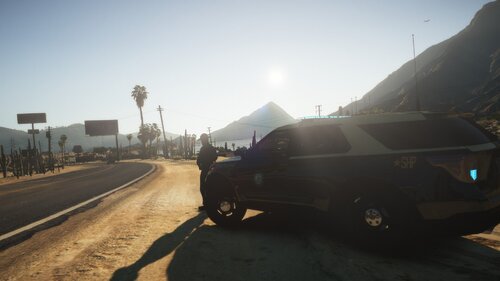 I wrote SHP to resemble the FHP sign. Anyway if you want the SAHP sign you can always dm me and I'll see what I can do
- 3 comments
- 1 review
-
Still a work in progress, let me know if you find any issues and I'll fix them ASAP! Have improved the textures quality from the original file, but there's still work to do.
- 3 comments
- 1 review
-
@JBin818 I freaking love u man, you made my day. LIFE SAVER ❤️


