




Reyrey
Members
-
Joined
-
Last visited
Everything posted by Reyrey
-
Hi there! Please make sure to always install the ELS VFC that comes with the vehicle. To me it sounds like you might accidentally be using the wrong VFC. And about the patchday21, that should work.. I use it too. I´ll just find and send you a pack real quick and kindly ask you to try installing that to see if it might just be those specific vehicles you have there at the moment.
-
Hey Bernd! Make sure your intenet connection is stable: You might have been experiencing some internet issues while starting the game, or rockstar servers were having issues. I am not really sure what could cause this though.. Do you have the Steam-version of GTA, or the Retail version )for example bought in a store, or something like that)? Do you have any plugins installed? Have you tried reinstalling LSPDFR and RPH? And what do you mean with it not being the normal loading screen anymore? Could you possibly provide a screenshot?
-
I´d like to thank you for making thsi thread in the first place then! I think this actually is a good topic.. so I´m kind of disappointed still that only Bastiona nd me contributed.. hm 😕 -------------------------------------------------------------------------------------------------------------------------------------------------------------------------------------------------------------------------------------------------------- Anyway, another key element obviously are the plugins. While Albo made a lot of plugins that are still used to this day, they unfortunately aren´t getting updates anymore. But that is okay, because other modders, like Bejojo for example are going to fill in that small gap and make more, and better versions eventually. I think that "Stop the Ped" and "Ultimate Backup" are very usefull. Another Plugin I personally like a lot is "Better EMS"! I can only recommed that and have been using it for quite some time now.
-
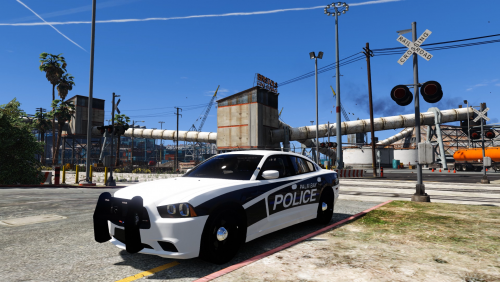 If I could make one suggestion, it would be to make the Inner Edges thicker - I can barely see the blue Otherwise I like it 😄
- 16 comments
- 7 reviews
-
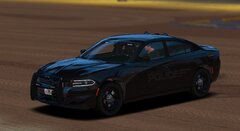
 I woudl assume the usual way..? Just taking a picture that is 100% transparent and then setting that is the vehicle´s livery? You could then change the colour of it ingame via menu/trainer
 -
I suggest you make a new thread for that, that´s a different issue than before I also suggest you read through someother treads, because I´m pretty sure this has been dealt with by other people before ^w^´ I don´t really knwo what to do for you in that case, I apologise
-
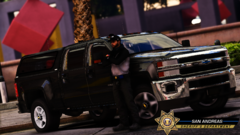
 tis sexeh
 -
Oh, alright, and you´re welcome 😄 Want me to recommend you some mods?
-
Yep, when you wanna play LSPDFR, you gotta start it via RPH and when you wanna play online, you´ll have to start it through the Rockstar Launcher 😄 If you need anything else, don´t be afraid to ask and if I helped you, consider liking my comments, it helps me a lot ^w^ I hope you have a great day and wish you goo dluck with your game!
-
I made myself a folder in my game directory, where I just move all the files that aren´t the original game files. I called the Folder "GTA MODS" so I would always recognise it quickly. So wehn you want to play Gta Online, you´ll look up a picture of a clean gta directory and then move every file that isn´t in that picture into the folder you created (so you will be left with the clean game files and a folder called "GTA MODS"). And whenever you do want to play LSPDFR, you just have to move all the contents of the folder into your directory again ^w^ If you make changes to the game files via OpenIV, pleeeease do use a "mods"-folder, it will save you so much hassle in case something doesnt work properly and if you don´t use it, everytime you start GTA Online, Gta will redownload the files that you edited
-
If you are using LSPDFR but want to play Online, you have to get all the modified / added files out of your game. If you try to play Online with mods, you will most likely get banned because the game only knows that you are using modified data, so it woudl think you were trying to cheat in Online, resulting in a temporary ban for you
-
Oh damn, I didn´t even know of that, thank you very much ^w^
-
Hey there! First off, welcome to the community! If you have any questions, don´t hesitate to ask. Since you´re new, I suggest you watch the Playlist that Albo made on Youtube on how to mod GTA/LSPDFR I wish you a great day and hope to see ya around! ^w^
-
Yes, that could also be the cause but I just figured they would have already cheked that option as it is something RPH even suggests
-
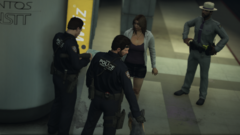 This looks really cool ^w^
 -
I suggest you make very sure that you installed it in the right place. I usually don´t install the gameconfig simply because of exactly this issue ^w^´ But if you wanna do it, that´s fine, I hope you´re not discouraged from doing that anymore now 👍
-
Was too lazy to write all of this lol. And yeah, ia gree, it´s a hassle. I gotta change my hair every time I wanna play because mine is blonde with purple as the secondary colour. It can take a few minutes to do that, since I can´t save the secondary hair colour anywhere, so I gotta do it manually every time
-
Ah, okay ^w^ Nein nein, tut es nicht 😄 Du wirst einen Character erstellen müssen, der wird aber in den Dateien von LSPDFR gespeichert, also keine Sorge da
-
LSPDFR ändert nichts an den Spieldateien. Es fügt nur Dateien in das Spielverzeichnis hinzu 😄
-
Well fug i been looking to get on that server for a bit now, plis gib invite
-
Ich bin mir gerade nicht sicher, was du meinst... Ich empfehle dir auf jeden Fall einein "mods"-Ordner anzulegen, wenn du irgendwelche Spieldateien verändern möchtest, z.B update.rpf oder x64e.rpf
-
And pretty much anything else from Pogo
-
.png.f815b39678227aaa9fef812010c7dfda.png)
From the album: A Derputy´s adventures
-
.png.815929a6f09b7b07eb8d607960a70bae.png)
From the album: A Derputy´s adventures
-
.png.53ad7b476d52d2dad681f6f5542818a1.png)
From the album: A Derputy´s adventures


.png.f815b39678227aaa9fef812010c7dfda.png)
.png.815929a6f09b7b07eb8d607960a70bae.png)
.png.53ad7b476d52d2dad681f6f5542818a1.png)