


CommanderCole
Members
-
Joined
-
Last visited
Everything posted by CommanderCole
-
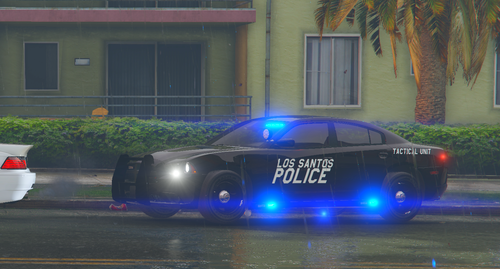 This took me two days to complete. Not my first model, but my 3rd model ever. I tried my best, did what I can, and this is what came out. I hope you guys enjoy it, and you guys can use it in any way you guys would like. What else would you guys like to see? All I ask you to do, is not to repost it anywhere at all. Just use it for your own fun, enjoy it. Check last 3 pictures up top to see what it looks with and without the extras. NOTE: You can customize it anyway you'd like Extra 11: Pushbar Extra 12: ALPR Please Consider the Credits: (Show some love to these amazing developers) 2014 Charger by @Fartknockr Whelen LIN3 Linear Super-LED Lighthead by @OfficerFive0 Rambar/Pushbar by @husk Pro-Gard Organizer by @Koduuh Whelen Inner Edge XLP by @Dan with da van Spotlight by @Shmurda iForce Workstation by @bvmps ALPR by @BiscuitHead Modifications Ya'll can see the lights, the light pattern, and the vehicle here in this video
- 1 comment
- 1 review
-
@Wilhelm Im sorry, I just want the word to known, also, you got me really excited to see the notification, until I opened it up and read it.
-
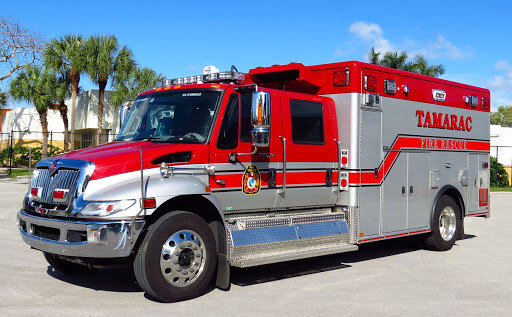
In exchange for this deal, I'll give you my unreleased 2018 Dodge Charger (Michigan State Police) and a 2015 Chevy Tahoe (Michigan State Police). I've always wanted a Durastar or long Durastar ambulance in my gta game, except when I went to medic4523's files, he already took them down. Please, if you can, and offer to do it for free, it will be well appreciated. Thank you. Something like this.
-
.thumb.png.461ce8880ceafbe24cade7cae1e3f8ee.png) Thank you, but without your hood sign, tbh, a MSP car, wouldn't be a MSP car.
Thank you, but without your hood sign, tbh, a MSP car, wouldn't be a MSP car. -
No, the police.yft and police.ytd are the only vehicle car files.
-
I'm a Michigander and the State Patrol Cars here are bit different and I wanted to see what I could do. Personally, this is the first ever time I developed a vehicle. Yes, there are gonna be some bugs because of the original file of the 2020 explorer. I wanted to make something a bit different because I don't see any present MSP vehicles in lspdfr. Hopefully you guys get some fun out of it. Took me about 2 days to make because I was a rookie, and I learned from my mistakes. Enjoy the vehicle guys. CLICK HERE to see the video of the Explorer
-
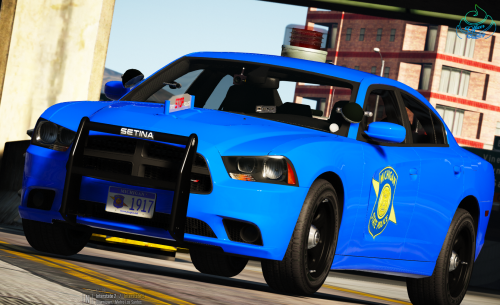 Nevermind, I fixed it, it turns out I forgot to swap the material of the ELS before the cover, because the cover blocked the ELS from showing. I might release after I do some testing. 2020 Michigan State Police Explorer is coming soon.
- 45 comments
- 11 reviews
-
How do you get the gumball to work in zmodeler. I'm trying to make a 2020 Michigan State Police Explorer, but all the leds flash in game except for the Gumball. Can you give me some advice on how to fix it.
- 45 comments
- 11 reviews
-
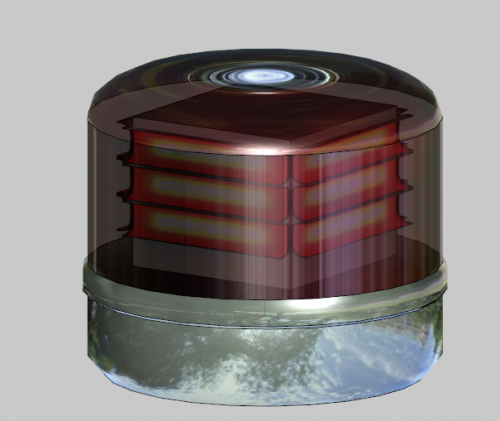 I installed it and added it to make charger im developing. I also installed some other leds. But when I go in game, the only Led that doesn't work is the Gumball light, the rest of the lights work like a charm. Btw, I named the lights extra_1 and extra_4. Any advice?

.thumb.png.461ce8880ceafbe24cade7cae1e3f8ee.png)
