



Charleszinkey
Members
-
Joined
-
Last visited
Everything posted by Charleszinkey
-
What mods can you recommended to make the city feel more alive? At the moment the game just feels a bit empty while playing LSPDfr. I do have some LSPDfr ambient event related mods installed (i.e. crimes happening in front of you) but quite often I find that these are too crazy in the sense that it results in a pursuit or something similar. I'm just looking for more ambient life just in the game world in general, like idk parties happening at houses etc, stuff like that. What can you recommend? Cheers
-
Just a quick question, as the title says, what's the minimum gta version that LSPDFR 0.49 can run on? I'm currently on 2215, which I'm sure will be fine. Is LSPDFR one of those programs that requires the base game to be as up to date as possible in order for it to run ok? Or should it be fine running on older versions of the game? Thanks, Charleszinkey PS yes I am aware the better solution is to just keep everything as up to date as possible in order to avoid problems, I'm just curious as to whether LSPDFR runs on gta versions older than it was intended for...
-
 Great uniforms for both the player and AI, so helpful that this covers Ultimate Backup, EUP and the LSPDFR files all at once, fantastic work! Really adds immersion
- 954 comments
- 24 reviews
-
 Would give more stars if I could, the only amazing and up-to-date UK callout pack out there, certainly makes the game more British! Thanks and keep up the good work
 -
 Hi, LSPDFR crashed during the fight in progress callout, I don't know if its something wrong with my game though, appreciate any help you can give RagePluginHook.log
- 641 comments
- 53 reviews
-
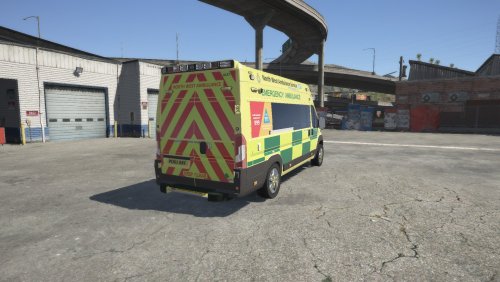 Been watching a lot of inside the ambulance lately so this is a perfect addition to my game. Amazing detail, from what I can tell everything is spot on to the real thing! If you're a true British gamer then this is a must have. Thanks for the great model!!
- 7 comments
- 2 reviews
-
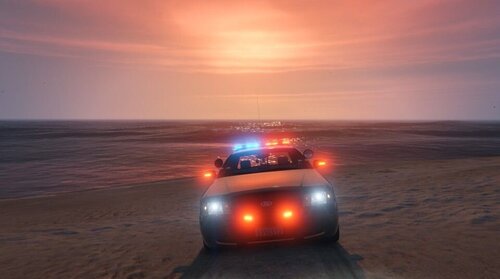 Thank you! The siren is deeper because of the slot you have it in. SIREN_WAIL/QUICK_02 are the fbi siren slots (the NOOSE vehicles). I suggest moving it to another slot (the default police siren slot, SIREN_WAIL/QUICK_03 etc etc). As for the vehicle, I downloaded the hurks 2017 cho pack and use the fpiu from that. I modified the els.xml fil and lighting textures to give it that look in the video. Unfortunately I deleted those files a long time ago so I couldn’t give you anymore than that sorry. Enjoy the game otherwise though!
- 54 comments
- 5 reviews
-
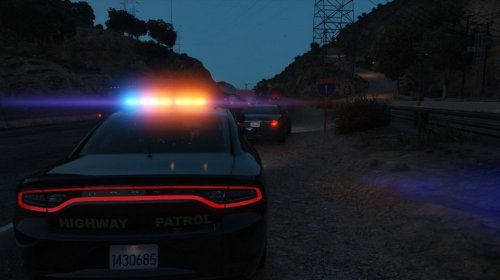 Hi, I haven't been on this site for a looong time, but in answer to your question I don't believe so? I recommend trying it out in-game at night though because they may be reflective I can't remember. Sorry I couldn't be much help
- 7 comments
- 1 review
-
drag and drop the files straight into your vehicles folder, then re-add the vehicles.awc to openiv as normal. There might be instructions for this in the readme if you still aren't sure
- 54 comments
- 5 reviews
-
-
Yeah ik its annoying sorry but theres nothing that can be done. Luckily California laws says emergency vehicles can only have two emergency tones (hence why CHP just has wail and yelp) so that means i use ALL available slots to have different sirens installed
- 54 comments
- 5 reviews
-
Unfortunately you can't create your own sound files within the vehicles.oac, so you'd have to name the siren file as one of the default ones like SIREN_PA20A_WAIL or SIREN_WAIL_03 etc
- 54 comments
- 5 reviews
-
Have you tried changing the ELS siren strings within the VCF file? I'm guessing you have as you've done it for your ambulance etc. You are using ELS vehicles right? I'm confused as to what the problem is as I use many add on vehicle packs in my game, all of which i can change and modify the siren for no problem
- 54 comments
- 5 reviews
-
its from here: I have spent quite a bit of time modifying the vehicles (the lights, textures etc) to give it the best look though. Unfortunately I cant upload any of it due to copyright reasons, sorry have you tried this? I have several sirens in my game ,for different departments like LAPD, CHP, AMR, Fire etc and i use the hurk's chp addon pack
- 54 comments
- 5 reviews
-
Ok so i keep having this repetitive problem of the EUP menu plugin not loading/working. It worked for a very short time last night then stopped again. Everything is installed correctly, I've tried doing a fresh install of EUP a thousand times! Nothing changed between the time where it was working, and then it it wasn't again. I've been having this issue on and off since yesterday afternoon. Most importantly, here is my log of the EUP menu crash, if anyone could tell me what it means: Any help really appreciated, thanks!
-
destop.ini files aren't mine, something creates them when you ZIP up the vehicles.awc file or upload them to this site. Most siren files you download will have a destop.ini in them and they should be ignored. You don't need to do anything with them. As for the flash patterns, thats your ELS VCF you need to sort out, not the siren files. Search up chp light patterns or something similar and you can choose someone else's VCF files to download to give you the flash pattern
- 54 comments
- 5 reviews
-
-

- 1
-
-
-
Ok, two questions, firstly, did you follow my installation instructions that I put in the file that I made for this? If not, I recommend following that. If you’ve tried well then here’s my next thing to try, try dragging and dropping all the files that are silent into your veh folder. That might be your issue. If not then I’m stuck because myself and most others don’t have this issue. I think someone had a similar issue in the comment thread earlier so try reading through that
- 54 comments
- 5 reviews
-
-
- 1
-
-
Ah I see the problem, you simply haven't copied and pasted it right. It's ok though coz I have an easier solution: 1. Open File Explorer and head to your GTA V directory 2. Now head to your pack default folder, located here: Grand Theft Auto V > ELS > pack_default 3. I've attached a VCF file for you with the correct flash pattern you want to use. Simply re-name the police3 file I've attached to whatever slot you have the explorer in, then drag and drop into the pack_default folder and click replace. Done. If you have any other CHP vehicles in game, simply follow my copy paste method that I posted yesterday I also made a quick image explaining it more visually if you need it 🙂 police3.xml
- 54 comments
- 5 reviews
-
-
- 1
-
-
OpenIV? You don’t need that for this lol. I’ll look into a better way of sorting this out for you.
- 54 comments
- 5 reviews
-
So what I need you to do is head to your Grand Theft Auto V folder. Then proceed to ELS > pack_default. Then whatever slot you have the 2013 explorer installed in (default is police3), open up the file called "police3"(or whatever slot the explorer is in) in the pack_default folder, in notepad. Now scroll down the VCF file to where it says "<!-- WRNL -->" and then select all the text from here right to the bottom of the file where there is no more text, and over write it by pasting the following text in it's place: Save it and you're done! Do this for any other Thehurk CHP cars you've got in game as this will fix your flash problem. I won't share the whole of my VCF as I've re-built mine from scratch to fit my game perfectly and to make CHP way more realistic. Enjoy man glad you like the siren!
- 54 comments
- 5 reviews
-
-
- 1
-
-
-
-
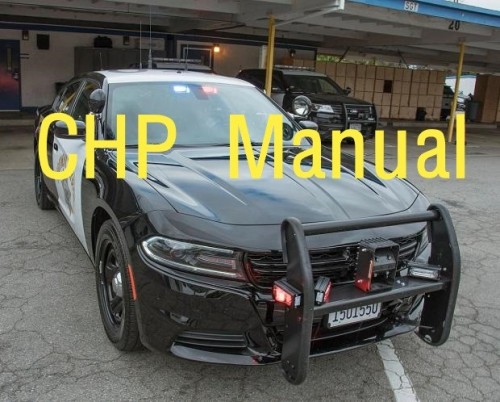 Ok so I love my CHP siren to bits, but I despise using it as a manual. But this has solved my problem for me as it just sounds so good and I now love responding without a siren, instead just pressing the ELS manual button and hearing this! Highly recommend this to any CHP fans out there!
- 6 comments
- 2 reviews
-

