



Jesyx
Members
-
Joined
-
Last visited
Everything posted by Jesyx
-
 Have you tried taking a look at the logs in Grand Theft Auto V\Logs\ maybe that'll tell you something
- 82 comments
- 20 reviews
-
I am still working on it, I am however just starting with college so it's on the backburner. Hope I can get it finished soon though
-
 Hello there, I don't know if this mod is incompatible with BodyCam, I'll try it out to see what it does for me and to recreate the issue. The program is written very aggressively, as I'm not aware of any native code that only removes the mini map and doesn't interfere with other UI elements or mods such as PLD and potentially BodyCam, I know it's out there because Simple Trainer has a function for this, but I can't find it. But again, I'm sorry it doesn't work and I'll try my best to fix the issue. I'll keep you posted Also, sorry for the late response I was on vacation. Could you please send the ini (contents)
 -
I'm very sorry about the confusion, I put the 1-1 version as the main file now. Again, sorry!
-
It's located in Grand Theft Auto V\Plugins\HUDController.ini It should look something like this: If not you might have an old version or need to reinstall the plugin It's a standalone plugin and should not be installed in Grand Theft Auto V\Plugins\ So, technically it doesn't really have anything to do with the LSPDFR.
-
Hmm weird, is the ToggleRadarKey=U entry set in your ini? And just to be sure, I assume you mean minimap by 'UI' as the key is only for toggling the minimap.
-
Have you tried toggling the mini map via the key in the INI (default = U)? Maybe that'll work if not please let me know, it might be a incompatibility issue with another mod then.
-
I'm currently working on something else. I might remake them after a while, but if I do I'll definately shoot you a message, thanks for the offer.
- 82 comments
- 20 reviews
-
Yeah I know, I just found out today too. However I don't know what native they used to accomplish this. I appreciate it though, thank you.
-
Not to my knowledge. When you disable the mini map in the code, PLD also disappears for some reason. If anybody knows a native method to only remove the mini map it'd be greatly appreciated. I can't really do anything about this as PLD is coded so it follows the mini map when 'bigmap' is enabled. I genuinely don't know if this can be coded around. As the developer of PLD, LtCaine is not really active I'd doubt he'd be available to comment on this matter or give any advice on how to fix or circumvent this issue. I really wish there'd be something I could do. If anyone has an idea how to fix this, please let me know. Edit: I found out that NativeTrainer uses a method that doesn't make PLD dissapear, I don't know what that native is however.
-
I'm sorry man I lost all the files on that 😑 I am currently in the process of making another plugin for LSPD:FR though.
-
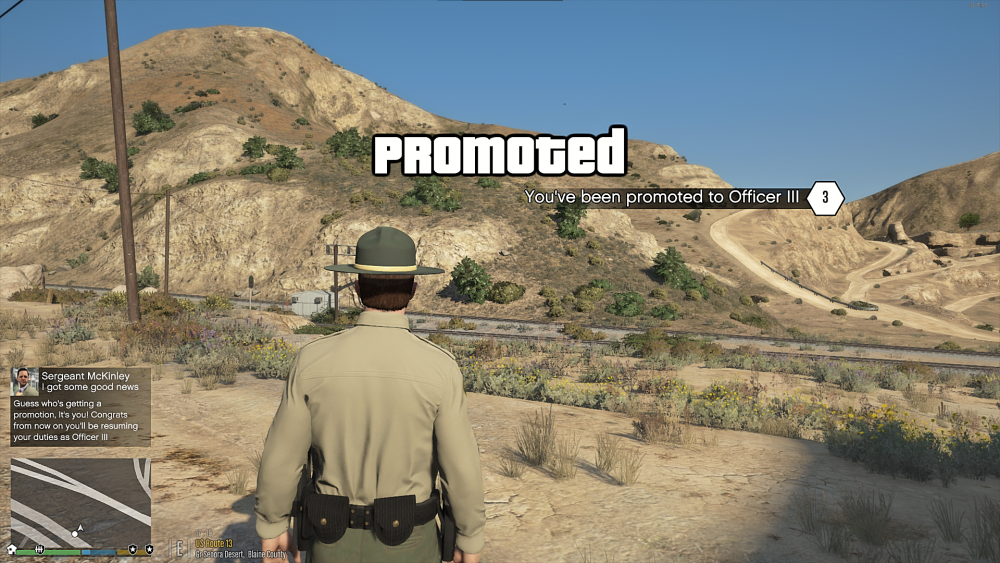
Hello everybody, I added some UI for promotion and demotion. Please give any feedback you can think of, I'd really like to hear it.
-
I'm working on it on and off, kinda busy with my exams right now. So I'd say maybe late Spring, early Summer. But it depends on how smooth development goes and how much features I want to implement off the bat.
-
I'm not sure if there's a way to enable the blip only map, however I'm looking into a toggle map button in the script
-
-
Thank you for the heads up, I wasn't aware of that.
-
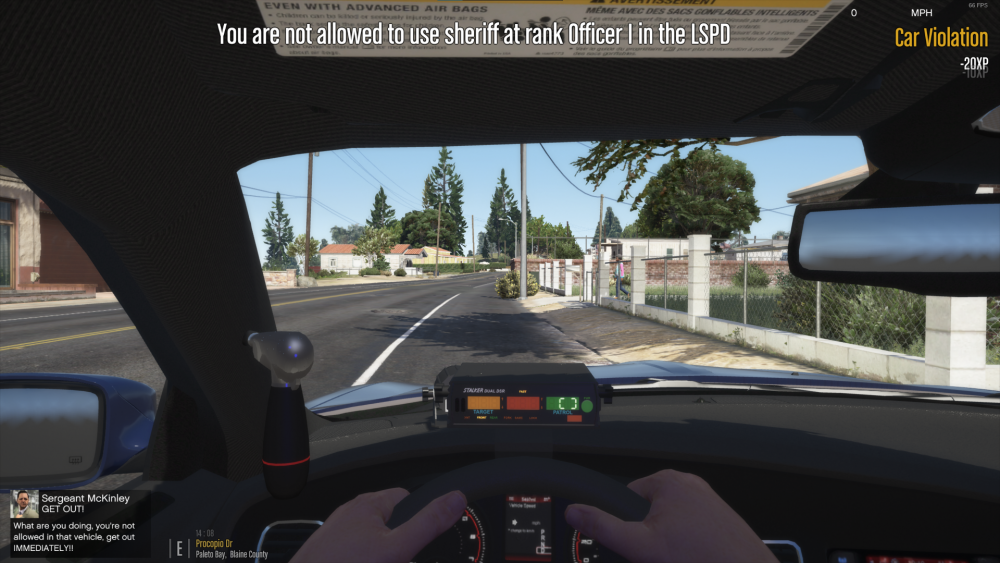
Hello everybody, and thank you for taking the time to read this message! I'm developing a new modification for LSPDFR that will add a career mode for LSPD:FR; climb through the ranks to become a sergeant, chief or whatever else you desire. With the development of this mod I'm going to need some feedback on the features I'm working on. If you have the time I'd really appreciate you taking a look at my Trello board and telling me what you think about the ideas. Thank you, Jesyx https://trello.com/b/EdVDBipq/career-mod
-
I think it should be enough to play LPSDFR, it could handle some graphics mods, but I had a similar setup and my guess it's going to run just fine with around 40 - 60 fps, depending on the amount of mods. RAM is on the lower end though
-
I could try that, thanks for the feedback. There are limitations, I don't know what blips are what, disabling all red dots will work most of the time, but not always for example.
-
The update of July 4th 2022 was to edit a discrepancy in the label of the files, nothing content-related has been updated or altered! Thanks to @Robo22 for discovering this! Description I don't know about you, but I get sick of having a mobile NavSat in my pocket everywhere I go in GTA and when a gang member's mad at me while I'm walking down the street it just shows up on my mini map like some sort of Spidey sense. This is why I made this mod. You can toggle the HUD, namely the mini map and ammo counter depending on whether or not you're in a vehicle. You can however still see the ammo counter in your weapon wheel, but I thought this mod would improve the immersion. All settings can be customized Notes If the mini map is disabled you won't see your health and armor either If you want me to add a feature to hide all blips from the map, I might add it in a next update, let me know down below Thanks @ReaZzor Graphics for being a good friend! Make sure to check out @officer israel's YouTube channel at https://www.youtube.com/channel/UCXnuqXRubEoTpHbARdLIEtg @GeoffreyGamer for making an installation video
-
I haven't tested it in a while, I put effort in these callouts, so I don't know if they work, but if they do they are good :), that's my unbiased opinion.
- 82 comments
- 20 reviews
-
-

- 1
-
-
 Looking very fresh
 -
-
Can you give a more clear description, does the Shift key just not work, does it give any messages and is there a pattern in which things occur before the abovementioned hour into gameplay which is out of the ordinary?
-




