
Proudyno1
Members
-
Joined
-
Last visited
Everything posted by Proudyno1
-
Thankyou for asking this question haha. When it updated I must have taken the file vehicles.rpf out and placed the whole file back in vehicles.rpf making two of them under this line GTAV/MODS/UPDATE/x64/dlcpacks/MODDING/dlc.rpf/x64/levels/gta5/vehicles/vehicles.rpf/vehicles.rpf. Thats why it wasn't working. Thanks so much for your help I would of never noticed that!
-
-
FPS is solid at around 60 then when I try to spawn the car it freezes and goes down to about 3 then straight back up to 60.
-
Hello everyone, When spawning my custom cars the rage log no longer displays the message "invalid model" in the console (I added a new dlclist.xml) instead it freezes for a second and then does not spawn anything. I still have all my models, vehicles.meta, carvariations.meta and handling.meta in my custom cars folder. Any tips on what to do? Should I reinstall the mod? FYI I use Modding DLC Pack V by albo. Any help would be greatly appreciated.
-
Ok thanks tons.
-
Hello everyone, Quick Question my custom uniforms (s_m_y_cop_01) stopped working after the last update. I've done a bit of digging and haven't found a new, s_m_y_cop_01 in any of the new patchdays. The uniforms were installed in patchday9 so it was pretty old. Anyone know if there was a new update with new uniforms anywhere? Thanks for your help!
-
On my dlclist my modding path has a question mark, <Item>dlcpacks:/MODDING/</Item>? This prevents the game crashing but still doesn't load cars for me. It might work for you?
-
I'm having the same issue, and have been trying to find a solution for about a day now, If I find anything I'll let you know but after looking around, a couple of tips that might work for you: 1. Make sure your dlclist.xml has this line: <Item>dlcpacks:/MODDING/</Item>? 2. Download the latest gameconfig file, https://www.gta5-mods.com/misc/gta-5-gameconfig-300-cars Dunno if these will work but anything is worth a try.
-
Still no luck.
-
That prevented the game crashing so thats good but still no luck in spawning cars.
-
I believe the mod needs an update, I've tried everything and have narrowed down the issue to the DLClist.xml file which seems to refuse this line <Item>dlcpacks:\MODDING\</Item> Fresh install has done nothing so I will just have to wait I guess.Still not working, Im just going to back up my car variations, my vehicles and vehicles.meta and attempt to reinstall it.Is that the only thing I need to update? It is still not workingSorry I have no idea what I'm doing. Do I just add a new line like this: <Item>platform:/dlcPacks/MODDING/</Item>Am I able to download a particular file or will I have to do it manually?Gday everyone, I haven't played GTA 5 in a while and today I saw a nice new car model and decided to add it to my modded car list. Open IV said something about updating my mod folder and I clicked ok. Everything was installed, I entered the game and I the car didn't spawn. I tried my other modded cars and none of them worked. Did I miss out on an update? Any tips would be greatly appreciated I have no idea what to do.
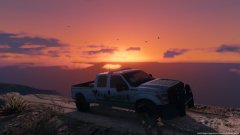 Yea, I find it a nice model
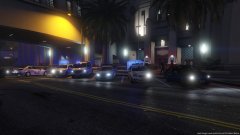
From the album: Proudy's GTA 5 Australia
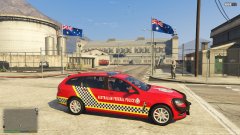
From the album: Proudy's GTA 5 Australia
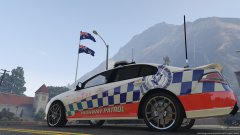
From the album: Proudy's GTA 5 Australia
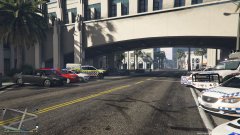
From the album: Proudy's GTA 5 Australia
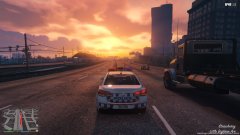
From the album: Proudy's GTA 5 Australia
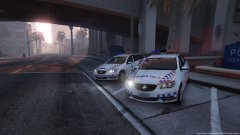
From the album: Proudy's GTA 5 Australia