sethnord8102
Members
-
Joined
-
Last visited
Everything posted by sethnord8102
-
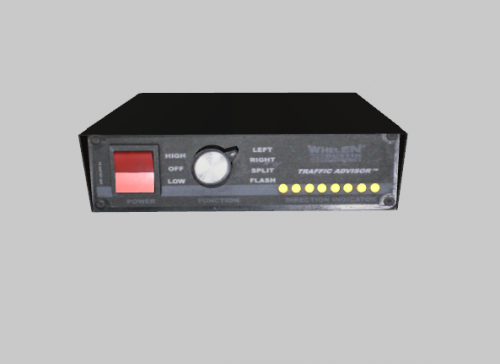 This is a low quality TA controller that I made for a car pack, and I decided to release it because I couldn't find a TA control head anywhere else. Has emissive LEDs that you can attach to your TA lights on the lightbar. Blender file included if anyone would like to improve it. Go easy on me, this is literally my first time 3D modelling anything from scratch.
 -
No, not just extras 6 and 9, I already installed the fix for that, even after LODing them all, the driver's side half of the lightbar isn't working. I can still see the objects that would be the emissive lights, but it looks like only the ENV texture is showing. I got my game working again, so I'll include a few screenshots. It also looks like some of the lights are visible from different orientations. (90 degrees to one side- see driver's side corner light in the last photo vs the first one) 1) https://imgur.com/a/ZVAVNKj 2) https://imgur.com/a/0HEmCJq 3) https://imgur.com/a/vjP91Ms
-
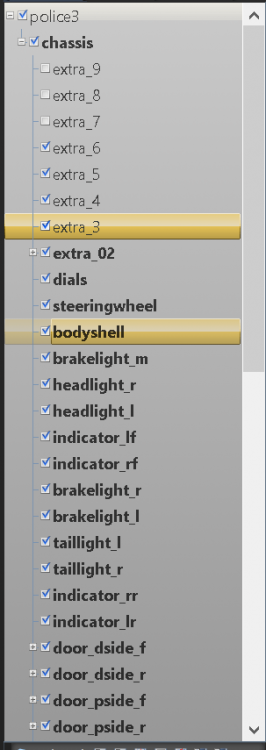
I have been trying to make my first vehicle in zmodeler 3, and I cant seem to get all the ELS lights to work- in game only a few show up on the lightbar. Everything looks fine in zmodeler and openiv, so I'm not sure why this is happening. As I said, it's my first time making a vehicle, so I'm sure I messed up somewhere. Many thanks to anyone who can help. I would include a screenshot from in game, but my GTA 5 won't start for some reason now. I'll post a screenshot as soon as I can get one. Attached files: ELS vcf file, Screenshot of zmodeler heierarchy sheriff.xml