


dj07
Members
-
Joined
-
Last visited
Everything posted by dj07
-
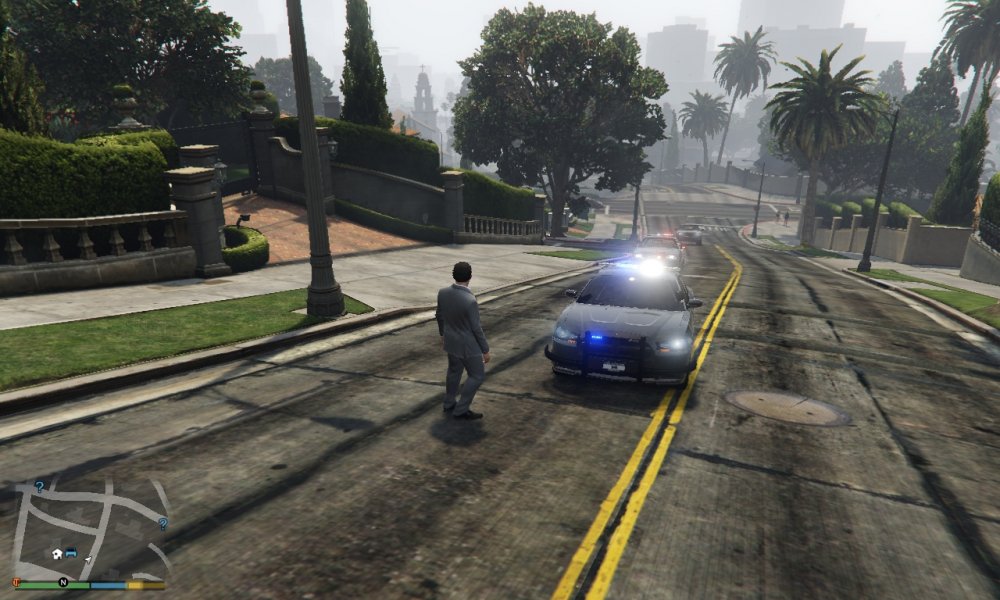
Read the read me and discovered my SHADER quality was set to normal, I did change this last night with no effect, tonight however after moving the mods out and back and changing it again, the cars WORK! Thank you for taking the time to help, AND linking the car troubleshooting guide in you signature!
-
-
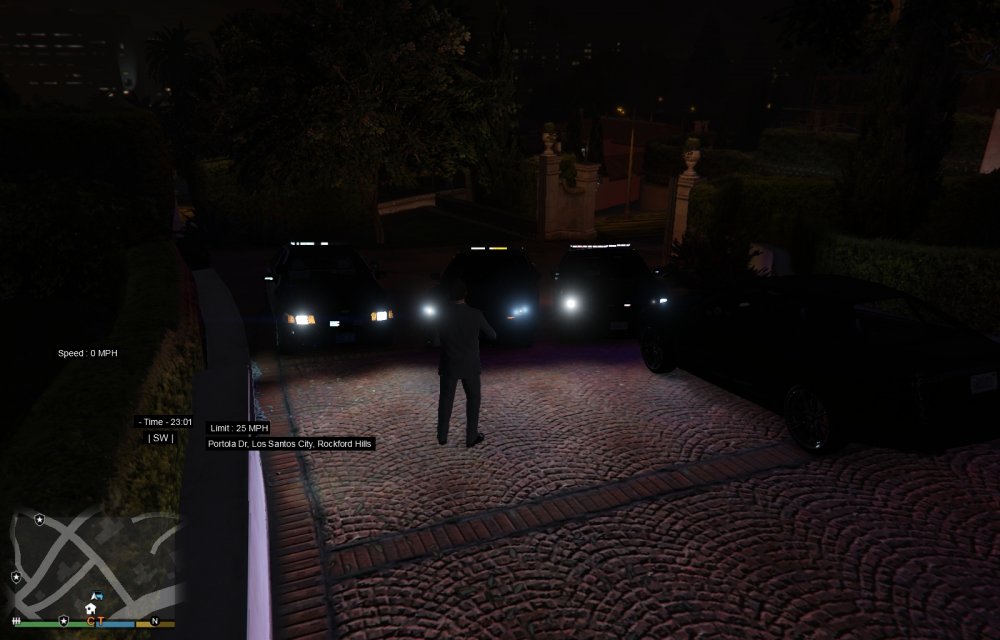
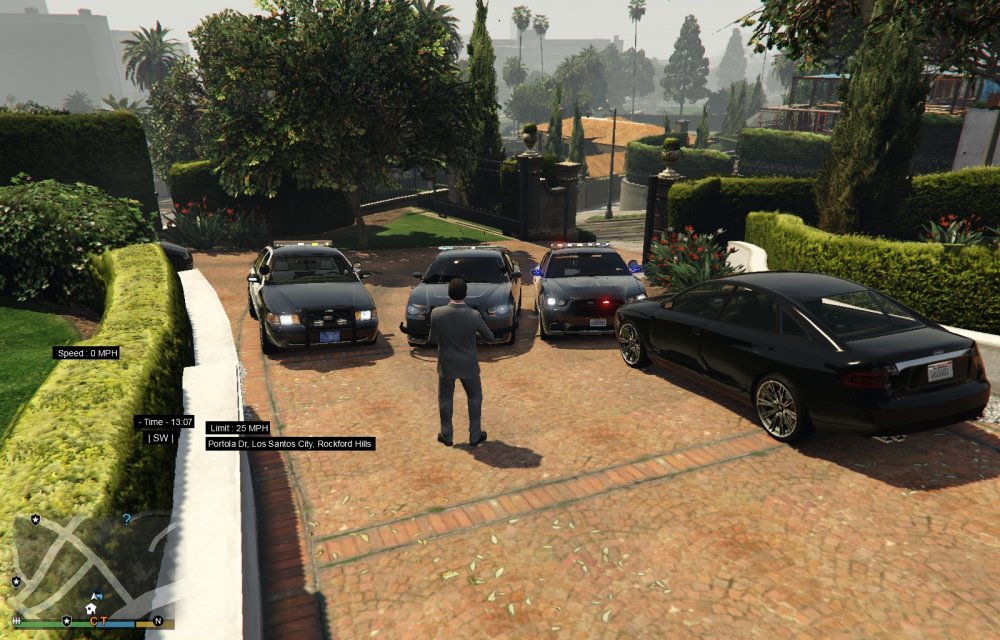
My ELS Lights never look right except on one car (car on right) no matter what visual setting I have set. Shader set to high. Attached are pictures and my visual settings file which is just the "Not to bright lights" mod that was on here for download. I have tried 300 and 100 and 5000 and 1500 day/night respectively with no real difference, aside from the car on right. For the car on right, the brighter setting of 5000 etc. is quite correct. For the others they are just yellow or white. When I hit escape the split second where the screen fades makes the lights on all cars look the correct red and blue. Completely out of ideas, anyone know what is up? visualsettings.dat
-
Now the sheriff charger I have works great and is super bright, others are darker in day time and about perfect at night. I've tried a bunch of different visual setting recommendations. Doesn't matter what distance any longer. Frustrating at best.
-
Logged on tonight to take pics, els was not working despite loading. Unloaded/Reloaded ASI loader etc. and restarted, ELS is back, lights are still bright but now they are bright at all distances. Completely white at a distance on top bars, barely any color up front, so back to playing with the visualsettings I guess. And my screen shots are coming out black so one problem after another. Will work on getting some pics up tomorrow to show differences.
-
My els lights look great, from a distance. Up close they are way washed out and look all white. I tried some of the mods to brighten lights which made them viewable and not dim but now they are white up close (from 7-8 feet away). Not sure what setting I need to adjust, any ideas?
-
 I don't have that dlc or patchday file in mine. Just 1,3 and 5 none of which contain the dlc option. How do I fix this?
- 137 comments
- 22 reviews
-
-
That all sounds good. I ran it on 1.1 - crashed the 1st time (I suspect it was a combination of it all - game was lagging then script was last straw, not something in the script since it didn't repeat), but then ran like normal after that BUT no police car or officer still. I will take a good drive around next time it spawns one and see if I randomly see a lost police officer :)
-
I have the most recent version as of this post - the older version said the script was active but never would give me callouts so it's moving the right direction :) and no, no log file. It doesn't crash, and suspect car spawns just not the other officer or their car. I never get the "get in a good support position" or whatever that message exactly is as it shows in the video. Just the suspect car, and the blue circle for the call area.
-
-
Sorry read updates in wrong order, please delete my last post, and then this one.
- 15 comments
- 10 reviews
-
-
'?do=embed' frameborder='0' data-embedContent>>
-
I don't have steam name for GTA just GFWL. I can have either vanilla or send you the links to the cars I have.
-
I will be on in a second!
-
I did read your post, that made my actual lights brighter as well.
-
What about this that has been on here since 2013? '?do=embed' frameborder='0' data-embedContent>>
-
InertTomcat4805 is my GFWL
-
I'm about to be online. LCPDFR 1b, SNT, Bravehart script if u want.
-
I'll try it... ugh, literally just did this to make it work the first time...
-
According to the tool the installation is fine, even says log is fine now although it still doesn't exist that I can find.
-
Worked some more with this, still can't get it to work. I don't know if maybe the installer is corrupted or what? No idea what else to try.
-
LCPDFR was working fine, I tried to use "Wouters Callouts" then LCPDFR wouldn't load. Uninstalled callouts, still wouldn't launch. Uninstalled LCPDFR. Reinstalled LCPDFR, now get error "Error loading LCPDFR.loader.loader". Tried to use Diag. Tool, crashes when it gets to loading logs (probably because there is no LCPDFR log). To my next point... there is no lcpdfr log. I have attached the one's that exist. Thanks in advance for any ideas. Like I said before, after 1.0b the game was working mostly smoothly. Guess that's what I get for adding another mod. But really, the other mod is 100% gone, I checked, so I don't know what happened. It had to have modified something other then the LCPDFR folder.
-
Anyone else figure this out? It really only loads car pursuits and street event's sometimes, correctly. Then it either crashes game of script.


