




Sparky81
Members
-
Joined
-
Last visited
Everything posted by Sparky81
-
 Text render has now been fixed by LMS. It will be in the next RPH update. LSPDFR/RPH - API Development - LCPDFR.com
 -
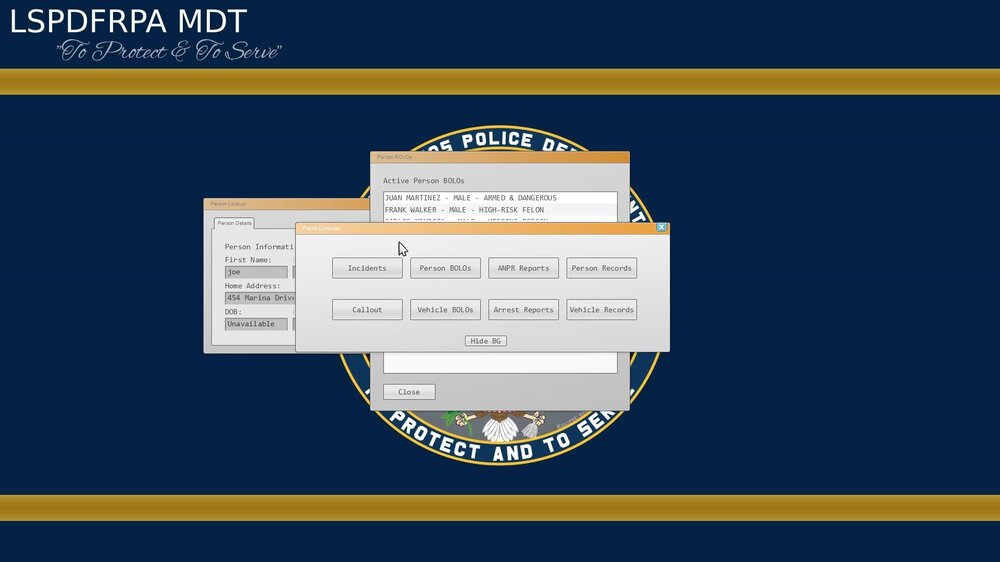
Will try and get back to you. Thank you @LMS @LMS You sir, is a legend... Thank you so so much.. If you don't mind me asking. What was it making the text overlap?
-
Thank you, yeah i fully understand its christmas. I do not need a quick fix, just a answer to if it was being looked into. I can let the users know. I can limit the amount of popup windows for now anyways. I thought it might be a rendering issue and ovs i can not do anything about that if it comes from RPH. I am happy to wait and ill update my page with a link to this post so users can keep updated. Again @Cyan Thank you for taking the time to look at this.
-
@LMS or @Cyan Could you let me know if this is getting looked into as a API bug please. Just so i can update my users on discord please.
-
Yeh its really doing my head in. Posted in Rages discord and has no answers at all. I really dont want to have to restart this system all over again. But if i can't find a fix. Then nothing more i can do but to remove the whole MDT system.
-
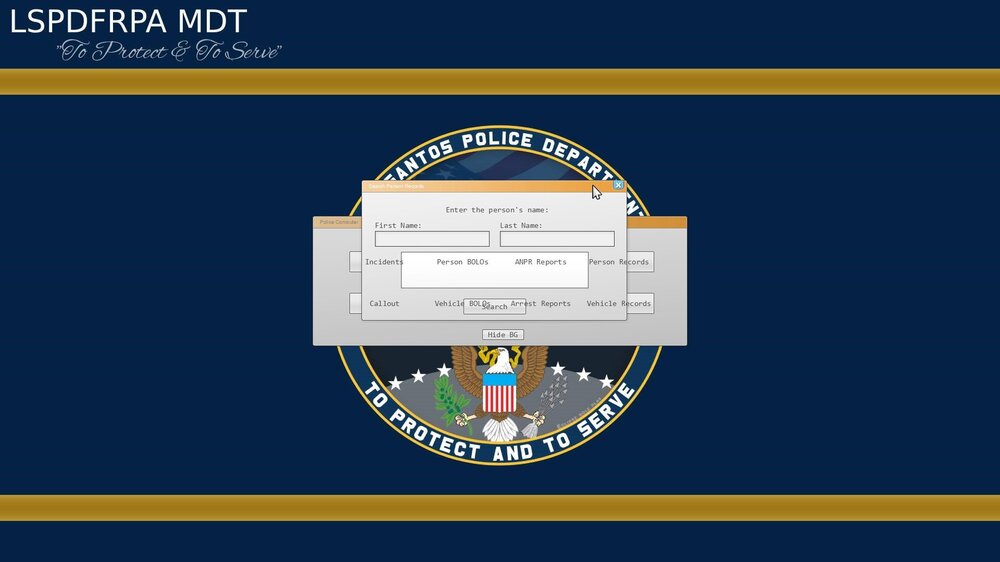
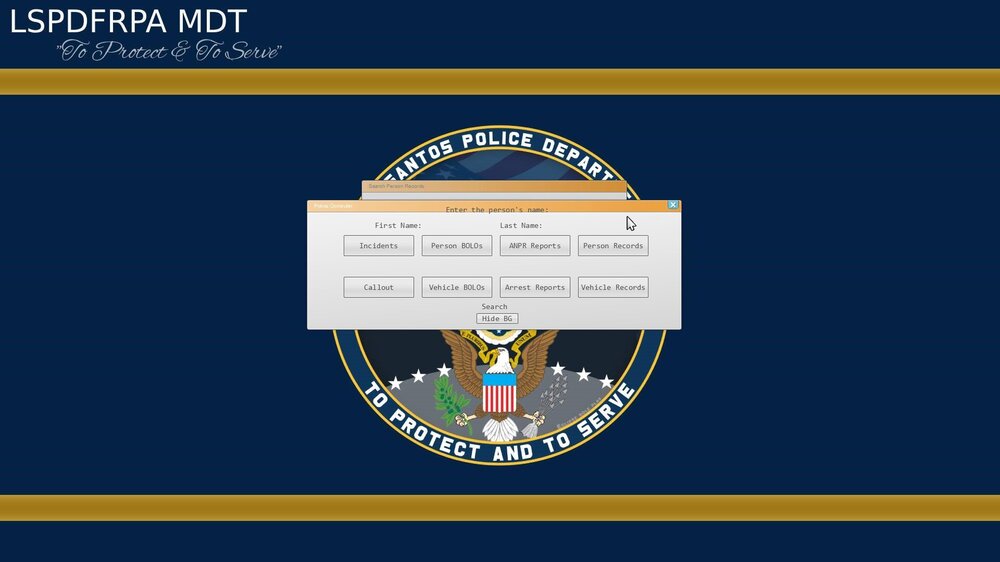
So after testing of this RPH release and LSPDFR release the problem is still happening. Has the text render issue been looked into on the gwen side of things? It is wired as hell as this has never been a problem till the update before. I have tried everything i can on my side of things and iv hit a brick wall with this. I really don't want to look else where for a replacement as months and months of work has gone into my whole MDT system and its a bit of a b**** if i had to start the whole MDT system again. I did upload the test project but ppl was downloading it lol If i can send it via PM. That would be much better.
-
Hay LMS, did ya get a chance to look at this?
-
Hi sorry here is the files. I had to remove the Dependencies folder due to over 4MB lol
-
Thanks for looking into this. I’ve confirmed the issue occurs with a minimal Gwen-only plugin on GTA v3717 using the bundled RPH. I’ll post the full minimal project shortly so it can be tested directly on your side. As you can see on a very basic form its happening. Load the plugin and press F7 both forms will show. Iv also uploaded the VS basic package. Again thank you so much for taking the time to look at this.
-
I am more than happy to upload some of my form.cs files for gwen but its all just calling current Gwen API as it always has done.
-
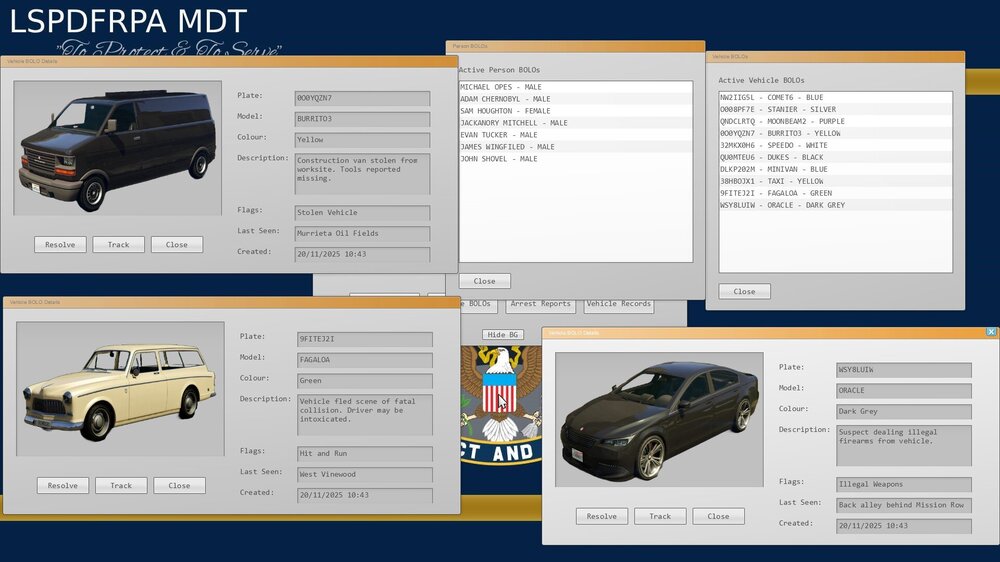
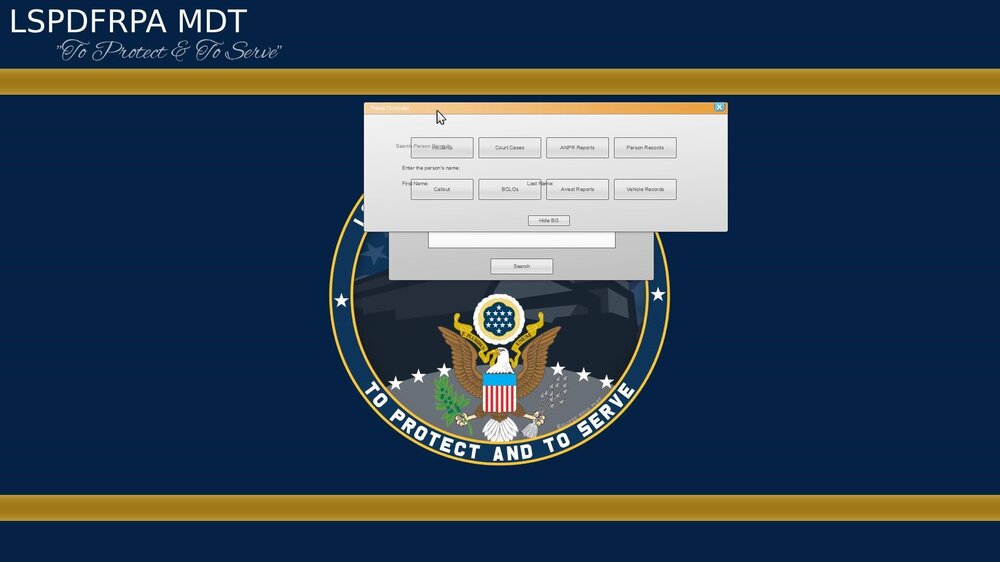
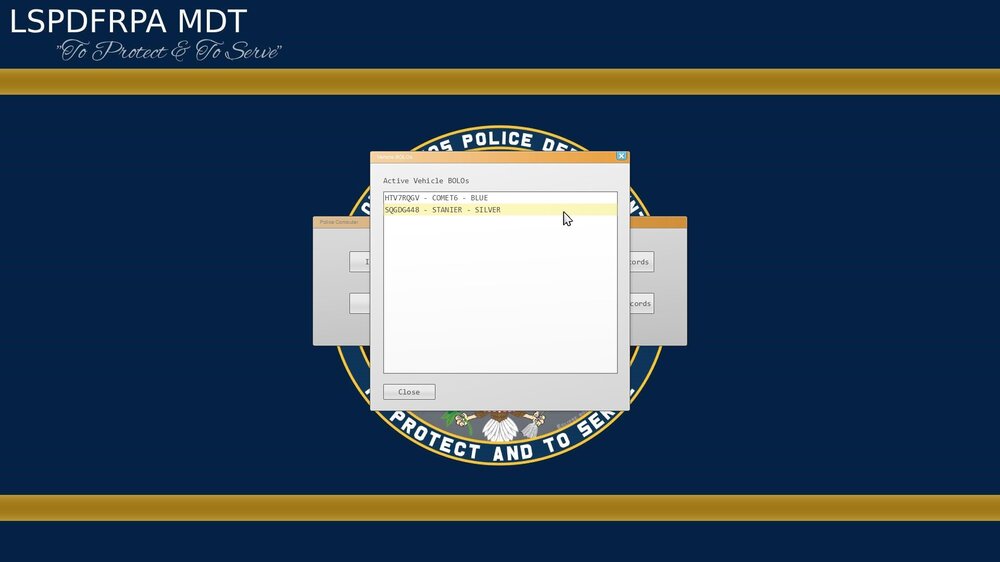
Did the last update to LSPDFR or RPH mess with the text rendering or the way the Gwen forms renders text. Before the last update, the MDT i am creating for my mod was working all fine. No issues at all see below images Then after the update. MDT not been updated for some time. See below As you can see there is a text bleeding onto the other forms. This has never been a issues since creating the MDT system. Below is another image showing nothing wrong since before the last update. Iv tried to hack it to death to try and fix it but with no luck. @Cyan As requested i made a post lol. Thank you in advanced for any help or answers.
-
Did the last update mess with text rendering or something like that. The Gwen forms text overlaps all other windows. Iv rasied this with RPH but they don't care lol
-
Its a pain in the backside dude. They don't want to admit they fucked up but thats the truth.
-
MDT UI Overlapping – Known Issue (RAGE Plugin Hook Update) Since the latest RAGE Plugin Hook / LSPDFR update, some users may notice MDT windows overlapping each other (search forms, records, BOLOs, etc.). This is not a Policer Advanced bug. The update changed how Gwen UI window layering and focus works, causing multiple windows to render at the same depth instead of stacking correctly. Unfortunately this is framework-level behavior and outside of our direct control until RPH addresses it. Nothing has broken in your install, and no data is affected. We are monitoring the situation and will adjust if a stable workaround becomes available. Thanks for your patience. — PA Team
-
MDT now has a overlapping issue. Last update to rage gwen forms has broken something. I am looking into this and trying to get it fixed. If you have a overlap, just move the window from ontop of the one thats overlapping.
-
It does but UB has its own issues dude. Callouts are coming to the MDT Thank you dude. Enjoy the mod.
-
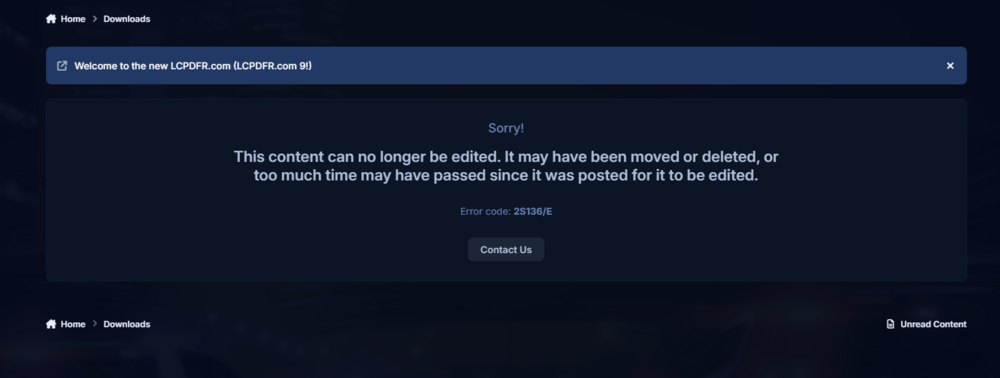
1 more issue is when trying to edit a our download page
-
https://discord.gg/3E5JyujUXw
-
Just message in general chat let me know who ya are lol 🤣
-
If you join discord, and share your screen. I will take a look, should not matter if laptop or PC.
-
That happens when you have old files left from another mod. It means something is messing with your mouse even after you have removed them. 10 times over iv seen it heppen.
-
Maybe dude.
-
Thank you dude. Like i said in discord, missions are very basic as the main system took a lot to get going. These missions will be far better as time goes on and more missions will be added as time goes on. Enjoy the new BOLO system.. 🙂
-
New BOLO system coming...
-
Policer Advanced aims to replace all of albos legacy mods by time its done. I have shown the files for now but in time they will be removed from the LSPDFR website and will only be available to download from my Github.




