Sslix
Members
-
Joined
-
Last visited
Everything posted by Sslix
-
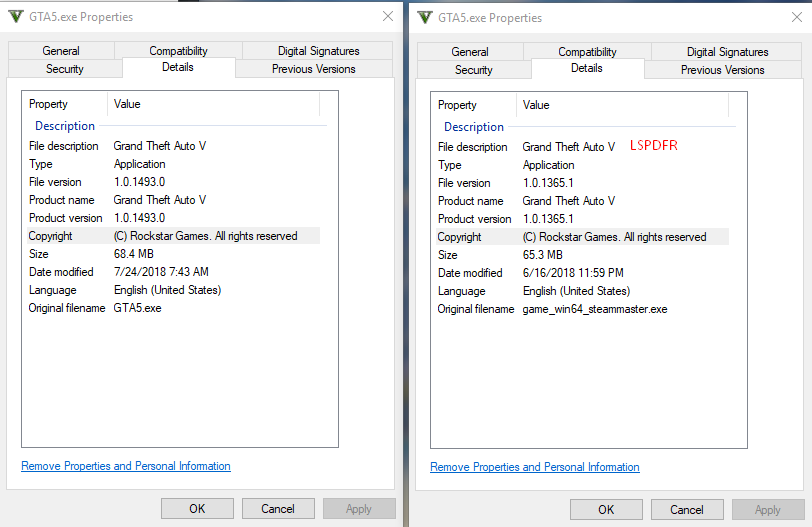
Currently, as most people that play both "versions" of GTA 5 do, I have a modded (LSPDFR) and Vanilla install of the game where I simply change the file name in order to play either one. Whenever the Afterhours update was released (1493), I had been using my Vanilla install of the game. It updated as usual and all was well, but today I decided to play some LSPDFR and I ran into an issue. When I started my modded install with the RagePluginHook shortcut it asked me to update RPH to the latest version and I did. Unfortunately, it seems that steam is not detecting that my modded install is on a previous version (1365), therefore not starting the update process to the latest version in order to be compatible with the current version of RPH... The roadblock I've run across is that the only way I have found to force an update on a game is to verify the game cache within steam, the problem with that is that I don't want to verify the game cache and lose all of the mods I have made to the game files (vehicle mods, sound mods, etc). Any workaround for this?