EmergencyCars
Members
-
Joined
-
Last visited
Everything posted by EmergencyCars
-
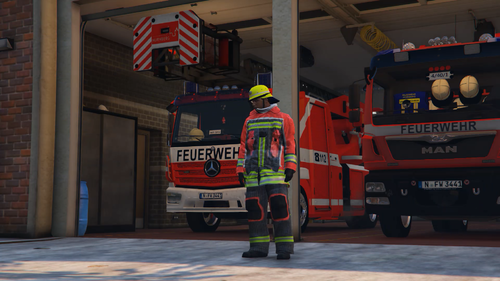 Hey there Buddy, i made this texture for EUP 8.0. I don´t really know what the name for the file is for EUP 9.3. Sorry about that!
 -
Hello! This is my first ,,Mod". The Fire Explorer from Texport. In the vol. Fire Department where i´m doing my Duty the Texport Fire Explorer is used. I´m very impressed by this Uniform. The comfort is very high and the design is really nice! So i decided to reskin the normal Fire Uniforms in the EUP 8.1 Pack. This is my First ,,Mod" and i´m trying to get better with Texturing and more. Maybe there will be a few Updates with better Textures 😄 You need: EUP L&O EUP S&R EUP Menu Fun 😄