


FreeLine
Members
-
Joined
-
Last visited
Everything posted by FreeLine
-
That makes sense. Thanks for the in-depth elaboration. 🙂 I think I will still use your loader for simple mods so I can have an overview of which are installed. Additionally, I can then easily remove mods because I know which files they contain (mod loader folder). Great work with this by the way!
-
I see. That makes sense, explains why none of the "versions" I tried worked (ResourceGroup, Resource, top level etc.). Is there any alternative method for mods like callouts and the like that only require some files to be added?
-
I reset my entire game earlier today, to start fresh with LML. I have been struggling for the past few hours getting anything to work. The gameconfig with LML support does not work and the manager logs Unknown tag filereplacement even though it is used in the install.xml doc. Furthermore, I receive the same error when using ResourceFolders which are also listed in the same doc. What are the replacements for these tags? ModManager.log install.xml
-
-
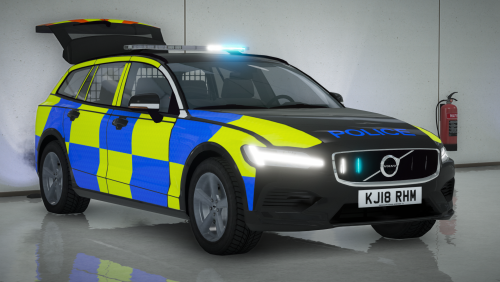 ELS does not seem to be working for me. Activating lights with `J` (default) has one cycle but there are no lights anywhere.. :/
- 9 comments
- 2 reviews

