Skip to content
View in the app

A better way to browse. Learn more.

LCPDFR.com

A full-screen app on your home screen with push notifications, badges and more.

To install this app on iOS and iPadOS
  1. Tap the Share icon in Safari
  2. Scroll the menu and tap Add to Home Screen.
  3. Tap Add in the top-right corner.
To install this app on Android
  1. Tap the 3-dot menu (⋮) in the top-right corner of the browser.
  2. Tap Add to Home screen or Install app.
  3. Confirm by tapping Install.

RavenOfDoom

Members
  • Joined

  • Last visited

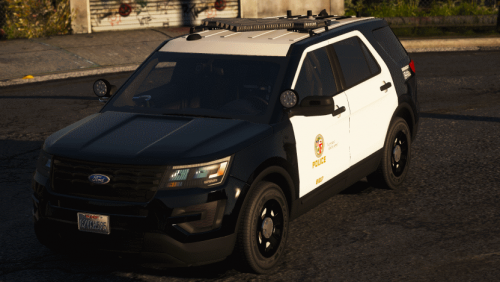
  1. strange I wonder what int he world could be doing it in my game. It kills the FPIU model for me.
  2. Is it just me or when you go to open say the driver side rear door, the animations for the vehicle has the right rear passenger side door? Its an issue I seem to have with multiple FPIU models. I at least noticed it first with TheHurks CHP pack and I thought it was maybe just his model but this one is doing the same thing. Really not sure what controls that.

Account

Navigation

Search

Search

Configure browser push notifications

Chrome (Android)
  1. Tap the lock icon next to the address bar.
  2. Tap Permissions → Notifications.
  3. Adjust your preference.
Chrome (Desktop)
  1. Click the padlock icon in the address bar.
  2. Select Site settings.
  3. Find Notifications and adjust your preference.