PhoenixAviation
Members
-
Joined
-
Last visited
Everything posted by PhoenixAviation
-
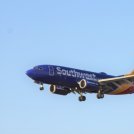
 Amazing job with this mod, connecting to a side of LS with very little love, the airport (also my favorite part of LS!) Even though there are a few bugs to work out, this is one of the better callout mods I've downloaded and I encourage you to keep going no matter what! If I may leave a suggestion, one day I was at Sky Harbor and a Southwest 737-700 came in for an emergency landing and the police and ARF units escorted them so it would be cool if you could add something like that, keep up the good work! ~Sean
- 82 comments
- 20 reviews
-
-

- 2
-
-
As a resident of chandler, I'd love to see this! I'm considering making it myself with all my new spare time, maybe I will! I'll be sure to tell you if I do.