ByShaotic
Members
-
Joined
-
Last visited
-
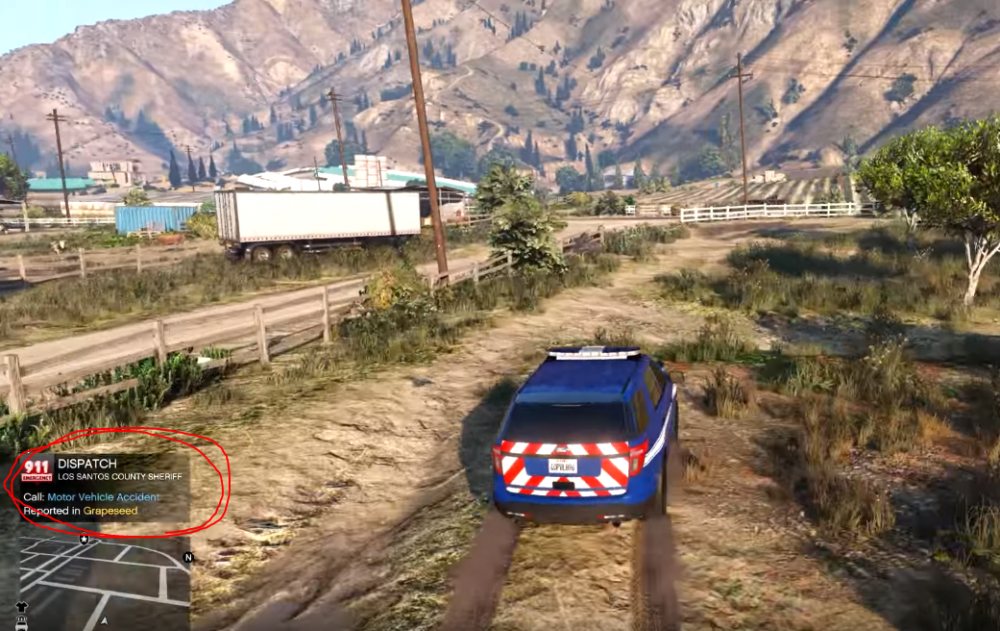
Salut 1er problème : Je viens d'installer LSPDFR et out marche correctement, j'ai rajouter les plugins : LSPDFR+ Traffic Policer, Arrest Management et Assorted Callouts, je peux bien prendre mon service mais plusieurs fonctionnalité de ces plugins ne fonctionnent pas et j'ai trouvé ça dans les logs : "Traffic Policer compatibility warning: The current game version is newer than 1.0.1290.1 and may or may not be incompatible due to RPH changes. Use at own risk." Il me dit ça pour les 4 plugins... De plus, le plugins Police Smart Radio qui requiert Traffic Police ne fonctionne pas. 2ème problème : Le petit cadre d'info qui indique la nature du callout et tout ce qui est en rapport avec les plaques d'immatriculation et l'identité des suspects (voir images) n’apparaît pas chez moi, par exemple quand je demande le nom du suspect après l'avoir arrête, et bin rien ne s'affiche donc impossible de connaitre son nom... Pas pratique du tout Merci pour votre aide