


.png.946fb0308b90764877b5f363b31c6897.png)
Mrbiker
Members
-
Joined
-
Last visited
Everything posted by Mrbiker
-
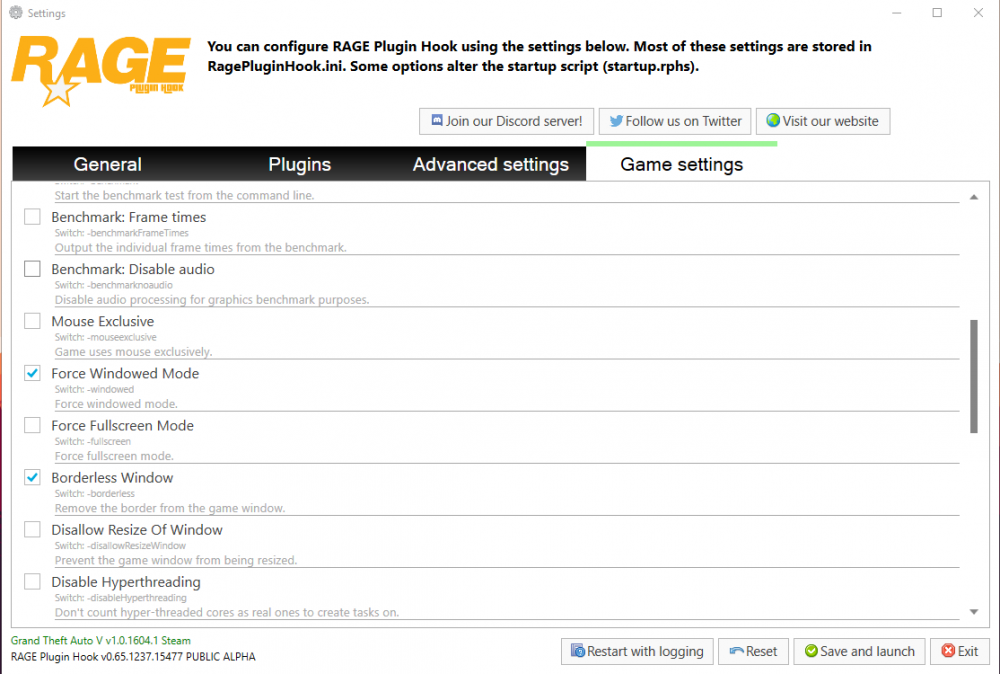
Essaye de démarrer RagePluginHook avec ceci cocher :
-
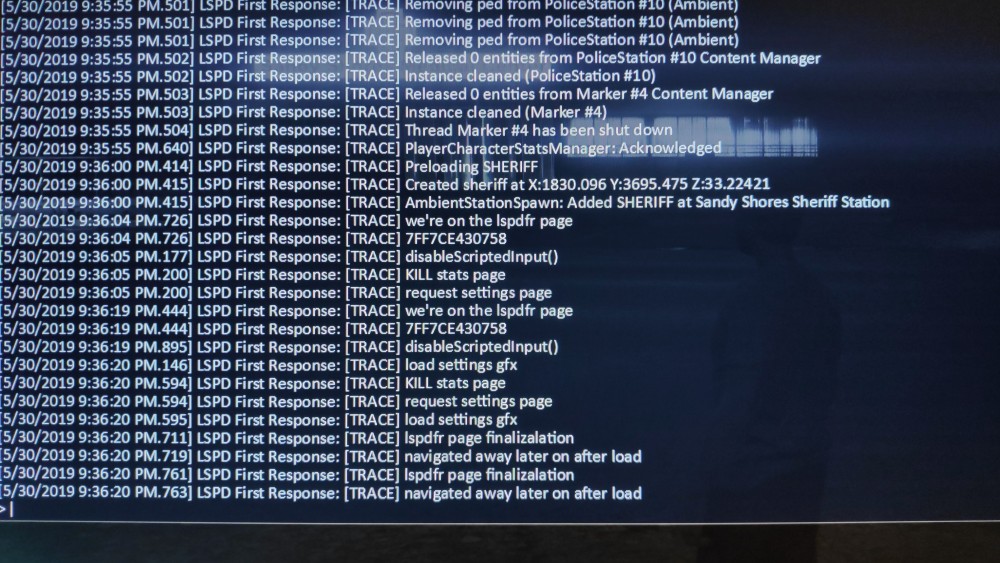
I did a few things and the problem of the controls seem to be solved. Thanks. By cons I still have a problem in the menu of LSPDFR, I was able to take a picture of what displayed RPH at stake: Really strange someone has already had this bug ??
-
After solving crash problems I encounter a new problem, the assigned SHIFT key does not work, the LSPDFR menu in the GTAV pause menu does not appear or displays one of the basic gta5 skills. All this while the installation of GTAV is new and all plugins and mods I use are up to date and compatible with LSPDFR 0.4.1. I provided the RPH log in GTAV main file. RagePluginHook.log I noticed this at the end of the RPH log: [5/30/2019 8:00:30 PM.594] First Response LSPD: [TRACE] we're on the page lspdfr [5/30/2019 8:00:30 PM.594] First Response LSPD: [TRACE] 7FF7CE430758 [5/30/2019 8:00:31 PM.024] First Response LSPD: [TRACE] disableScriptedInput () [5/30/2019 8:00:31 PM.047] First Response LSPD: [TRACE] KILL stats page [5/30/2019 8:00:31 PM.047] First Response LSPD: [TRACE] request settings page for the key SHIFT is the key assigned for a traffic stop that does not work all the time
-
Hello, when I launch RPH and the game starts it starts directly on patrol so that does not want, how to do?
-
LSPDFR 0.4.1 does not work really well, for example in the pause menu of the game of GTA5 when I click on the tab LSPDFR it happens that nothing happens or another page opens without reason. Also when I choose my character the game crash during loading. I specify that the file GTA5 is new. RagePluginHook.log
-
Sorry here is the right file RagePluginHook.log
-
As I said no complete report is created in the Logs folder I just have that. RagePluginHook_28052019_201515.log
-
Hello, When I run GTA5 (RPH) the game appears with the character Franklin, so I change the character with the menu LSPDFR then I choose my character that I create and during the loading the game crashes directly without any report of crash but just one gta5 page "saying that the game left unexpectedly. I specify that I installed the game and I just install it's mods: Simple Trainer, ELS 1.05, LSPDFR 0.4.1, PLD 4.00, RPH 0.65.1237, ScriptHookV 1.0.1604.1, ScriptHookVDotNet
-
Non absolument rien, mais en cherchant j'ai trouvé une solution donc c'est bon merci. Pour le régler j'ai du aller dans les paramètres RPH puis dans Game Settings> command line switches et activer deux options (Force Windowed Mode et Borderless Window)
-
Personne sur ce forum ??
-
Yo !! Je viens vous demandez de l'aide car la je sais pas quoi faire, je vous explique quand je lance RPH sa lance correctement GTA5 mais ça met la page d'accueil de GTA5 avec marquer "chargement du Mode Histoire" mais quand sa charge le Jeu et ben sa na pas charger RAGEPLUGINHOOK mais seulement le jeu seul. Voilà merci de votre aide !!
.thumb.png.76dbc72ca5d2ef8ff5c5d5ff44439c45.png)


