Jimmy01
Members
-
Joined
-
Last visited
Everything posted by Jimmy01
-
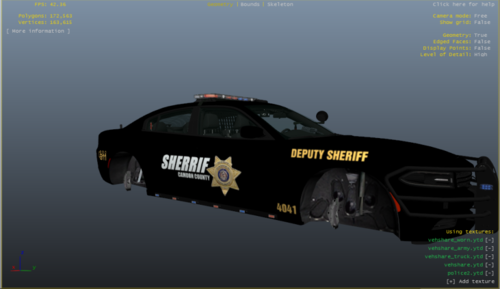 This is a charger, not a challenger.
 -
I have created a google form for people to fill out regarding their choice in vehicle download, and their skillset regarding it. It is for both curiosities sake and for modelers to see if they are creating content for the biggest range of people they can. https://forms.gle/u3yJTLfqkAHFJfD28 All data can be found at a public spreadsheet here. https://docs.google.com/spreadsheets/d/1TUNqrJc70mtOL-5WnDF0gGezIndv0vVbH8g3R4VUi3s/edit?usp=sharing
-
Now I keep getting this unhandled exception occurred message after loading up and when LSPDFR is loading me into the Multiplayer ped and in my apartment. The weird thing is occasionally it will load into the game but sometimes it won't, mind you, I did not change anything in between loadups. Also these times differ too, sometimes UltimateBAckup will work and other times it won't. I will link the rage crash message below, but generally, it says its a .net exception that occurred in the plugin LSPDFR. -Thanks in advance for any halp. -If any staff thinks this goes in GTA V support go ahead and move it. ForPeepstohalp.txt
-
I'm having the same problem too.
-
 hey t0y, can you make this an optional addon pack since its Vespucci and not lspd? just so they don't spawn in mirror park. (would be much appreciated)
- 58 comments
- 37 reviews
-
-

- 1
-
-
-
I think there is a problem with my GTA5.exe here's my evidence. launcher.log
-
Is there any known way to fix that message? (reference the replies above) Also would like to add when loading in without rage it just doesn't load past the social club loading screen
-
I am now getting the GTA has exited unexpectedly. Please click Retry below to enter the game again or click safe Mode to launch the game with reduced graphic settings. If you continue to have problems playing the game, please contact Rockstar Games Customer Service at http://support.Rockstargames.com It does this when run with and without rage. Retrying doesn't work either.
-
I'm was trying that same thing getting the same problems, except the new script hook update isn't helping.
-
-To be more specific it crashes the instant the bikini girl with the phone comes on the screen. Things I have tried that don't seem to work: reverting back to 1290 GTA V, this seems to be broken because it won't not update turning on and off offline mode via "-scOfflineOnly" script in commandline (this did nothing) running GTA V without Rage, it won't load then it just crashes. - This seems to be kind of Important in identifying what it is that caused the crash. Uninstalling and reinstalling Scripthook v, rage plugin hook, & menyoo, even though they are already updated (this did nothing)
-
There are multiple mods installed including LSPDFR, there are police cars, LSPDFR plugin stuff, I'm updated to 1365 with Script hook v and it just crashes before even starting. Here is a copy of the crash report rage gives. Please ask for any other information needed just ask, I really want to play as I am on spring break right now. Crash.txt