W0lf3
Members
-
Joined
-
Last visited
Everything posted by W0lf3
-
 Hey! I believe you left something out of the installation path in the readme file. Instead of "...patchday3ng/x64/levels/vehicles..." I think you meant to put "...patchday3ng/dlc.rpf/x64/levels/gta5/..." That small error made me really confused, so hopefully you're able to fix it in the next update for all your ReadMe files!
- 18 comments
- 7 reviews
-
 I have also gotten the female ped being frozen in place of the Domestic Violence call, and have never gotten the Suspect At Large call. I see the Panic Button will be updated, I hope that addresses the officer somehow winning with their fists against someone with an automatic.
- 200 comments
- 27 reviews
-
-

- 1
-
-
I thought it was possible but it looks like they only have the latest available.
-
This didn't work. Crashed on startup loading, no plugins. Even crashed on 10000 so I think the only solution until they put out a fix is to go back to 0.4.1.
-
(Installed July 10th) Okay so even with no plugins, and the only mods I have are changed cars and Simple Trainer, I keep crashing when attempting to go On Duty, or using "ForceDuty" in the RAGE console. Never had this issue in 0.4.1, so I might have to roll back to that. With plugins installed, I either couldn't get past the initial loading since LSPDFR had crashed mid-load, or I still couldn't go On Duty since it crashed from "ForceDuty." RagePluginHook.log
-
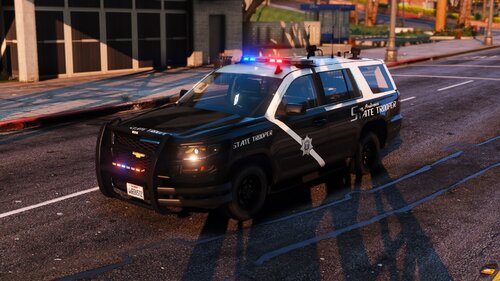
 2015 Chevy Tahoe folder has three "Police2" files, and one "Police3.ytd" file. Was it supposed to be "Police2.ytd"? Also are they designed to be changed to work up to Police4? I'm confused on which ones I can actually use.
- 210 comments
- 59 reviews