
PEEP
Members
-
Joined
-
Last visited
Everything posted by PEEP
-
-
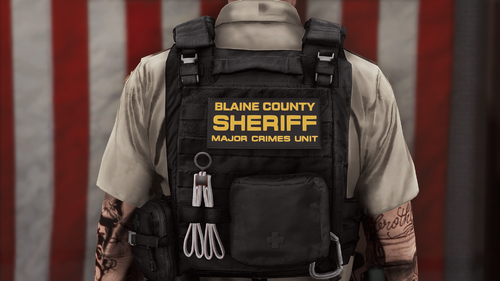 sorry this file no longer works. the texture was made for the old model hanako has removed the old model download that was on gta5 mods
- 22 comments
- 1 review
-
you must use the vest from here https://www.gta5-mods.com/player/eup-vest-pack the vest got reworked and the textures dont fit the new one
- 22 comments
- 1 review
-
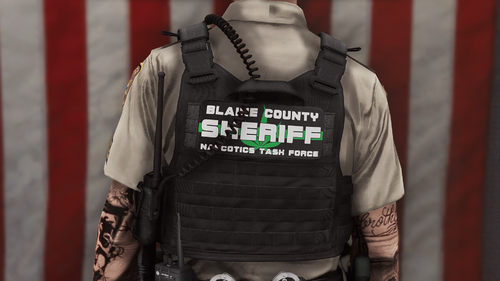 Vest Used Vest 4 Setup 2 FiveM use is allowed DO NOT claim as your own If you make edits to the texture DO NOT re-upload without asking me If you like this texture leave a ★★★★★ review If you didn't like this texture leave a comment explaining why
 -
-
I lost the .psd file for it so I cant rework it I would have to re make it for the new one, the old model is on the gta5-mods link. if you want to feel free to edit the texture to make it work to that vest
- 22 comments
- 1 review
-
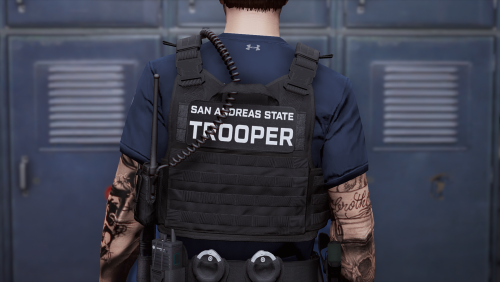 https://thinlinesanctuary.com/collections/uniforms/products/sast-uniform-package
- 48 comments
- 3 reviews
-
-
-
You dont have to rework it download hanakos pack from the gta5-mods link in the description and it has the old version of the vest
- 22 comments
- 1 review
-
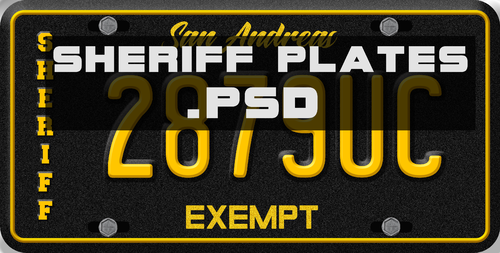 These do not replace the in game plates this is a texture meant for livery makers. to add it to your game you must add it to a car models livery.
 -
-
Thanks for bringing this to my attention. apparently hanako remade the vest at some point and I never realized so these textures are for the old version of the vest. I'm gonna ask hanako if its ok for me to include the old model in the download but for now there's nothing I can do for you, sorry.
- 22 comments
- 1 review
-
Thanks for bringing that to my attention turns out I linked the wrong font the real font is https://www.fontspace.com/license-plate-font-f3359
-
Vest Used https://www.gta5-mods.com/player/eup-vest-pack Thanks to Kioshkio for reworking this texture to work with the updated vest model! If you like this texture leave a ★★★★★ review If you didn't like this texture leave a comment explaining why
- 22 comments
- 1 review
-
-

-

- 10
-
-
https://www.dafont.com/license-plate-usa.font
-
DO NOT claim as your own If you make edits to the texture DO NOT re-upload without asking me If you release these on a livery please provide proper credits. If you like this texture leave a ★★★★★ review If you didn't like this texture leave a comment explaining why
-
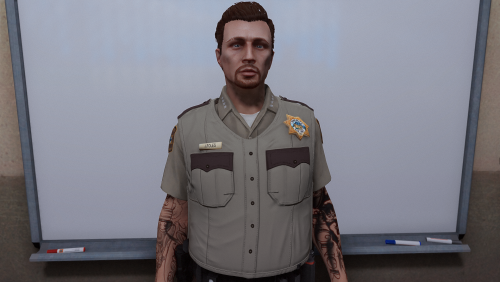 Its hidden in EUP but its just the regular uniform that comes with eup you just gotta cycle through the shirt textures to find it.
 -
-
Glad you enjoy it! To fix the purple/green appearance make sure to import it with the pixel format set to A8R8G8B8
- 48 comments
- 3 reviews
-
-
-
https://discord.gg/7UVysjf I think the belt was removed by the author but idk I've had it in my game for over a year
- 48 comments
- 3 reviews
-
-
To fix the purple/green appearance make sure to import it with the pixel format set to A8R8G8B8 I cant tell you where to install because you can install the vest model into any task slot you want.
- 48 comments
- 3 reviews