




pxscal361
Members
-
Joined
-
Last visited
Everything posted by pxscal361
-
Hey @Seth H Did you had any similar problem with your loadingtime or with RPH in the past? Maybe it's because you have not enough space available on your storage. Or just because your system is slow, there are a lot of possibilities why it couldn't work. May you please attach your latest RPH Crashreport / Log to this thread, so I can take a look in it, to get to a simple and fast solution? Also, do you have ScriptHook V installed right now? If yes: Try removing it from your GTA V folder or uninstall it, since SHV is not being patched for the latest GTA V version as from now.
-
Hey @Skyszcake I believe this is due to ScriptHook V still not being patched for the newest GTA 5 version. As far as I know, ELS also needs ScriptHook V to be fully operative. In my opinion, there is no solution for this at the moment. We all need to wait for the SHV patch to be released, and then the fun can start again. I still wish you a great day.
-
Hey @astoff, since you have ScriptHook V installed, your game won't start. This is due to, ScriptHook V is not being patched yet. Simple solution for this: (Temporary) uninstall or remove ScriptHook V from your GTA 5 folder or from your PC. You can enjoy LSPDFR from now on again, but you will have to wait to use your Trainer / ScriptHook V again. I hope everything is working now for you. Have a great day!
-
Hello @ConnorMcNaught14 I have EUP also installed with the 2 uniform packs. I never needed to uninstall it, but i try to help you out of course. I've searched for your problem, and actually found an solution. Try following: "Go into mods/update/x64/dlcpacks and delete the folder named EUP. Then go to mods/update/update.rpf/common/data and open dlclist.xml (either right click and select edit or drag to desktop) remove the line "<Item>dlcpacks:/EUP/</Item>" from it and save the file. If you exported it before editing make sure you drag it back into OpenIV." This was marked as an solution from the following path: I hope this solution also works for you. Have a great day!
-
Hey @mark.drennen ScriptHook V has not much to do with LSPDFR. LSPDFR needs RPH to work, ScriptHook V is just an very helpful, additional script which is just needed for Trainers, Mod Menus or else. We will have to wait until there is a patch for ScriptHook V. 🤷♂️ You can check out the Script Hook V page and check for the patch here: Script Hook V - AB Software Development (dev-c.com)
-
Guten Abend @CptMiller1314 👋 (Hello) It seems like you didn't updated your GTA V to the up-to-date version, "The Criminal Enterprise" Update - patch v2699.16. I recommend you updating your GTA V first, before you should also update LSPDFR (with RPH included), since it got patched to work with the newest version of GTA. Also, if you're using a Trainer (Native Trainer, Simple Trainer, ...) or just ScriptHook V - you should remove it for now, since ScriptHook V didn't got patched yet. I don't think the Callout Manager plugin causes your game to crash. Maybe if the above steps don't work, you should try to remove all plugins, vehicles, sounds, textures or else installed by you, and then try it again. (But just if it's still not working) I hope these solutions work for you. Have a great day! (Habe noch einen schönen Tag!)
-
Hey @MalakasTao 👋 Could you please attach your latest RPH Log/Crash Report -Document, so i could take a look into it? Also another important question to this: Do you have any (custom) plugins, vehicles, sounds, textures, ... installed? A specific question to this: Do you have ScriptHook V installed (or the Native Trainer)? If yes: Remove it from your GTA 5 folder, since it didn't got patched to the new GTA 5 update yet. If no, please get me a answer on the things above, so i can imagine your situation and try to get to a solution.
-
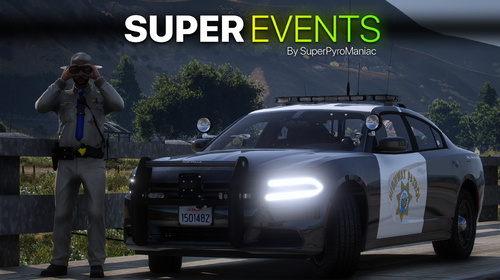 Very cool plugin. Works perfectly fine, without any problems or crashes. I can really suggest it, since it adds a pretty realistic atmosphere into your LSPDFR experience, and it never gets boring with this!
- 218 comments
- 22 reviews
-
-

- 1
-
-
 Very nice plugin! Every time i open the Database, i get LCPDFR-flashbacks. Everything is working fine, and I really like that you can switch from a lot of designs. As I said, for me everything works fine. It just crashed once for me, because i have too many plugins installed 🙈 - but that is kind of my own fault. I can just suggest the plugin to any newcomers. It's a pretty nice and realistic addon to your LSPDFR experience. 👍
- 1,743 comments
- 172 reviews
-
-
- 1
-
-
Hey @Cas01 , welcome to LSPDFR! 😄 Are you using ScriptHook V? Do you have it currently installed? If yes: Remove it or try uninstalling it for right now, since it doesn't have a patch-update for now. If you're not using ScriptHook V or tried the steps above, but it didn't worked or else: Try removing all plugins out of the plugins folder, also remove recently installed files. Example: Cars, Weapon Sounds, Custom Sirens and so on. If the above steps also didn't work for you: I suggest you, as a last option, to completely re-install LSPDFR manually or via the setup. Please let me know if I could help you out. If you have any other questions or problems, feel free to put it inside here.
-
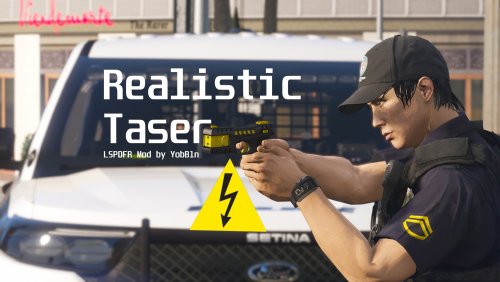 Just installed it a few hours ago. Very nice work! This plugin is also a "must have" when realistically acting/patrolling in LSPDFR (in my opinion). Everything working fine, expect the GUI (idk if i accidently set it to false or else) - but i don't even need it. The .ini settings are very detailled too, and easy to set up or change. If you want to bring up some more realism into your GTA, this plugin is a must-have. Great job! ~pxscal361
 -
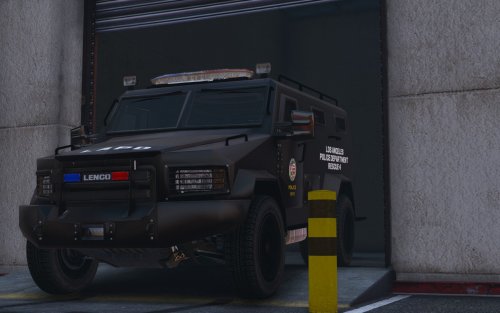
.thumb.png.f6e3ab5c1cf1e17e17d72f3e17ac4172.png) I tested out a lot of LENCO Bearcats, also from other platforms, and this is the best model i can find (not joking). Perfect job done! ELS working fine, back doors working fine (also for AI) and the texturing job is also done pretty good. (4k decals also available - super nice) ~pxscal361
I tested out a lot of LENCO Bearcats, also from other platforms, and this is the best model i can find (not joking). Perfect job done! ELS working fine, back doors working fine (also for AI) and the texturing job is also done pretty good. (4k decals also available - super nice) ~pxscal361- 20 comments
- 3 reviews
-
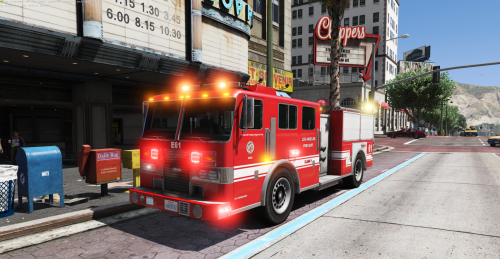 I can't say much about it. It's a pretty nice vehicle. Nice done and a great job. ELS working totally fine, anything else is good too. ~pxscal361
- 11 comments
- 9 reviews
-
 Very nice vehicle model. Texturing is pretty well done, there is even a 4k-version from the decals. But sadly for me the ELS xml didn't work. Anyways, pretty nice replace car. Backseats working fine too. ~pxscal361
- 39 comments
- 7 reviews
-
 ELS is a must-add when playing LSPDFR. It's just great. In the past, i had some problems configurating it and so on. But now it's instantly loaded and up there. No crashes or FPS drops, just a very cool feature. For new members: I personally suggest you to get ELS. But when getting it, don't miss out on reading the README - it includes important informations about configurating ELS. ~pxscal361
- 2,671 comments
- 234 reviews
-
 This kind of callout pack, with the integrated callouts, is super cool. Everything works fine, the callout pack is loading into LSPDFR instantly, and until now not a single callout crashed on me. All the callouts are made with a lot of scripting and time, and effort. For anyone who wants to (think about) downloading this: I can just say, that it is a very cool addon into your life of an LSPD officer. ~pxscal361
- 1,018 comments
- 63 reviews
-
-
- 2
-
-
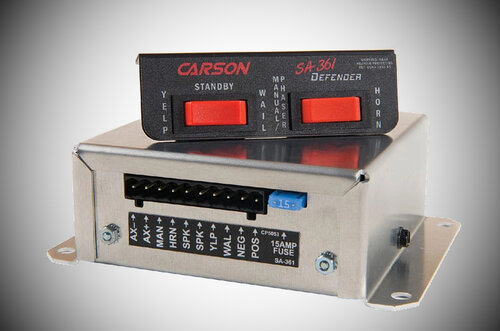 The firetruck sirens are pretty good.

.thumb.png.f6e3ab5c1cf1e17e17d72f3e17ac4172.png)
