




Mags
Community Team
-
Joined
-
Last visited
Everything posted by Mags
-
This topic has been moved to the appropriate forum. Please post in the correct location in the future.
-
This topic has been moved to the appropriate forum. Please post in the correct location in the future.
-
This topic has been moved to the appropriate forum. Please post in the correct location in the future.
-
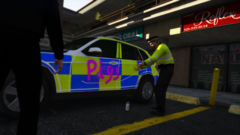 lol nice picture!
 -
Hello and Welcome! Here are a couple of links that can help you! https://www.lcpdfr.com/forums/topic/80464-gta-v-support-frequently-asked-questions/ https://www.lcpdfr.com/forums/topic/69079-guide-step-by-step-instructions-for-installing-add-onstandalone-cars/
-
-
-
-
-
Yeah that't not really a bug. This script is highly customizable You can also go into the LSPDFR backup file, and change what car slots responds
-
-
-
-
-
Video is not available. Its unfortunate that this is the time we live in now. As a law enforcement officer I believe there should be informational videos given to the students and the teachers to better prepare for a incident that may occur. Plus it helps first responders having some type of order in that situation instead of chaos in a already high stress situation.
-
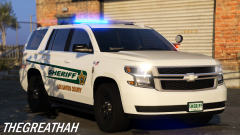 Lookin good! Always liked your vehicles.
 -
Looking good so far! I have seen many people create them, and they just look thrown together, but this looks promising. It good to see someone taking their time, and really putting the effort in.
-
It's going to take some getting used to. I personally don't like the newer Chevy's. But I would have to see this one all outfitted out before I can pass my official judgement.
-
Curious what did you remove that you downloaded?
-
Looking for opinions starting today going forward in computer gaming. I am currently running FX 8350 Black Edition. What would you upgrade to?
-
This topic has been moved to the appropriate forum. Please post in the correct location in the future.
-
This topic has been moved to the appropriate forum. Please post in the correct location in the future.
-
This topic has been moved to the appropriate forum. Please post in the correct location in the future.
-
 Did not see the K9 vehicle in the pack. The folder is there, but when I put it in the game none of the cages are in just a empty back area.
- 63 comments
- 37 reviews
-
-

- 1
-
-



