Skip to content
View in the app

A better way to browse. Learn more.

LCPDFR.com

A full-screen app on your home screen with push notifications, badges and more.

To install this app on iOS and iPadOS
  1. Tap the Share icon in Safari
  2. Scroll the menu and tap Add to Home Screen.
  3. Tap Add in the top-right corner.
To install this app on Android
  1. Tap the 3-dot menu (⋮) in the top-right corner of the browser.
  2. Tap Add to Home screen or Install app.
  3. Confirm by tapping Install.

SergeantNielsen

Members
  • Joined

  • Last visited

Files posted by SergeantNielsen

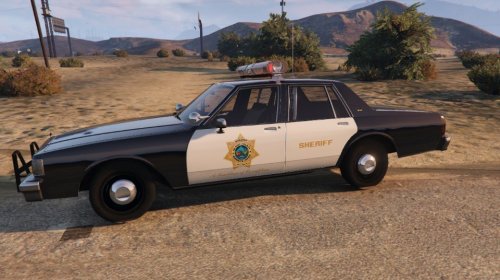
  1. Go back to the county circa 1980's with this Blaine County Sheriff Caprice. You'll need Lundy's San Diego Sheriff's Office Caprice for this to work.
    • 80 Downloads
    • 1 Comments
    Submitted
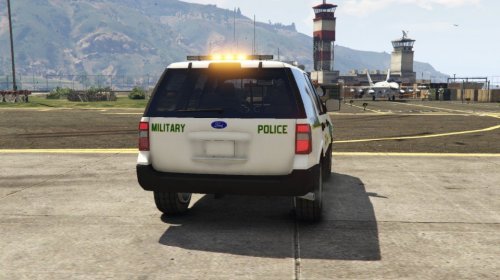
  2. Here's my second livery, this one being a military police Ford Expedition. You will need to grab thehurk's CHP mega pack part 1 before installing this livery.
     
     
    THE FILE:


    • 122 Downloads
    Submitted
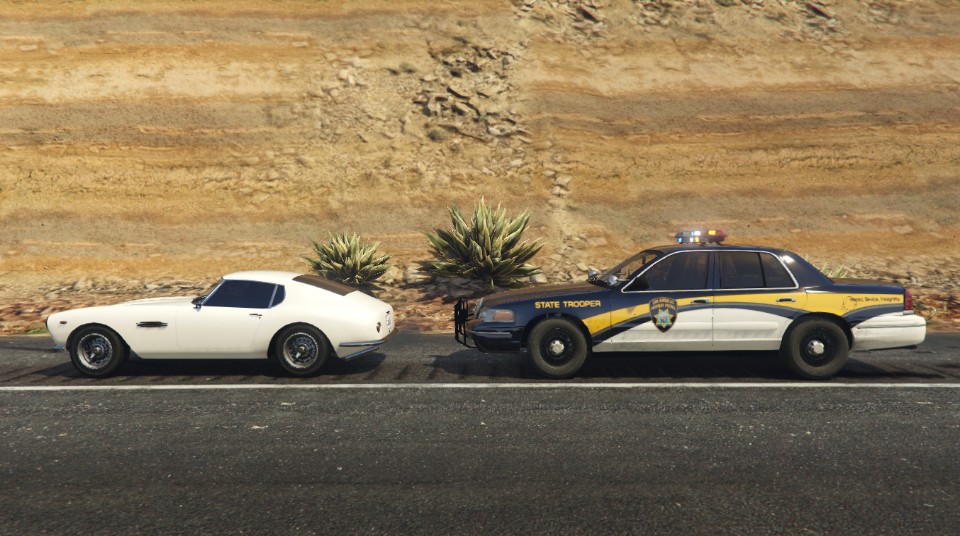
  3. Here's my first repaint, this one being a Michigan State Police Uranus PSP. You will need to grab this pack before attempting to relivery the vehicle.
     
    https://www.gta5-mods.com/vehicles/vapid-uranus-psp-sahp-add-on-rde-style
     
    Optimized for SAHP slicktop but can be used on other vehicles.


    • 9 Downloads
    • 4 Comments
    Updated

Account

Navigation

Search

Search

Configure browser push notifications

Chrome (Android)
  1. Tap the lock icon next to the address bar.
  2. Tap Permissions → Notifications.
  3. Adjust your preference.
Chrome (Desktop)
  1. Click the padlock icon in the address bar.
  2. Select Site settings.
  3. Find Notifications and adjust your preference.