Creators: Due to background reprocessing of files, approvals and file security checks may be delayed. Thanks for your patience.

SergeantNielsen
Members
-
Joined
-
Last visited
Everything posted by SergeantNielsen
-
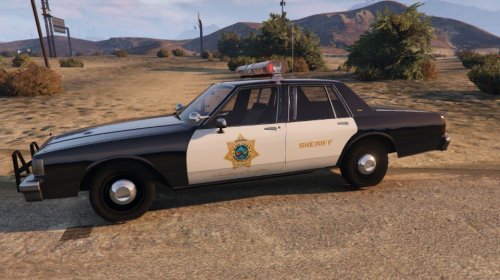 Go back to the county circa 1980's with this Blaine County Sheriff Caprice. You'll need Lundy's San Diego Sheriff's Office Caprice for this to work.
 -
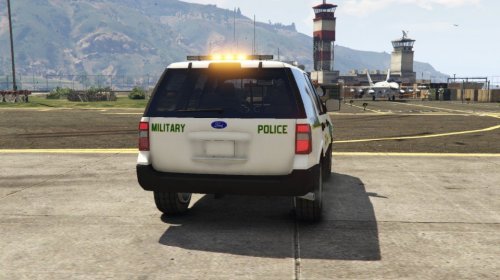 Here's my second livery, this one being a military police Ford Expedition. You will need to grab thehurk's CHP mega pack part 1 before installing this livery. THE FILE:
 -
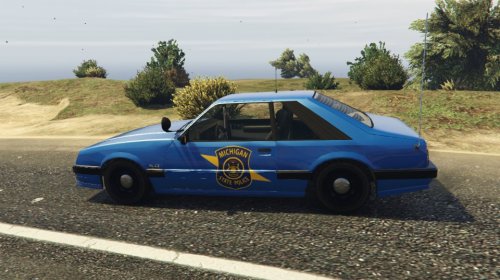 Thank you both for the feedback, I'm already working on a newer version of the livery. The blue is a pain to find, even researching I wasn't able to find anything.
 -
Here's my first repaint, this one being a Michigan State Police Uranus PSP. You will need to grab this pack before attempting to relivery the vehicle. https://www.gta5-mods.com/vehicles/vapid-uranus-psp-sahp-add-on-rde-style Optimized for SAHP slicktop but can be used on other vehicles.