
T. Broderick604
Members
-
Joined
-
Last visited
Everything posted by T. Broderick604
-
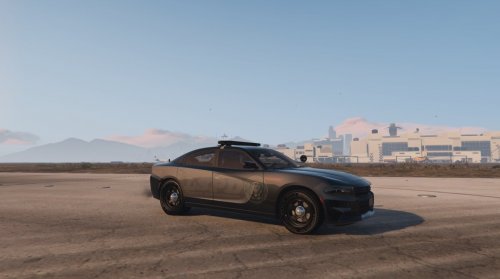 Los Santos Police Department Traffic Enforcement Ghost Skin Applicable to most 2016 Charger Model Installation: Take the .png file and replace it with current skin in the .ytd file in OpenIV GTA5/update/x64/dlcpacks/patchday3ng/dlc.rpf/x64/levels/gta5/vehicles.rpf Credits: Vehicle Downloaded from t0y's LSPD Mega Pack Vehicle Model by RR3, Converted to IV by GeorgieMoon, and modified by BxBugs123 and CarperHeadlights, Tailiights, Interior, Grill from Forza, edited by BxBugs123
 -
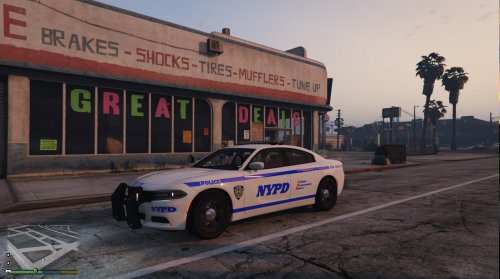 New York City Police Department New York City Police Department 2015 Charger Skin Applicable to any 2015 Charger Model Installation: Take the .png file and replace it with current skin in the .ytd file in OpenIV GTA5/update/x64/dlcpacks/patchday3ng/dlc.rpf/x64/levels/gta5/vehicles.rpf Credits: Template made by HIM1250
- 1 comment
- 3 reviews