
YQ32
Members
-
Joined
-
Last visited
Everything posted by YQ32
-
Hi Guys! any update? please help!!!
-
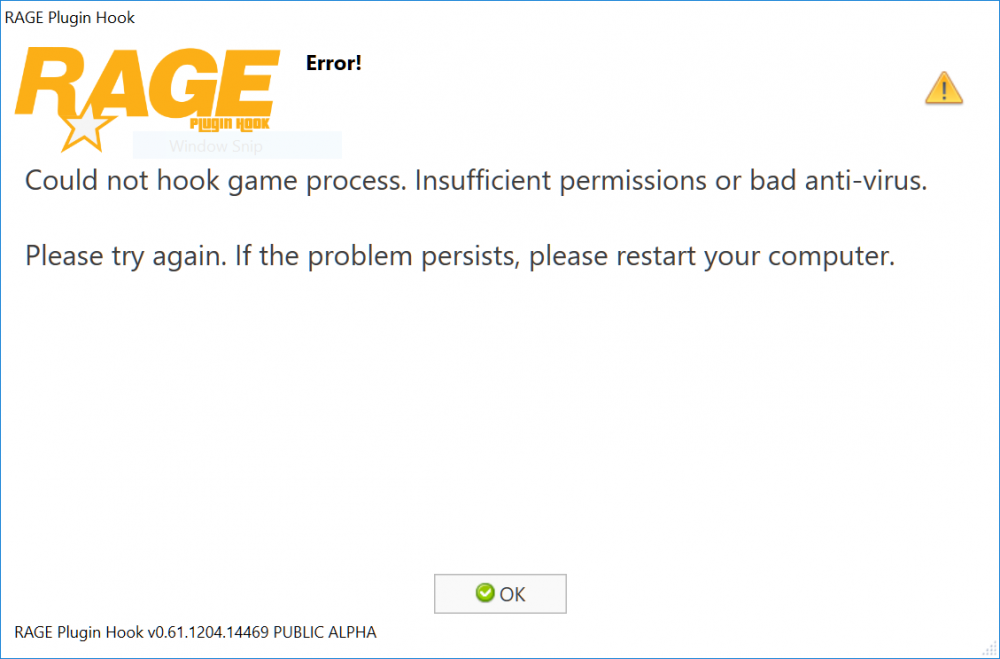
RagePluginHookLauncher.log New log started on 1/3/2018 3:02:32 PM 15:02:32.565: Compatibility level: 0 15:02:32.565: Checking game support 15:02:32.565: Version is supported 15:02:33.957: Preparing settings dialog 15:02:33.957: Command line option: "forcesettings", value: "<null>" 15:02:33.957: Command line option: "log", value: "<null>" 15:02:33.957: Command line option: "forcesettings", value: "<null>" 15:02:33.957: Command line option "forcesettings" encountered again (Old value: "<null>", new value: "<null>"). Using most recent encountered value. 15:02:34.179: Ini path: C:\Program Files (x86)\Steam\steamapps\common\Grand Theft Auto V\RagePluginHook.ini 15:02:34.179: Reading settings 15:02:34.179: Reading startup.rphs 15:02:34.179: Parsing plugins 15:02:34.179: Plugins: Parsing "C:\Program Files (x86)\Steam\steamapps\common\Grand Theft Auto V\Plugins\LSPD First Response.dll" 15:02:34.508: Plugins: Added plugin LSPD First Response 0.3.38.5436 by G17 Media from "C:\Program Files (x86)\Steam\steamapps\common\Grand Theft Auto V\Plugins\LSPD First Response.dll" 15:02:34.586: Settings dialog setup done 15:02:40.884: Saving settings 15:02:40.943: Updated startup.rphs 15:02:40.957: Settings saved 15:02:40.968: Settings dialog has finished 15:02:40.972: Application startup done 15:02:40.973: Checking for backups 15:02:41.079: Backup check done 15:02:41.080: Preparing launch view 15:02:41.246: Preparing 15:02:41.264: Validating hook 15:02:43.648: Validating system 15:02:43.824: Resolving from path: C:\Program Files (x86)\Steam\steamapps\common\Grand Theft Auto V 15:02:43.836: Checking dbghelp.dll 15:02:43.848: Resolved to C:\WINDOWS\system32\dbghelp.dll 15:02:43.861: Dependency OK 15:02:43.873: Checking KERNEL32.dll 15:02:43.885: Resolved to C:\WINDOWS\system32\KERNEL32.dll 15:02:43.899: Dependency OK 15:02:43.912: Checking USER32.dll 15:02:43.925: Resolved to C:\WINDOWS\system32\USER32.dll 15:02:43.937: Dependency OK 15:02:43.949: Checking MSVCP140.dll 15:02:43.961: Resolved to C:\WINDOWS\system32\MSVCP140.dll 15:02:43.973: Dependency OK 15:02:43.985: Checking mscoree.dll 15:02:43.998: Resolved to C:\WINDOWS\system32\mscoree.dll 15:02:44.010: Dependency OK 15:02:44.022: Checking ntdll.dll 15:02:44.034: Resolved to C:\WINDOWS\system32\ntdll.dll 15:02:44.047: Dependency OK 15:02:44.059: Checking d3d11.dll 15:02:44.089: Resolved to C:\WINDOWS\system32\d3d11.dll 15:02:44.101: Dependency OK 15:02:44.115: Checking FW1FontWrapper.dll 15:02:44.127: Resolved to C:\Program Files (x86)\Steam\steamapps\common\Grand Theft Auto V\FW1FontWrapper.dll 15:02:44.155: Dependency OK 15:02:44.167: Checking d3dx11_43.dll 15:02:44.178: Resolved to C:\WINDOWS\system32\d3dx11_43.dll 15:02:44.189: Dependency OK 15:02:44.200: Checking VCRUNTIME140.dll 15:02:44.212: Resolved to C:\WINDOWS\system32\VCRUNTIME140.dll 15:02:44.224: Dependency OK 15:02:44.236: Checking api-ms-win-crt-convert-l1-1-0.dll 15:02:44.248: Skipping api-ms-win-crt-convert-l1-1-0.dll 15:02:44.260: Checking api-ms-win-crt-runtime-l1-1-0.dll 15:02:44.272: Skipping api-ms-win-crt-runtime-l1-1-0.dll 15:02:44.284: Checking api-ms-win-crt-string-l1-1-0.dll 15:02:44.296: Skipping api-ms-win-crt-string-l1-1-0.dll 15:02:44.308: Checking api-ms-win-crt-heap-l1-1-0.dll 15:02:44.320: Skipping api-ms-win-crt-heap-l1-1-0.dll 15:02:44.332: Checking api-ms-win-crt-utility-l1-1-0.dll 15:02:44.344: Skipping api-ms-win-crt-utility-l1-1-0.dll 15:02:44.357: Checking api-ms-win-crt-stdio-l1-1-0.dll 15:02:44.370: Skipping api-ms-win-crt-stdio-l1-1-0.dll 15:02:44.383: Checking XINPUT9_1_0.dll 15:02:44.395: Resolved to C:\WINDOWS\system32\XINPUT9_1_0.dll 15:02:44.408: Dependency OK 15:02:44.420: Checking d3dx9_43.dll 15:02:44.432: Resolved to C:\WINDOWS\system32\d3dx9_43.dll 15:02:44.445: Dependency OK 15:02:44.457: Checking api-ms-win-crt-math-l1-1-0.dll 15:02:44.469: Skipping api-ms-win-crt-math-l1-1-0.dll 15:02:44.482: Dependencies check: True 15:02:44.496: Waiting for game launch 15:02:44.526: Game is not already running 15:02:44.538: Launching game 15:02:44.575: Is steam version: True 15:02:44.586: Launching game via Steam 15:02:44.720: Waiting for launcher 15:02:44.896: Waiting for launcher window 15:02:45.819: The game launcher requires your attention 15:03:00.392: Launching game 15:03:10.961: Waiting for game window 15:03:21.838: Hooking game instance 15:03:21.862: Startup 2 15:03:21.894: Startup 3 15:03:21.910: Startup 4 15:03:21.921: Startup 5 15:03:22.000: Startup 6 15:03:22.011: Startup 7 15:03:22.024: Startup 8 15:03:22.036: Startup 9 15:03:33.536: Slow system or insufficient permissions 15:03:43.539: ERROR: Could not hook game process. Insufficient permissions or bad anti-virus. Please help. I really miss the game badly and I only have less than a week to enjoy before my school reopens.
-
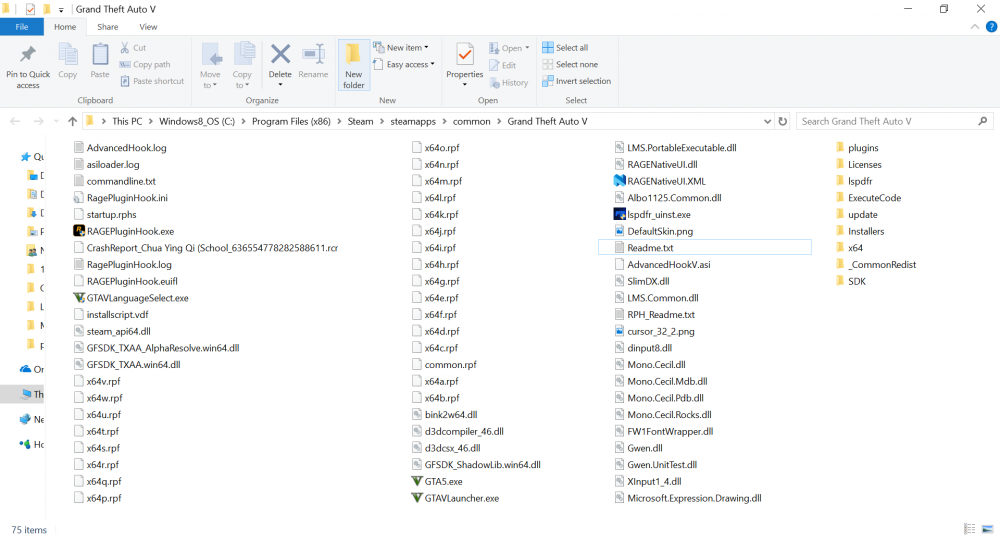
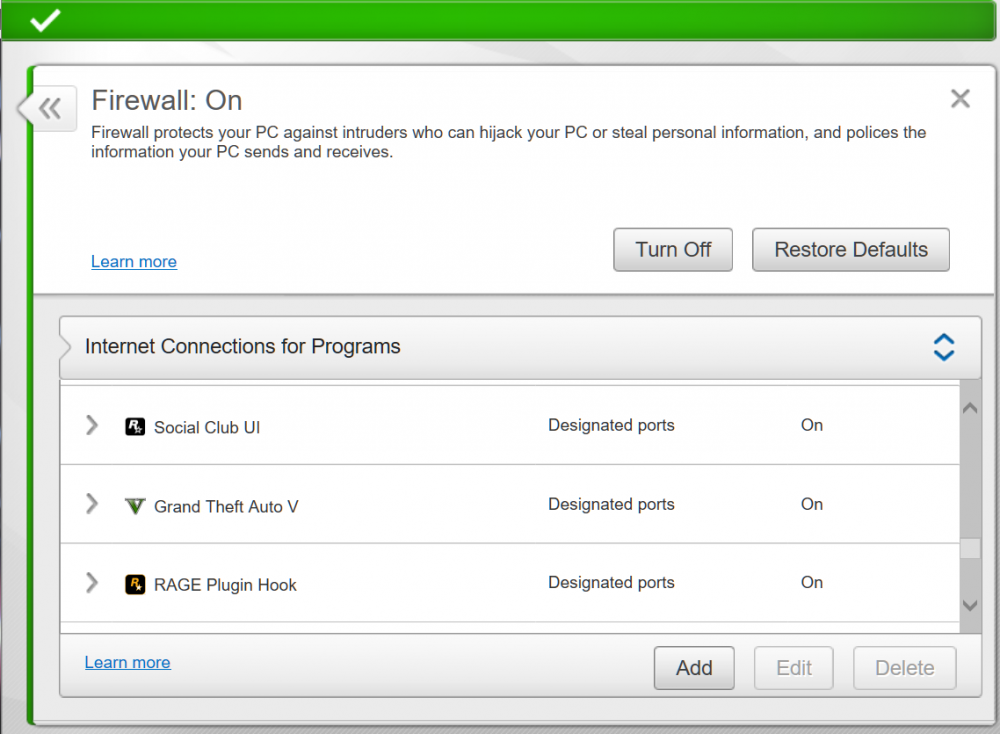
I'm using McAfee antivirus, Previously I'm able to play GTA with ragepluginhook, I uninstall the program a few months ago to concentrate on my exams. Now when I'm trying to install back rageplugin I face problem when I launch GTA, I'm sure that my antivirus is not blocking the game and my system is not the main issue as I'm actually able to run GTA without rageplugin. Furthermore, I was able to play GTA with ragepluginhook few months back on the same laptop. I've read through all the forums thread in regards to this topic, I don't have a duplicate GTA folder with me, I followed all instruction (including running rageplugin with Admin, and Windows 8). Please help as I really miss the game! I run the LSPD troubleshooter: [28/2/2018 10:40:19 PM]: LSPDFR Troubleshooter 1.13.2.0 by Albo1125| [28/2/2018 10:40:20 PM]: Troubleshooter up to date: True| [28/2/2018 10:40:20 PM]: RPH Path found automatically: C:\Program Files (x86)\Steam\steamapps\common\Grand Theft Auto V\RAGEPluginHook.exe| [28/2/2018 10:40:24 PM]: RegGTAVPath: C:\Program Files (x86)\Steam\steamapps\common\Grand Theft Auto V| [28/2/2018 10:40:28 PM]: WMP version: 12,0,10011,16384| [28/2/2018 10:40:28 PM]: Windows Folder path: C:\WINDOWS| [28/2/2018 10:40:28 PM]: Windows Folder path: C:\WINDOWS| [28/2/2018 10:40:28 PM]: C++ 2015 VS subkey exists: True| [28/2/2018 10:40:30 PM]: FileID: 10294. Up to date: True| [28/2/2018 10:40:38 PM]: Thank you for using LSPDFR Troubleshooter by Albo1125! 0 errors were detected. 0 errors were automatically fixed.| Please help.