Skip to content
View in the app

A better way to browse. Learn more.

LCPDFR.com

A full-screen app on your home screen with push notifications, badges and more.

To install this app on iOS and iPadOS
  1. Tap the Share icon in Safari
  2. Scroll the menu and tap Add to Home Screen.
  3. Tap Add in the top-right corner.
To install this app on Android
  1. Tap the 3-dot menu (⋮) in the top-right corner of the browser.
  2. Tap Add to Home screen or Install app.
  3. Confirm by tapping Install.

SPMSF46

Members
  • Joined

  • Last visited

  1. SPMSF46 changed their profile photo
  2. Shawn Marquardt     Went off-duty at Sandy Shores Sheriff Station in Mission Row, Atlee St
  3. Shawn Marquardt     Responded to a AnimalInvasion in Davis, Carson Ave
  4. Shawn Marquardt     Responded to a PlaneSpotterFlee in Los Santos International, Runway1
  5. Shawn Marquardt     Responded to a CodeAdam in Los Santos International, Runway1
  6. Shawn Marquardt     Responded to a BombingAttempt in Los Santos International, Runway1
  7. Shawn Marquardt     Responded to a StolenEmergencyVehicle in Los Santos International, Greenwich Pkwy
  8. Shawn Marquardt     Responded to a Traffic Accident in Los Santos International, New Empire Way
  9. Shawn Marquardt     Responded to a NudePersonInMetroStation in Richman Glen, North Rockford Dr
  10. Shawn Marquardt     Responded to a StolenBus in Morningwood, Prosperity St
  11. Shawn Marquardt     Responded to a Robbery2 in Downtown Vinewood, North Conker Ave
  12. Shawn Marquardt     Responded to a KillerClownWasSeen in Downtown Vinewood, Power St
  13. Shawn Marquardt     Responded to a KillerClownWasSeen in Downtown Vinewood, Power St
  14. Shawn Marquardt     Responded to a DrugOverdose in Vinewood Hills, Baytree Canyon Rd
  15. Shawn Marquardt     Arrested Dominique Romero in Vinewood Hills, Baytree Canyon Rd
  16. Shawn Marquardt     Responded to a Traffic Accident in Vinewood Hills, Lake Vinewood Dr
  17. Shawn Marquardt     Responded to a sus_vehicle2 in Alta, Los Santos Freeway
  18. Shawn Marquardt     Responded to a traffic_stop in Pillbox Hill, Vespucci Blvd
  19. Shawn Marquardt     Responded to a ExplosiveFound in Pillbox Hill, Vespucci Blvd
  20. Shawn Marquardt     Arrested Tina Venito in Pillbox Hill, Peaceful St
  21. Shawn Marquardt     Responded to a AlleyRobbery2 in Downtown Vinewood, Vinewood Blvd
  22.    Deputy Brand reacted to a gallery image: Sandy Shores Twister
  23.    GrandTheftPD reacted to a gallery image: Sandy Shores Twister
  24. Firefighter040 started following SPMSF46
    • 46 downloads
    • Version 1.0.0
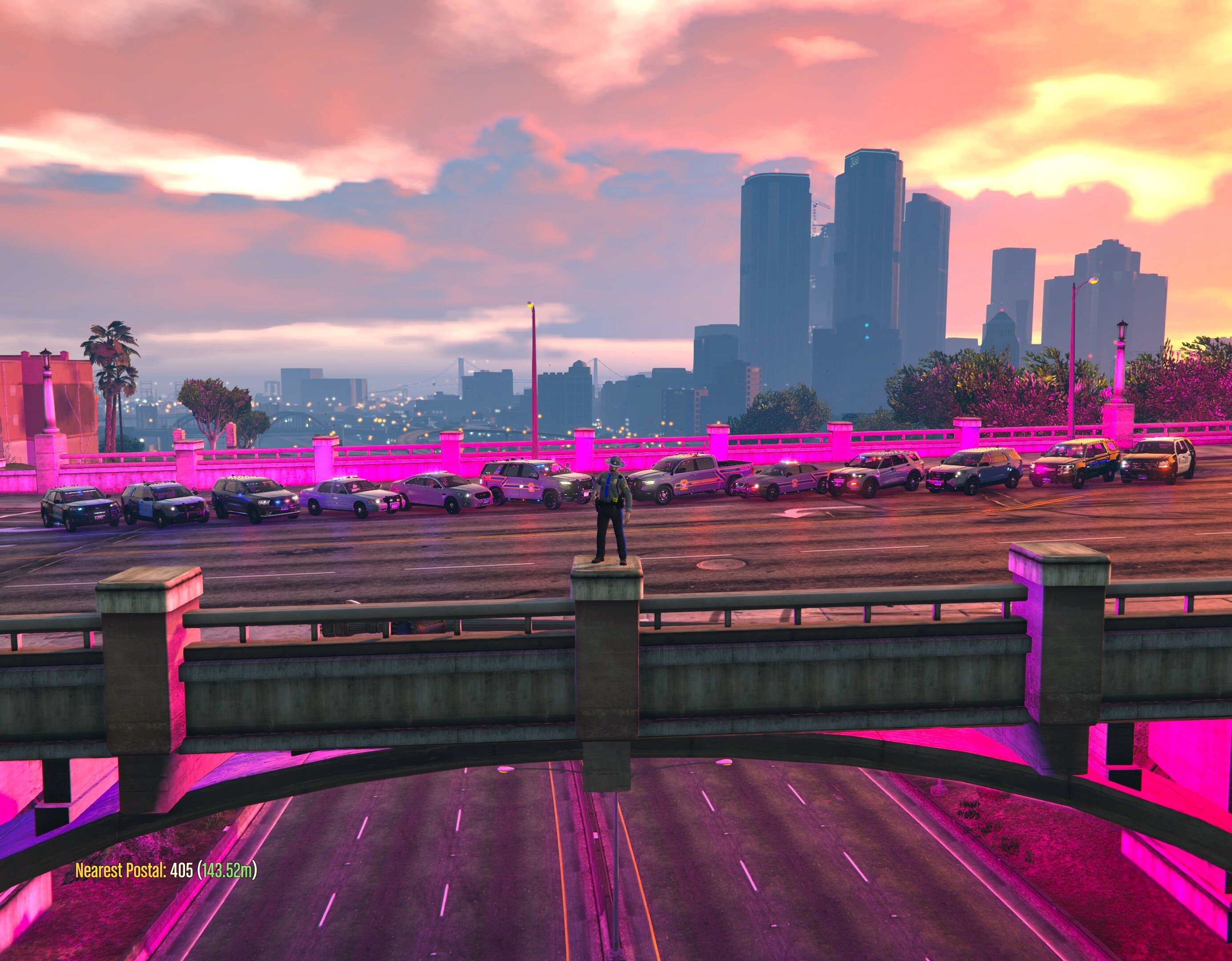
    THIS IS A SKIN THAT IS INFLUENCED By the CT State Police Colors and Patch. CSP does not use marked units, and the only ones they do have are usually not used for patrolling. This Skin Is Lore-Friendly, Labeled with San Andreas Highway Patrol as well as State Police. SKIN IS FOR KryptonicBCSO's Unmarked Tahoe. DO WHATEVER YOU WANT WITH THE SKIN. PLACE THE SKIN IN THE "fbi2.ytd", REPLACING "tahoe_sign_1", IN WHICHEVER PATCHDAY YOU INSTALLED THE MOD IN. I HAVE IT IN PATCHDAY3NG. THANKS FOR DOWNLOADING AND HAVE FUN! Skin By: SPMSF46
    • 338 downloads
    • Version 1.0.0
    THIS IS A SKIN THAT IS INFLUENCED BY THE CONNECTICUT STATE POLICE "TROOPER 1" HELICOPTER PAINT JOB. IT IS NOT EXACT OR MEANT TO BE EXACT, JUST STRONGLY INFLUENCED BY THAT DESIGN. THIS SKIN IS LORE-FRIENDLY, BEING LABELED AS "TROOPER 1" "SAN ANDREAS STATE POLICE" SKIN IS FOR EMERGENCYMODIFICATIONS' TEMPLATED EUROCOPTER EC135, WHICH IS BASED OFF OF ANOTHER MODEL BY RASPER. DO WHATEVER YOU WANT WITH THE SKIN. PLACE THE SKIN IN THE "POLMAV.YTD" FILE, REPLACING "heli-skin", IN WHICHEVER PATCHDAY YOU INSTALLED THE MOD IN. I HAVE IT IN PATCHDAY3NG. HAVE FUN! Skin By: SPMSF46 This is the needed Model for this texture:

Account

Navigation

Search

Search

Configure browser push notifications

Chrome (Android)
  1. Tap the lock icon next to the address bar.
  2. Tap Permissions → Notifications.
  3. Adjust your preference.
Chrome (Desktop)
  1. Click the padlock icon in the address bar.
  2. Select Site settings.
  3. Find Notifications and adjust your preference.