
SteveOhByte
Insiders
-
Joined
-
Last visited
Files posted by SteveOhByte
-
ELSSirenExtender
This plugin was inspired by and borrows code from @Rich's Automatic Siren Cutout.
Permission was obtained directly from Rich for the creation of this plugin.
ATTENTION: Rich's plugin is once again under active development
This page will remain as is, and will likely see very few if any further updates. Please attempt to use the original plugin by Rich before trying this one, as it is only here for those who may not be able to get Rich's plugin working.
ELSSirenExtender is a simple plugin to provide some additional features to users of ELS-vehicles.
Please note, in order to use ELSSirenExtender, you must have ELS installed.
Features:
Automatic Siren Cutoff! — ON by Default If you exit an ELS vehicle while the siren is still turned on, it will automatically be turned off. Friendly Return Honking! — ON by Default If you honk or yelp near an AI emergency vehicle using ELS keys, they will yelp or honk back. AI Vehicle Avoidance! — ON by Default If you park (stationary) a vehicle with lights activated, AI traffic will curve around the vehicle. Leave Engine Running! — OFF by Default Simply disables the automatic engine turnoff when exiting a vehicle. All features can be toggled on/off via the included configuration file.
Video Demo of the mod and its features:
Please leave any suggestions in the comments, I'd love to make this mod the best that it can be!
ELSSirenExtender is open source! You can find the public GitHub repo here: https://github.com/SteveOhByte/ELSSirenExtender
I recommend installing UpdateBuddy to easily install all future updates of ELSSirenExtender!
F.A.Q.
- Q: How do I edit the .lc file?
- A: LiteConfig or .lc files are simple text files, you can edit with any text editor such as Notepad.
- Q: I'm having issues with some or all of the mod's listed features, what should I do?
- A: Please send me a direct message. If possible, include a video of what you tried in-game, as well as your RagePluginHook log file (found in your GTAV folder).
- 12,322 Downloads
- 53 Comments
Updated -
LSPDFR Action Hotkey
LSPDFR Action Hotkey is a simple plugin designed to extend LSPDFR's Interaction Actions system. Instead of needing to navigate to the LSPDFR menu, select the desired action, exit the menu, and press the action key—you can simply press one key.
Features:
- All LSPDFR Interactions Supported: From hand-on-holster to dancing or showing your badge
- True Integration: This plugin does not take over functionality, it simply tells LSPDFR which interaction you want to have selected, and then triggers the keystroke
Please leave any suggestions in the comments, I'd love to make this mod the best that it can be!
LSPDFR Action Hotkey is open source! You can find the public GitHub repo here: https://github.com/SteveOhByte/LSPDFRActionHotkey
I recommend installing UpdateBuddy to easily install all future updates of LSPDFR Action Hotkey!
Video Demonstration of the Features in Action:
F.A.Q.
- Q: How do I edit the .lc files?
- A: LiteConfig or .lc files are simple text files, you can edit with any text editor such as Notepad.
- 370 Downloads
- 18 Comments
Updated -
Armoury
This plugin was inspired by the Realistic Weapon System in BejoIjo's Stop the Ped.
Armoury allows the player to define custom loadouts each in their own file. These loadouts are accessible and reloadable through an in-game LemonUI menu.
Please note, in order to use the loadouts feature of Armoury, you must be near or inside a Police vehicle.
Please leave any suggestions in the comments, I'd love to make this mod the best that it can be!
Armoury is open source! You can find the public GitHub repo here: https://github.com/SteveOhByte/Armoury
I recommend installing UpdateBuddy to easily install all future updates of Armoury!
F.A.Q.
- Q: Does this work with add-on weapons?
- A: Yes, however due to how add-ons are handled by the game, they cannot be present in a default loadout.
- Q: How do I edit the .lc files?
- A: LiteConfig or .lc files are simple text files, you can edit with any text editor such as Notepad.
- Q: Can this manage AI Loadouts?
- A: No, Armoury is strictly a player loadout management tool.
- Q: How do I give weapons specific tints?
- A: Weapon tints are defined similarly to weapon components, and there is an example in the Riot.lc file. You can provide either a tint index (a number), or one of the following strings to apply a tint to any weapon:
- 15,989 Downloads
- 50 Comments
Updated -
UpdateBuddy
This mod was made to allow LSPDFR plugin developers and their players to easily add automated mod updates.
UpdateBuddy is a silent executable, designed to only act when requested, displaying a simple notice to the user if an update is available for an UpdateBuddy-compatible mod.
Please leave any suggestions in the comments, I'd love to make this tool the best that it can be!
UpdateBuddy is open source! You can find the public GitHub repo here: https://github.com/SteveOhByte/UpdateBuddy
For users:
Simply install UpdateBuddy as you would any other RPH plugin (note: must be loaded on startup), it will be inert unless called upon by a mod which supports it.
For developers:
A complete guide on using UpdateBuddy and how it works is available here.
- 2,563 Downloads
- 14 Comments
Updated -
ATTENTION!
This mod is no longer in active development!
Development of this mod has been taken over here
What does this mean? Well, simply put, I can no longer handle it. School and work has to take priority, and I just don't have the time for it anymore. I'm very sorry to those of you who were looking forward to new updates, bugfixes, your suggestions and more. I wanted to say thank you to everyone for your incredible amounts of support along the journey of this plugin.
I first submitted this over 3 years ago, way back in 2019, as just a couple of vaguely security related callouts. Since then, nearly 50,000 people have downloaded it. I can't even picture that many people in my mind, it truly blows me away, so thank you.
For anyone interested, I've decided to open-source the entirety of Beta 1.2, along with all unreleased WIP Beta 1.3 code here on GitHub. It's a GPL license, so go crazy. Unfortunately I no longer have the original code for the older versions, but if you really need them for some reason you can always just decompile them, as they're all still available here as .dll files. Thank you all again for your support over the years, and happy modding.
Security+ is now in Beta!
After a very long wait (sorry haha) the major update is finally here.
I won't spoil too much, but some of the new features include:
- A brand new code base for maximum optimization
- Remastered or Remade all existing callouts!
- Now supporting 50 locations across San Andreas!
- 36 Unique security scenarios!
- A custom security dispatcher!
- And much more
I've done my best to remove all existing bugs, and everything should work smoothly, however, if you find a bug please don't hesitate to leave a comment or send me a message 🙂
If you've got a suggestion for the mod, leave a comment or join the discord to let me know!
Want to help shape a fantastic new community? Talk about all things LSPDFR, GTA, Programming, Or whatever is on your mind? Join our Discord Server today: https://discord.gg/6p9yby4
Want to support development of this mod? You can donate today below the download button or by joining my Patreon: https://www.patreon.com/sneakysteve .
Check out the SecurityPlus.ini file for configuration! If you continuously get a "Code 4 - Disregard" message, try disabling the distance check!
How to uninstall the plugin (callouts):
1. Navigate to Grand Theft Auto V\plugins\LSPDFR\ and delete both "SecurityPlus.dll", and "SecurityPlus.ini"
2. Navigate to Grand Theft Auto V\LSPDFR\audio\scanner\ and delete the folder "SECURITYPLUS"
3. Navigate to Grand Theft Auto V\LSPDFR\data\custom\ and delete "agency_gru.xml", "duty_selection_gru.xml", "inventory_gru.xml", "outfits_gru.xml", and "stations_gru.xml"
------------------------------
How to uninstall the mod (vehicles):
1. With OpenIV Navigate to Grand Theft Auto V\mods\update\x64\dlcpacks\ and delete the folder "gspack"
2. With OpenIV Navigate to Grand Theft Auto V\mods\update\update.rpf\common\data\ and edit "dlclist.xml"
Inside this file find the line that says "<item>dlcpacks:/gspack/</item>" and delete it, then save "dlclist.xml"
3. With OpenIV Navigate to Grand Theft Auto V\mods\update\update.rpf\common\data\ and edit "extratitleupdatedata.meta"
Inside this file find the set of lines that says:
<Item type="SExtraTitleUpdateMount">
<deviceName>dlc_gspack:/</deviceName>
<path>update:/dlc_patch/gspack/</path>
</Item>
and delete that section of code, then save "extratitleupdatedata.meta"
A very special thank you to my patrons 🙂
Swedsson CallMeJ Russell Roxburgh Billie Frog Bendaya Amine
External Requirements:
Open All Interiors: https://www.gta5-mods.com/scripts/open-all-interiors
Required for EUP version:
OPTIONAL BUT HIGHLY RECOMMENDED: Traffic Policer by @Albo1125
OPTIONAL BUT HIGHLY RECOMMENDED: https://www.bejoijo.com/post/ultimate-backup by @BejoIjo
Credits:
SneakySteve @Albo1125 for Traffic Policer Integration @3T12 for Callout Writing
- 53,254 Downloads
- 174 Comments
Updated -
This includes 2 Oxford Township Police skins for the FPIU from @Jedahdiah's Los Santos Regional Police Pack [ELS] 1.0.0
Requires:
This pack was requested by @dstarcher
- 24 Downloads
Updated -
Archive of the code available here.
Hey everyone!
Welcome to my second ever LSPDFR plugin!
This plugin will give you some callouts to enjoy as you step into the shoes of a correctional officer.
This plugin is still in VERY early development and one of the callouts included is not yet fully functional (Body Found)
Nevertheless, I hope this gives you something to do while I'm working on getting some more callouts added.
Enjoy!
Current working callouts:
- Contraband Exchange In Progress
- Stabbing In Progress
- Escaped Convict Nearby
- Guard taken hostage
Callouts In development:
- Body Found
- Warrant for probation violation
IF YOU ARE HAVING ISSUES WITH THE INNER PRISON GATE NOT OPENING
Be a Prison Guard by Anarchiyx3 will make the second prison gate open upon approach. You can find it here:
Please post a comment about any bugs you find so I can fix them as soon as possible!
Got a suggestion for a callout? Leave a comment or send me a message!
Credits:
SneakySteve- 18,316 Downloads
- 39 Comments
Updated -
Miami University Police Textures.
Vehicles:
CVPI FPIS FPIU
You will need the following model pack by Jedahdiah:
Installation in the readme.
Enjoy!
Textures requested by: dstarcher
- 313 Downloads
- 8 Comments
Submitted -
Oxford Police Textures.
Vehicles:
CVPI FPIS FPIU
You will need the following model pack by Jedahdiah:
Installation in the readme.
Enjoy!
Textures requested by: dstarcher
- 17 Downloads
Submitted -
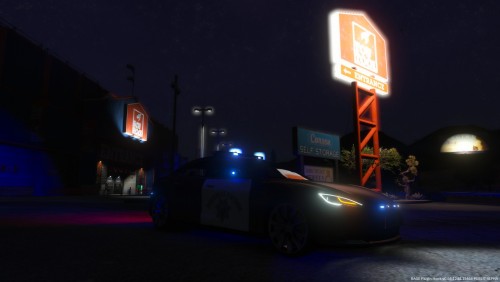
This texture is for the following model: https://da.gta5-mods.com/vehicles/2014-tesla-model-s-danish-police-ficional-marked-unmarked-els
Credits:
> SA Model - yellow1441
> Original author - AchillesDKPoliceMods
> Converted to V - AchillesDKPoliceMods
> Template - AchillesDKPoliceMods
> Skin - SneakySteve
- 291 Downloads
- 5 Comments
Submitted -
Canadian Special Investigations Unit - Forensic Identification Services Mercedes Sprinter Van to replace cornorer van.
You will need the following model by BritishGamer88:
https://www.gta5-mods.com/vehicles/2013-cargo-delivery-mercedes-sprinter
Installation in the readme.
Enjoy!
- 174 Downloads
Submitted