


mem1991
Members
-
Joined
-
Last visited
Everything posted by mem1991
-
all working now was using outdated Rage Native UI :) Cheers man
-
is anyone having issues with this running on the latest Rage Hook 0.47 ? it completely crashes the whole game from the minute it starts up ? as soon as its removed ? gta starts up fine and loads
-
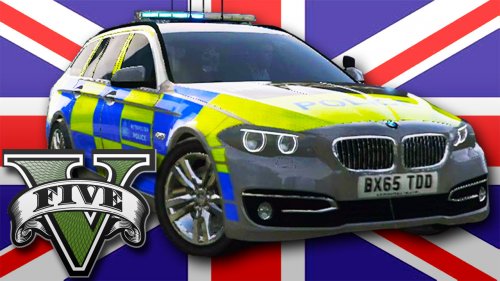 As always have been using DoubleDopplers Mods for GTA For a while and what a pleasure it is to have him releasing mods in the GTA V World, Its really nice to have a british feel specially to the game, So thankyou DD :) i look forward to future release
- 22 comments
- 20 reviews
-
Excellent Mod & Help :) Thanks DemNinjas :)
-
hello DemNinjas done what you stated and that does seem to be fine, But does that mean i will always have to make a selection for the toolbox to close? Thanks
-
Excellent mod however even after updating to 0.2.2 & latest ragehook im still having issues with the menu only opening once doesn't open again after. Any ideas, Thanks
-
hello all just got windows 8.1 installed. GTA IV Works fine as usual on steam only issue im having is with LCPDFR & NET 4.5 upon checking the tool its stating that .NET 4.5 Is missing ive done reg checks to confirm that it is actually installed as it comes pre bundled with windows 8.1 would this affect LCPDFR In any way, I fired up LCPDFR & It worked but only loads one plugin which is wouters callouts it refuses to load Callouts++ Any help appreciated, Thanks
-
Hello all im new here ive been searching around everywhere from steam forums to even LCPDFR Site to try & sort the issue out but no matter what ive tried its still not worked. within a few minutes of going from 50+ FPS playing it starts to stutter bad to the point where its impossible to play properly My Specs: Windows 7 Ultimate x64 CPU: I5 3570k stock speed 3.50ghz H100 Water cooled Memory 16GB DDR3 1600Mhz GFX : 660 x2 SLI Enabled Sound :SB XFI Extreme HDD 3TB Seagate SATA 6 Monitor RES 1920x1080 Steam copy of GTA IV I Had lcpdfr 1.0c i decided to completely reinstall windows 7 To see if it was any mod related issue but nothing, Ive installed fresh gta iv copy from steam without no mods at all stock game with just command line -norestrictions -nomemrestrict ive also tried restrictApp 0 ive tried so many things to fix this issue different commandlines, Disabling Event log Services, All sorts, but nothing just dont understand what the issue is Any other ideas would be greatful, Thanks Mehmet

