


jajang11
Members
-
Joined
-
Last visited
Everything posted by jajang11
-
Vehicles used:
-
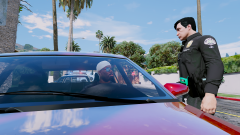 Screenshot 2022-01-07 21-07-55.png
-
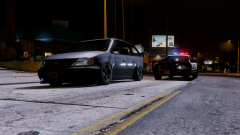 Screenshot 2022-01-07 20-47-21.png
-
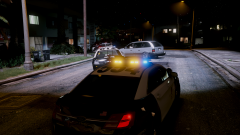 Screenshot 2022-01-07 20-45-59.png
-
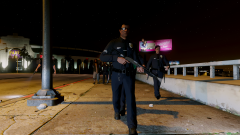 Screenshot 2022-01-07 20-44-18.png
-
 Screenshot 2022-01-05 18-41-59.png
-
 Screenshot 2022-01-03 23-25-17.png
-
 Screenshot 2022-01-03 22-55-34.png
-
 Screenshot 2022-01-02 22-31-30.png
-
 Screenshot 2022-01-07 21-05-55.png
-
 Screenshot 2022-01-07 21-03-00.png
-
 Screenshot 2022-01-07 20-58-51.png
-
 Screenshot 2022-01-07 20-57-32.png
-
 Screenshot 2022-01-07 20-55-07.png
-
 Screenshot 2022-01-07 20-53-44.png
-
 Screenshot 2022-01-07 20-51-46.png
-
 Screenshot 2022-01-07 20-50-00.png
-
 Grand Theft Auto V Screenshot 2019.07.21 - 23.44.09.11
-
 Grand Theft Auto V Screenshot 2019.07.21 - 23.41.08.75
-
 Grand Theft Auto V Screenshot 2019.07.21 - 23.39.33.98
-
 Grand Theft Auto V Screenshot 2019.07.21 - 23.38.21.04
-
-
From the album: LSPDFR
-
From the album: LSPDFR
-
From the album: LSPDFR
-
From the album: LSPDFR
-
From the album: LSPDFR
-
From the album: LSPDFR
-
From the album: LSPDFR
-
From the album: LSPDFR
-
From the album: LSPDFR
-
From the album: LSPDFR
-
From the album: LSPDFR
-
From the album: LSPDFR
-
From the album: LSPDFR
-
From the album: LSPDFR
-
From the album: LSPDFR
-
From the album: LSPDFR
-
 the themes of callouts are very good, but there are only few locations for the callouts like gang shoot out. i hope there would be various locations or completely randon locations if possible rather than a new type of callout.
- 635 comments
- 53 reviews
-
-
 lspdfr crashes whenever i open the interaction menu during a calliout. my rage plugin hook version is 1.89 crash.txtRagePluginHook.logRagePluginHook.log
- 1,024 comments
- 63 reviews
-
when i try to launch the game through rage plugin hook, rockstar games launcher always show up so it turns back car mods and graphic mods to original file.
-
i used to made a full copy of original folder of gta5. One was an original folder for gta online and the other one was for lspdfr and many mods. i could change the intall folder on registry editor. I also block gta 5 launcher's connection with firewall so i could play in offline mode. but since rockstar launcher is used, i couldn't have run the game in offline mode so when i install call mods, it automatically turn back the card mods to vanila. and chang the install folder on the registry editor how do i install car mods with rockstar games launcher?
-
From the album: LSPDFR
-
From the album: LSPDFR
-
From the album: LSPDFR

