



OfficerChriss
Members
-
Joined
-
Last visited
Everything posted by OfficerChriss
-
 I understand. Alright, I will make sure to add these FTA's in the next update. Thanks for the heads-up.
 -
Explanation from Wikipedia: "Warrant is generally an order that serves as a specific type of authorization, that is, a writ issued by a competent officer, usually a judge or magistrate, that permits an otherwise illegal act that would violate individual rights and affords the person executing the writ protection from damages if the act is performed." Long story short - judges issue warrants after deciding if there is enough evidence against a suspect, not officers. One idea would be to add a criminal misdemeanor of failure to show up to court, which would serve the same idea of wanted for arrest but I doubt that it would be realistic. Because when arresting a person who has a warrant issued, e.g. arrest warrant for arson, you would charge them specifically with arson.
-
Thanks for the heads-up. Will definitely look into these spelling errors.
-
Thank you for the suggestion! I've edited the file for easier installation.
-
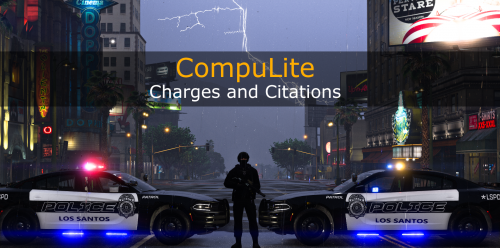
Hello everyone, The usual .xml files contain casual, sometimes unnecessary violations that can also be seen with grammar errors. Well, I've carefully edited CompuLite violation documents to provide realistic and enhanced patrolling. I've customized Citations.xml and Charges.xml files from Bejoijo plugin CompuLite for you to enjoy. Please submit additional charges or citations that I've forgot to add in the comment section or edit the xml file yourself as you'd like. You must have installed Bejoijo's plugin CompuLite in order for this to be installed. Inspiration from a Google document "San Andreas Penal Code" found here Installation: Just move the Plugins folder into your GTAV directory and replace already existing files (Citations.xml and Charges.xml) Available Infractions (as of Update 1.1.2.) Available Arrestable Offences (as of Update 1.1.2.) Previous version history
-
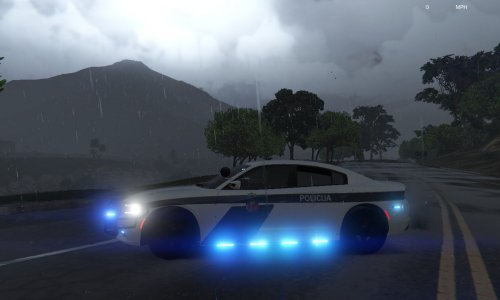 If you have any ideas on which police skins you'd like to see, i will gladly make them for you. Greetings from Latvia. 🙂
 -
~ Original Vehicle: ~ I, Chris, am not responsible for any damage to your game. The original file is owned by Gump, i only made Latvian State Police Vehicle liveries and made blue lighting. All credits go to their rightful owners. Stay safe.
-
Nevermind, i just opened up a wrong folder. My apologies.
-
So, today i installed OpenIV to install some ELS cars to my game. When i tried to find my "patchday#" folder inside the created mods folder, i couldn't find it. The only patchday folders that i have are "patchday1ng", "patchday3ng" and "patchday5ng", but when i go into normal 'update' folder, all the patchdays are there.. Because of patchday folders missing in the mods folder, i cannot install any ELS cars ^ Non-Mods folder v Mods folder
-
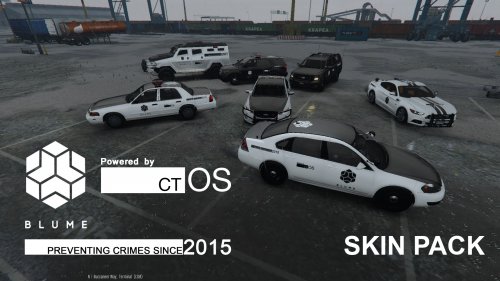 Looks like no one has written a nice little review about the amazing vehicle skins, so, i guess i'll do it then. After seeing these models, i truly do believe in love at first sight now. I haven't tested them out yet, because of my GTA issues, but i am definitely looking forward to it. I really appreciate that you took your time, to make skins for Grand Theft Auto V as well. These are great models, and i can't express how much i am amazed by them. This is probably one of the best models i've seen on the internet. I only had one question, do these models support ELS? Overall thanks for designing these, and bringing them to GTA V.
- 8 comments
- 2 reviews


