


gotnitro
Members
-
Joined
-
Last visited
Everything posted by gotnitro
-
Ok, well I thank you for the help! Really appreciate it!
-
Ok I am receiving callouts but a very select few.... drunken subject, stolen vehicle and vehicle fires. It seems when I watch videos of people online they have a really nice set of callouts and it seems to have variety. How come my callouts are so limited? Do I have to just download and run a bunch of different ones to get that experience?
-
Does it have to be in window mode in order for the console to run?
-
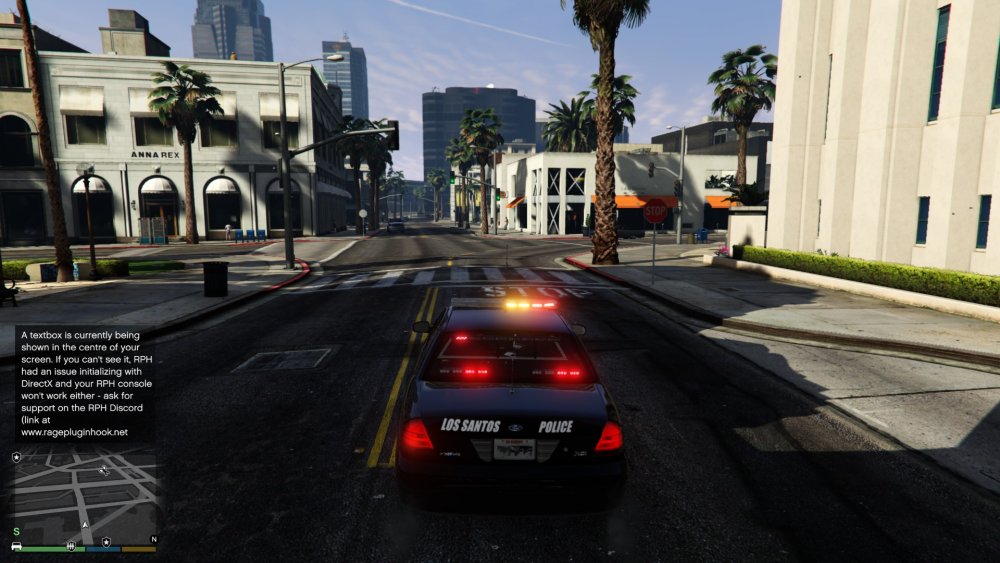
Ok I found out what happen, its working now but I have another issue as well. I was placing the police.xml in the following location: D:\SteamLibrary\steamapps\common\Grand Theft Auto V\ELS I needed it to be in this location: D:\SteamLibrary\steamapps\common\Grand Theft Auto V\ELS\pack_default Simple mistake overlooked after you said "pack_default" folder I started thinking wait a minute I have it in the ELS folder. Now for my second issue, I attached another photo. While LSPDFR is running and I'm driving around I get keep getting a message saying there is a textbox being displayed in the centre of my screen and that RPH had an issue initializing DirectX and your RPH console wont work. Which would explain why "F4" freezes the game like pauses it but when I press "f4" again the game start playing. I'm guessing that it's trying to load callouts because i am no longer receiving callouts. I was getting a few callouts before and it was saying this same error message but I am no longer getting any callouts just getting this message displayed on my screen. Everything else seems to be working fine on the game. I cant seem to find any information on this on Google. I tried to upload the RPH log but it says invalid file type it wants image files only.
-
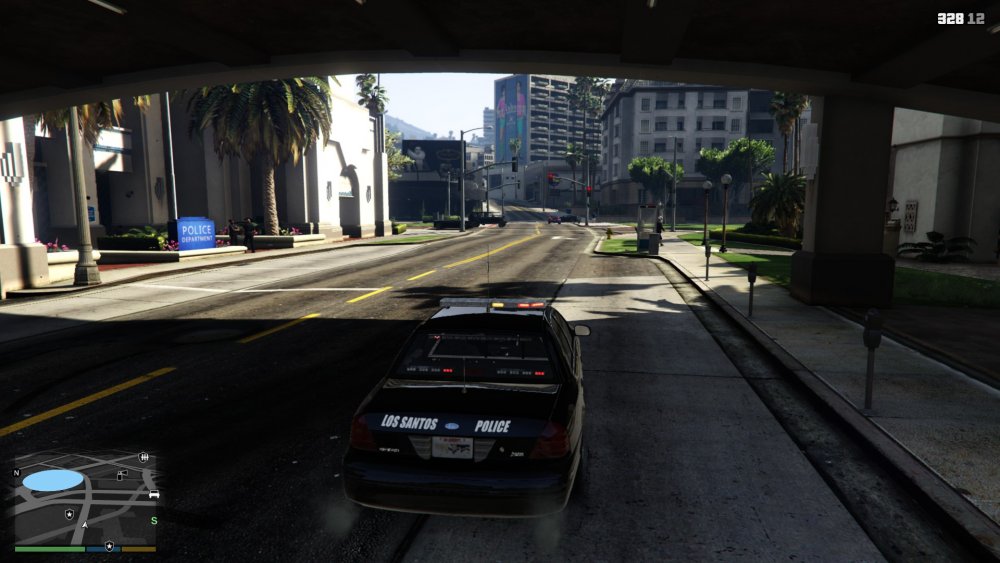
Yes I did, I placed it in the ELS folder. I have attached a screenshot of the lights stuck on. This is when I turn off all the lights. Also when I turn the lights on the ones that are stuck on turn off and while running code 1, 2 and 3 them lights shut off and do not flash. As soon as I turn the lights off them lights then light back up solid and will not go out.
-
Yes for both questions, I have ScriptHookV and ELS enabled vehicles
-
Hello, I’ve installed ELS and it’s working in game but once I turn my emergency lights on and then shut them back down a couple of the light bar lights stay on and will not turn off. What do I do?? It does it on all the vehicles.

